

9:00 AM – 4:00 PM CST
9:00 AM – 4:00 PM CST
Reserve Your Seat
- Virtual instructor Led Training
- Complete Hands-on Labs
- Softcopy of Courseware
- Learning Labs
- Virtual instructor Led Training
- Complete Hands-on Labs
- Softcopy of Courseware
- Learning Labs
- You can use your Purchase Card and checkout
- The GSA Contract Number: 47QTCA20D000D
- Call 800-453-5961 for details
- Customize your class
- Delivery Onsite or Online for your organization
- Choice of Dates when and where you want
- Guidance in choosing and customizing your class
Question About this Course?
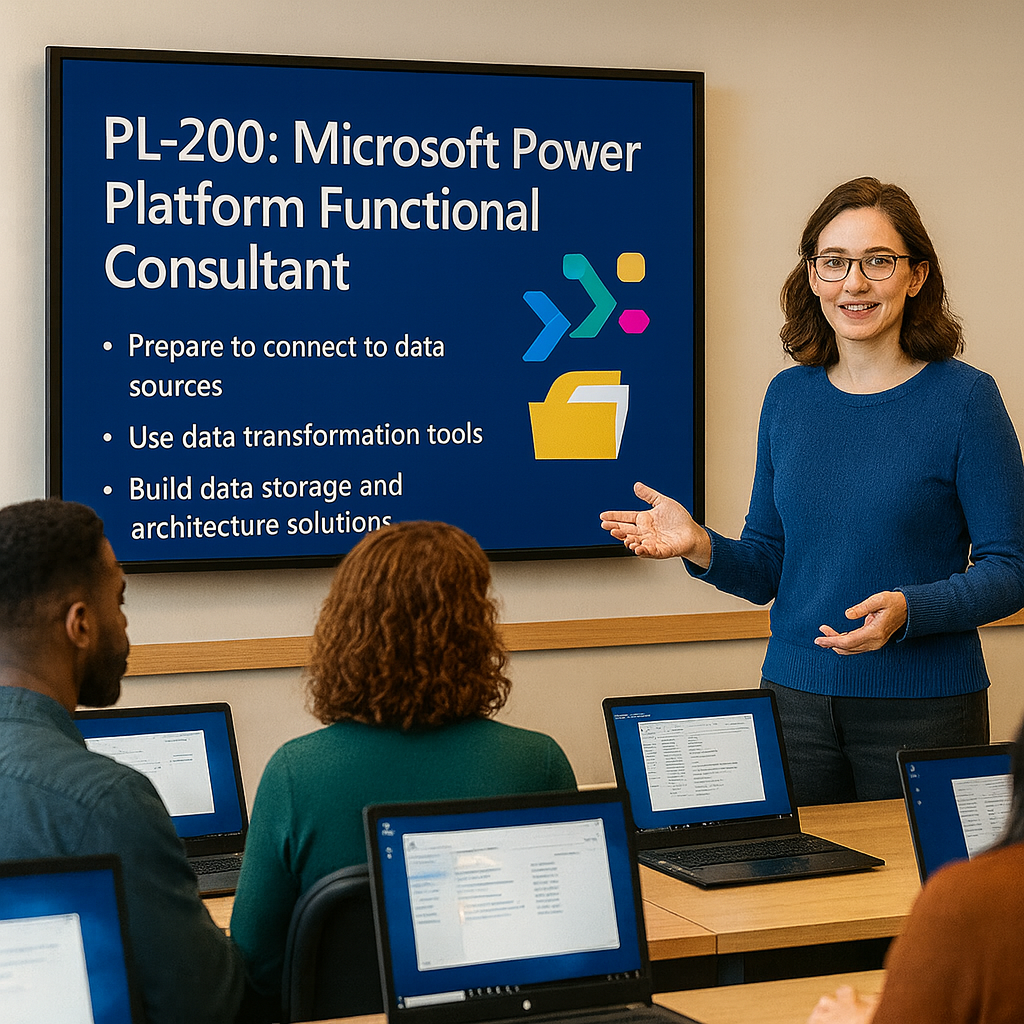
PL-200 Microsoft Power Platform Functional Consultant
PL-200T00: Microsoft Power Platform Functional Consultant is an instructor-led course for functional consultants who configure Microsoft Power Platform solutions to simplify, automate, and improve business processes.
Students learn how to gather requirements, configure Microsoft Dataverse, build Power Apps, automate processes with Power Automate, create Power Pages sites, visualize data with Power BI, manage environments, implement security, and support application lifecycle management.
Certification: Microsoft Certified: Power Platform Functional Consultant Associate
Exam: PL-200: Microsoft Power Platform Functional Consultant
Why choose Dynamics Edge for PL-200 training?
Dynamics Edge delivers PL-200 training with practical Power Platform implementation examples, hands-on labs, certification review, and real-world functional consultant scenarios. The course helps students understand how to turn business requirements into working Power Platform solutions.
- Learn how to configure Dataverse, Power Apps, Power Automate, Power Pages, and Power BI.
- Practice the core tasks used by Power Platform functional consultants on real projects.
- Prepare for PL-200 certification exam objectives through structured review.
- Understand how security, environments, solutions, and ALM support enterprise Power Platform delivery.
- Request private team delivery for app modernization, workflow automation, citizen development, or Power Platform rollout.
What will you learn in PL-200T00 training?
Students learn how to implement business solutions with Microsoft Power Platform. The course emphasizes requirements analysis, data modeling, user experience design, app configuration, automation, security, reporting, and environment management.
- Configure Dataverse tables, columns, relationships, choices, business rules, security roles, users, teams, and auditing.
- Build model-driven apps with forms, views, custom pages, command bars, dashboards, and embedded canvas apps.
- Build canvas apps with screens, controls, formulas, variables, collections, forms, galleries, and Power Automate integration.
- Create and manage cloud flows, business process flows, approvals, logic, conditions, error handling, and automation.
- Manage solutions, environments, Power Pages, Power BI integration, deployment, testing, and application lifecycle management.
Course Outline Microsoft Power Platform Functional Consultant PL-200
Learning Path 1: Work with Microsoft Dataverse
Module 1: Get started with Dataverse
Students learn how Dataverse supports secure, scalable business applications. They review environments, tables, rows, columns, relationships, choices, solutions, publishers, and how Dataverse connects across Power Platform.
Topics include:
- Describe Dataverse core concepts.
- Create and manage environments.
- Work with tables, rows, and columns.
- Understand solutions and publishers.
- Review Dataverse use cases for business applications.
Module 2: Create and manage Dataverse tables
Students learn how to create and configure Dataverse tables for business data. They review standard tables, custom tables, activity tables, table ownership, primary columns, and table properties.
Topics include:
- Create custom tables.
- Configure table properties.
- Create and modify standard or activity tables.
- Import tables through solutions.
- Use tables in apps and automation.
Module 3: Create columns and relationships
Students learn how to design Dataverse data models with columns and relationships. They configure data types, choices, lookup columns, calculated or formula columns, rollup columns, and relationship behavior.
Topics include:
- Create Dataverse columns.
- Configure choices and lookup columns.
- Create one-to-many relationships.
- Create many-to-many relationships.
- Configure cascading relationship behavior.
Module 4: Manage Dataverse data
Students learn how to import, export, maintain, and govern Dataverse data. They review duplicate detection, bulk deletion, auditing, Dataverse search, and data quality controls.
Topics include:
- Import and export Dataverse data.
- Configure duplicate detection.
- Configure bulk deletion.
- Configure auditing.
- Manage Dataverse search and indexes.
Learning Path 2: Manage Microsoft Dataverse
Module 5: Configure Dataverse security
Students learn how Dataverse security protects business data. They configure business units, security roles, users, teams, column security, hierarchy security, and Microsoft Entra ID group teams.
Topics include:
- Configure business units.
- Create and manage security roles.
- Create and manage users and teams.
- Configure column security.
- Configure hierarchy security and group teams.
Module 6: Manage environments and governance
Students learn how Power Platform environments support development, testing, production, governance, and administration. They review environment types, environment settings, data policies, capacity, and managed environments.
Topics include:
- Create and manage environments.
- Configure environment settings.
- Review managed environment capabilities.
- Monitor capacity and resource use.
- Apply governance and data policies.
Learning Path 3: Create model-driven apps
Module 7: Design model-driven apps
Students learn how model-driven apps use Dataverse metadata to create structured business applications. They configure app navigation, pages, tables, forms, views, dashboards, and user experiences.
Topics include:
- Create model-driven apps.
- Configure app navigation.
- Add tables and pages.
- Configure forms and views.
- Publish and test model-driven apps.
Module 8: Configure forms, views, and command bars
Students learn how to tailor model-driven app experiences. They configure form types, controls, views, subgrids, business rules, modern commanding, and Power Fx command logic.
Topics include:
- Configure main, quick create, and quick view forms.
- Create and configure views.
- Use controls in the form designer.
- Customize command bars.
- Use Power Fx for command behavior.
Module 9: Extend model-driven apps
Students learn how to enhance model-driven apps with custom pages, embedded canvas apps, dashboards, charts, and Power BI content.
Topics include:
- Configure custom pages.
- Embed canvas apps in forms.
- Add dashboards and charts.
- Add Power BI reports or dashboards.
- Improve role-based app experiences.
Learning Path 4: Create canvas apps
Module 10: Build canvas apps
Students learn how canvas apps provide flexible user experiences. They configure screens, controls, galleries, forms, navigation, themes, formulas, data sources, and app behavior.
Topics include:
- Create canvas apps.
- Add screens and controls.
- Connect to Dataverse and other data sources.
- Use galleries and forms.
- Configure navigation and app layout.
Module 11: Add formulas and app logic
Students learn how Power Fx supports canvas app behavior. They use formulas, variables, collections, conditional logic, error handling, and delegation-aware patterns.
Topics include:
- Use Power Fx formulas.
- Work with variables and collections.
- Configure conditional logic.
- Handle errors.
- Use delegation-aware app patterns.
Module 12: Enhance canvas app experiences
Students learn how to improve app usability, performance, and integration. They review responsive design, App Checker, accessibility, Power Automate integration, and app sharing.
Topics include:
- Use App Checker.
- Improve accessibility and usability.
- Configure responsive layouts.
- Call Power Automate flows.
- Share and publish canvas apps.
Learning Path 5: Build Power Pages sites
Module 13: Create Power Pages sites
Students learn how Power Pages enables secure external websites connected to Dataverse. They configure pages, navigation, lists, forms, templates, and site design.
Topics include:
- Create Power Pages sites.
- Configure site pages and navigation.
- Add Dataverse forms and lists.
- Use templates.
- Style and preview site content.
Module 14: Secure and enhance Power Pages
Students learn how to secure and extend Power Pages sites. They configure web roles, table permissions, page access, authentication, search, document management, multi-step forms, and Power BI integration.
Topics include:
- Configure web roles.
- Configure table permissions.
- Configure authentication options.
- Create multi-step forms.
- Add search, documents, and Power BI content.
Learning Path 6: Build automation with Power Automate
Module 15: Create cloud flows
Students learn how Power Automate automates business processes. They create automated, instant, and scheduled flows using triggers, actions, connectors, dynamic content, and Dataverse operations.
Topics include:
- Create cloud flows.
- Use triggers and actions.
- Work with dynamic content.
- Use Dataverse connector actions.
- Test and monitor cloud flows.
Module 16: Add logic and error handling to flows
Students learn how to build reliable automations. They configure conditions, switches, loops, variables, scopes, approvals, expressions, retry behavior, and error handling.
Topics include:
- Add conditions and branches.
- Use loops and variables.
- Configure approvals.
- Use expressions.
- Implement error handling and troubleshooting.
Learning Path 7: Implement low-code logic and business processes
Module 17: Configure business rules and business process flows
Students learn how low-code logic enforces business behavior. They configure business rules, business process flows, stages, steps, branching, required fields, and process guidance.
Topics include:
- Create business rules.
- Configure business process flows.
- Add stages and steps.
- Add branching logic.
- Activate and test process flows.
Module 18: Configure classic process options when needed
Students learn when classic processes or legacy automation options may still appear in existing environments. They review classic workflows, wait conditions, background processing, and transition planning.
Topics include:
- Identify classic workflow use cases.
- Configure workflow conditions.
- Configure wait and parallel wait logic.
- Understand process limitations.
- Plan modernization to Power Automate.
Learning Path 8: Visualize data with Power BI
Module 19: Create reports and dashboards
Students learn how Power BI supports Power Platform functional consultants. They connect to Dataverse, create reports, build dashboards, embed Power BI content, and share insights.
Topics include:
- Connect Power BI to Dataverse.
- Create Power BI reports.
- Create dashboards.
- Embed Power BI in model-driven apps.
- Share reports with users.
Learning Path 9: Manage solutions and application lifecycle
Module 20: Implement ALM with solutions
Students learn how Power Platform solutions support application lifecycle management. They work with unmanaged and managed solutions, publishers, dependencies, environment variables, connection references, export, import, and deployment practices.
Topics include:
- Create unmanaged solutions.
- Export managed solutions.
- Import solutions into another environment.
- Manage dependencies.
- Use environment variables and connection references.
Hands-on labs
The PL-200 labs support hands-on practice for Microsoft Power Platform functional consultants. This single consolidated lab list is based on the official MicrosoftLearning PL-200 labs and the most important exercise topics found in the PL-200 PowerPoint speaker notes.
- Lab 1: Validate the Power Platform lab environment.
- Lab 2: Create and configure Power Platform environments.
- Lab 3: Create a publisher and unmanaged solution.
- Lab 4: Import an existing solution.
- Lab 5: Create and configure Dataverse tables.
- Lab 6: Create Dataverse columns, choices, and formula or rollup columns.
- Lab 7: Create Dataverse table relationships and configure relationship behavior.
- Lab 8: Configure security roles.
- Lab 9: Configure users, teams, business units, and Microsoft Entra ID group teams.
- Lab 10: Create and configure model-driven app forms.
- Lab 11: Create and configure model-driven app views.
- Lab 12: Customize the command bar with Power Fx.
- Lab 13: Enhance a canvas app with screens, controls, formulas, variables, collections, and Dataverse data.
- Lab 14: Create a custom page for a model-driven app.
- Lab 15: Build a Power Pages site connected to Dataverse.
- Lab 16: Enhance a Power Pages site with forms, lists, navigation, web roles, and table permissions.
- Lab 17: Create cloud flows with Dataverse triggers, actions, dynamic content, and expressions.
- Lab 18: Enhance approval cloud flows with conditions, branches, error handling, testing, and troubleshooting.
- Lab 19: Add low-code logic to Dataverse with business rules and business process flows.
- Lab 20: Configure dashboards, Power BI content, auditing, duplicate detection, and bulk deletion for solution readiness.
Certification alignment
This course supports preparation for Exam PL-200: Microsoft Power Platform Functional Consultant. The exam validates the ability to configure Microsoft Dataverse, create apps with Power Apps, create and manage process automation, and manage environments.
PL-200 skills measured
- Configure Microsoft Dataverse.
- Create apps by using Microsoft Power Apps.
- Create and manage logic and process automation.
- Manage environments.
Course review
Students should leave the course able to configure and support a complete Power Platform business solution. The course review should reinforce Dataverse tables, columns, relationships, security, model-driven apps, canvas apps, Power Pages, cloud flows, approvals, business rules, business process flows, Power BI integration, solutions, and environment management.
Certification exam review
Exam review should focus on requirements analysis, configuration decisions, app design, process automation, security, ALM, and troubleshooting. Priority review areas should include Dataverse data modeling, table relationships, column types, security roles, business units, users, teams, model-driven forms and views, command bars, canvas app formulas, Power Pages permissions, cloud flow logic, approvals, business process flows, solutions, managed environments, and deployment practices.
Question About this Course?
Need help picking the right course?
Call Now