

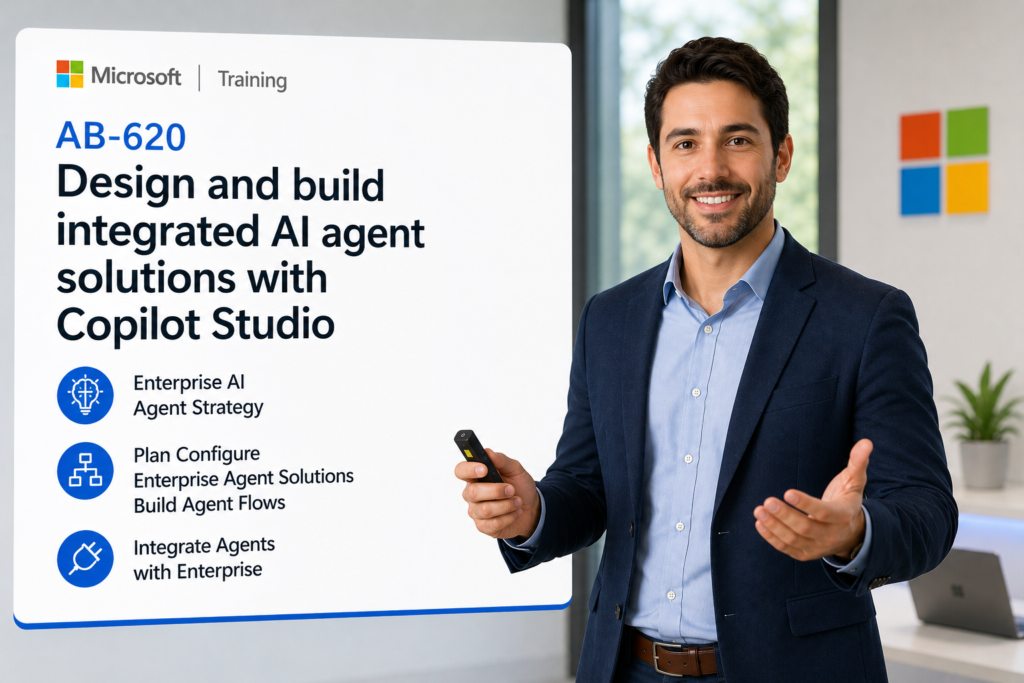
AB-620 Design and build integrated AI agent solutions with Copilot Studio

Course: 3956

Design and Build Integrated AI Agent Solutions in Copilot Studio moves organizations from simple chatbots to intelligent, enterprise-ready AI agents that automate real business processes across Microsoft 365, Dynamics 365, Power Platform, Azure, and third-party systems.

Download PDF
  • Duration: 3 days
  • Price: $595.00
Get This Course $595.00
Scroll to view additional course dates

Reserve Your Seat

  • Virtual instructor Led Training
  • Complete Hands-on Labs
  • Softcopy of Courseware
  • Learning Labs
  • Virtual instructor Led Training
  • Complete Hands-on Labs
  • Softcopy of Courseware
  • Learning Labs
  • You can use your Purchase Card and checkout
  • The GSA Contract Number: 47QTCA20D000D
  • Call 800-453-5961 for details
  • Customize your class
  • Delivery Onsite or Online for your organization
  • Choice of Dates when and where you want
  • Guidance in choosing and customizing your class

Question About this Course?
Overview

Learn how to design, build, secure, integrate, test, and manage enterprise-grade AI agent solutions using Microsoft Copilot Studio. This course goes beyond basic chatbot creation and focuses on real-world business automation, multi-agent orchestration, enterprise data integration, API-based actions, human-in-the-loop workflows, Azure AI Search grounding, Microsoft Foundry integration, and responsible AI governance.

Audience Profile:

  • Developers, advanced app makers, Power Platform consultants, Dynamics 365 consultants, solution architects, AI builders, and technical business analysts

You will Learn:

  • How to design enterprise-ready AI agents in Microsoft Copilot Studio
  • How to connect agents to enterprise systems using connectors, APIs, Azure AI Search, and MCP
  • How to build multi-agent solutions using child agents, connected agents, and A2A patterns
  • How to automate real business workflows with agent flows and human-in-the-loop approvals
  • How to configure topics, generative answers, custom prompts, Adaptive Cards, and tools
  • How to secure, govern, monitor, and manage Copilot Studio agents at scale
  • How to prepare for AB-620 by mapping labs to Microsoft’s exam skill areas

AB-620 Design and Build Integrated AI Agent Solutions in Copilot Studio

Module 1: Enterprise AI Agent Strategy with Microsoft Copilot Studio

This module introduces the role of AI agents in modern business transformation. Students learn how Copilot Studio fits within Microsoft’s AI ecosystem and how to plan AI agent solutions that deliver measurable business outcomes.

  • Understand Microsoft Copilot Studio as an enterprise AI agent platform
  • Compare standalone agents, integrated agents, and multi-agent solutions
  • Identify business processes suitable for AI agent automation
  • Align agent design with users, roles, systems, and business outcomes
  • Map agent capabilities to Dynamics 365, Power Platform, Microsoft 365, and Azure scenarios

Business Scenario:
Design an AI agent strategy for a customer service, sales, finance, or operations team that needs to automate requests across multiple systems.


Module 2: Plan and Configure Enterprise Agent Solutions

This module focuses on agent planning, solution architecture, channels, identity, governance, and reusable components. Microsoft’s AB-620 study guide includes planning integration, identity, deployment channels, responsible AI, security, governance, and reusable components as part of the planning domain.

  • Plan agent solutions for internal and external business audiences
  • Define identity, authentication, access, and permission requirements
  • Select channels for Teams, web, Microsoft 365 Copilot, and business applications
  • Evaluate governance, lifecycle, and environment strategy for Copilot Studio
  • Design reusable components for scalable enterprise agent development

Lab:
Create an agent solution blueprint that includes target users, systems, authentication needs, channels, data sources, and governance requirements.


Module 3: Design Agent Conversations, Topics, and Responses

Students learn how to design high-quality agent conversations using topics, variables, prompts, response formatting, and generative answers. AB-620 includes configuring topics, adding tools to topics, formatting responses, managing variables, using generative answers, and configuring Adaptive Cards.

  • Create advanced topics for structured business conversations
  • Use variables to capture, store, and pass business context
  • Configure generative answers for flexible AI-powered responses
  • Build custom prompts for task-specific agent reasoning
  • Format responses using Adaptive Cards and rich conversational design

Lab:
Build a support request agent topic that captures user intent, collects required information, displays an Adaptive Card, and generates grounded responses.


Module 4: Build Agent Flows and Human-in-the-Loop Automation

This module teaches students how to move from conversation to business action. Students configure agent flows, parameters, connectors, error handling, approvals, and monitoring.

  • Create agent flows to automate business processes
  • Add input and output parameters for reusable automation
  • Configure connector-based actions from agent conversations
  • Add human-in-the-loop review and approval steps
  • Implement monitoring and error handling for reliable execution

Lab:
Build an agent flow that receives a request, validates information, routes for approval, updates a record, and returns a response to the user.


Module 5: Integrate Agents with Enterprise Systems and Data

Students learn how to connect agents to enterprise systems using connectors, REST APIs, custom connectors, Azure AI Search, and enterprise knowledge sources. Microsoft’s course objectives explicitly include connectors, APIs, Azure AI Search, and Model Context Protocol integration.

  • Connect agents to Microsoft Power Platform connectors
  • Use custom connectors to integrate with line-of-business applications
  • Add REST API tools to allow agents to take external actions
  • Ground responses using enterprise knowledge and Azure AI Search
  • Evaluate integration patterns for Dynamics 365, ServiceNow, SAP, SharePoint, and custom systems

Lab:
Create an integrated agent that retrieves knowledge, calls an API, updates a business record, and provides a structured response.


Module 6: Use Model Context Protocol and Advanced Agent Tools

This module covers advanced extensibility patterns for enterprise agents, including MCP tools, Send HTTP requests, REST APIs, computer use, and external system automation. The AB-620 guide includes configuring MCP tools, adding REST APIs, and configuring computer use for agents.

  • Understand Model Context Protocol and its role in agent integration
  • Configure MCP tools for external system access
  • Add REST API actions directly to Copilot Studio agents
  • Use Send HTTP requests for advanced integration scenarios
  • Evaluate computer-use automation for legacy or UI-driven systems

Lab:
Design an advanced agent tool strategy that compares connector, API, MCP, and computer-use approaches for a real business process.


Module 7: Design and Build Multi-Agent Solutions

Students learn how to design scalable multi-agent solutions using child agents, connected agents, Microsoft Foundry agents, Fabric data agents, and Agent2Agent patterns. Microsoft’s AB-620 guide includes multi-agent solutions, Foundry agent integration, Fabric data agents, and A2A protocol.

  • Determine when a multi-agent architecture is appropriate
  • Design child agents for specialized business tasks
  • Connect existing Copilot Studio agents into broader solutions
  • Integrate Foundry agents and Fabric data agents
  • Use Agent2Agent patterns for cross-platform agent collaboration

Lab:
Design a multi-agent business solution with separate agents for intake, knowledge retrieval, transaction processing, escalation, and reporting.


Module 8: Secure and Govern AI Agent Solutions

This module focuses on enterprise-grade governance, security, compliance, and responsible AI practices. Microsoft’s AB-620 planning domain includes identity, responsible AI, security, governance, and internal/external audience design.

  • Apply role-based access and identity controls to agent solutions
  • Design secure access to enterprise data and APIs
  • Apply responsible AI principles to prompts, actions, and responses
  • Govern agent environments, connectors, data sources, and deployment
  • Plan controls for regulated, federal, and enterprise environments

Business Scenario:
Create a governance model for deploying Copilot Studio agents in a finance, government, healthcare, or enterprise operations environment.


Module 9: Test, Evaluate, Monitor, and Improve Agents

Students learn how to evaluate agent performance, create test sets, review results, monitor usage, and improve reliability. The AB-620 guide includes creating test sets, choosing evaluation methods, reviewing results, and monitoring agents with Application Insights.

  • Create test sets for business process and conversation validation
  • Choose evaluation methods for accuracy, reliability, and safety
  • Review test results and improve agent behavior
  • Monitor agent usage, failures, and performance
  • Use Application Insights and platform monitoring for operational visibility

Lab:
Build and run an agent test plan that validates conversation quality, response grounding, action execution, and escalation paths.


Module 10: Application Lifecycle Management for Copilot Studio Agents

This module teaches students how to package, deploy, and manage agent solutions through Power Platform ALM practices. Microsoft’s AB-620 guide includes creating solutions, adding agents to solutions, using environment variables, and extending Power Platform Pipelines.

  • Add Copilot Studio agents to Power Platform solutions
  • Use environment variables for connection and configuration management
  • Package agents, flows, connectors, and components for deployment
  • Implement Power Platform Pipelines for controlled release management
  • Plan dev, test, UAT, and production environments for agent delivery

Lab:
Package an agent solution with flows, connectors, environment variables, and deployment-ready configuration.


Module 11: Capstone Lab — Build an Integrated Enterprise AI Agent Solution

The capstone brings together the full AB-620 skill set. Students design, build, integrate, secure, test, and prepare an enterprise AI agent solution for deployment.

  • Design the agent architecture and business process flow
  • Configure topics, generative answers, tools, and Adaptive Cards
  • Integrate with enterprise data using connectors, API, or Azure AI Search
  • Add an agent flow with approval, action, and error handling
  • Test, monitor, package, and present the final solution

Capstone Scenario Options:
Customer service case resolution agent, sales proposal assistant, finance inquiry agent, HR policy agent, field service dispatcher, procurement approval agent, or Dynamics 365 operations support agent.

Question About this Course?

Need help picking the right course?

Contact Us

Call Now

Call Now800-453-5961