

Get This Course
$1,795.00
December 16 - 18, 2026
9:00 AM – 4:00 PM CST
January 13 - 15, 2027
9:00 AM – 4:00 PM CST
February 10 - 12, 2027
9:00 AM – 4:00 PM CST
March 10 - 12, 2027
9:00 AM – 4:00 PM CST
April 14 - 16, 2027
9:00 AM – 4:00 PM CST
May 12 - 14, 2027
9:00 AM – 4:00 PM CST
June 16 - 18, 2027
9:00 AM – 4:00 PM CST
July 14 - 16, 2027
9:00 AM – 4:00 PM CST
August 11 - 13, 2027
9:00 AM – 4:00 PM CST
September 15 - 17, 2027
9:00 AM – 4:00 PM CST
October 13 - 15, 2027
9:00 AM – 4:00 PM CST
November 10 - 12, 2027
9:00 AM – 4:00 PM CST
December 15 - 17, 2027
9:00 AM – 4:00 PM CST
Reserve Your Seat
- Virtual instructor Led Training
- Complete Hands-on Labs
- Softcopy of Courseware
- Learning Labs
- Virtual instructor Led Training
- Complete Hands-on Labs
- Softcopy of Courseware
- Learning Labs
- You can use your Purchase Card and checkout
- The GSA Contract Number: 47QTCA20D000D
- Call 800-453-5961 for details
- Customize your class
- Delivery Onsite or Online for your organization
- Choice of Dates when and where you want
- Guidance in choosing and customizing your class
Question About this Course?
Overview
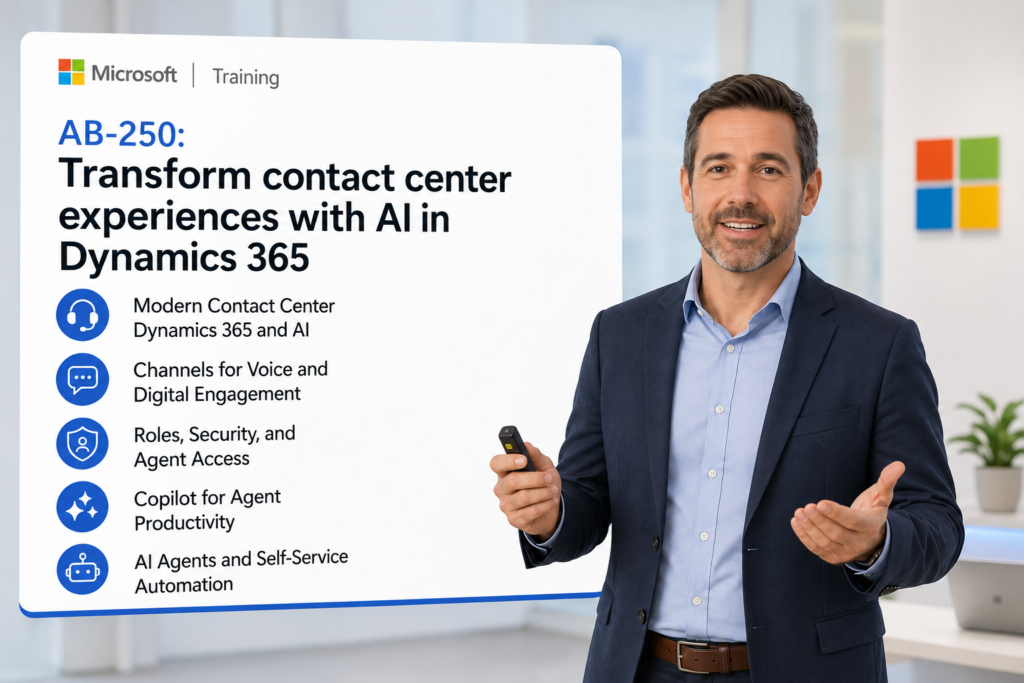
Configure and operate an AI-powered contact center with Dynamics 365 Contact Center and Customer Service. Learn how to modernize voice and digital customer engagement using Microsoft Copilot, AI agents, intelligent routing, work distribution, channel configuration, supervisor insights, and secure data access. Advance your organization with AI
Audience Profile:
- Dynamics 365 Customer Service functional consultants
- Contact center administrators and supervisors
- Business analysts documenting service and support requirements
- Power Platform and Dynamics 365 solution architects
- Platform engineers supporting omnichannel and AI-enabled service operations
- Customer experience leaders planning contact center modernization
You will Learn:
- Configure Dynamics 365 Contact Center environments in embedded and standalone modes.
- Set up voice and digital engagement channels for scalable customer service.
- Configure users, roles, permissions, security, queues, and agent access.
- Design routing and work distribution strategies for efficient customer engagement.
- Enable Copilot and AI agent capabilities to improve agent productivity.
- Connect customer data sources and third-party CCaaS solutions.
- Use supervisor and operational insights to improve service performance, customer experience, and agent effectiveness.
Introduction to Dynamics 365 Contact Center AI to enhance your business
Module 1: Modern Contact Center Transformation with Dynamics 365 and AI
Topics
- Understand the role of Dynamics 365 Contact Center in AI-enabled customer service
- Compare traditional contact centers with Copilot-first, AI-powered service models
- Identify how voice, chat, email, messaging, and digital channels work together
- Explain the relationship between Dynamics 365 Customer Service and Dynamics 365 Contact Center
- Define business outcomes such as faster resolution, improved CSAT, reduced handle time, and better agent productivity
Support Statements
- Dynamics 365 Contact Center is positioned as a Copilot-first contact center solution that brings generative AI into customer engagement channels.
- Students learn how AI supports both the customer experience and the agent experience through automation, recommendations, and guided service.
- This module helps learners connect business goals to platform configuration decisions before moving into technical setup.
Module 2: Plan and Deploy Dynamics 365 Contact Center Environments
Topics
- Understand contact center deployment options
- Configure embedded and standalone contact center modes
- Review environment planning considerations for Dynamics 365 and Power Platform
- Identify licensing, provisioning, and implementation dependencies
- Prepare a contact center deployment checklist for enterprise rollout
Support Statements
- Microsoft Learn identifies embedded and standalone modes as key areas of focus in AB-250T00.
- Students learn how deployment choices affect integration, security, data visibility, and user experience.
- The Dynamics Edge approach emphasizes implementation readiness, not just feature awareness.
Module 3: Configure Channels for Voice and Digital Engagement
Topics
- Configure voice channel capabilities for modern service operations
- Set up chat, messaging, email, and digital engagement channels
- Understand how conversations flow from customer entry point to agent workspace
- Configure channel settings to support customer experience requirements
- Validate channel readiness for production contact center scenarios
Support Statements
- Microsoft describes the course as supporting scalable customer engagement across voice and digital channels.
- Students learn how channel design affects response time, customer effort, agent workload, and reporting.
- The course connects channel setup to practical use cases such as support intake, triage, escalation, and self-service.
Module 4: Configure Users, Roles, Security, and Agent Access
Topics
- Configure users for contact center operations
- Assign roles and permissions for agents, supervisors, administrators, and support teams
- Understand security settings across Dynamics 365, Dataverse, and contact center components
- Configure access to conversations, queues, customer records, and knowledge resources
- Apply role-based access control to support compliance and operational governance
Support Statements
- Microsoft Learn specifically notes that AB-250T00 emphasizes how channels, users, and security settings work together.
- Students learn how security design affects both customer data protection and agent productivity.
- Dynamics Edge would position this module around real implementation issues: least privilege, supervisor visibility, queue ownership, and secure AI access to customer data.
Module 5: Configure Queues, Work Distribution, and Routing Strategies
Topics
- Define queues for service teams, skills, regions, products, and case types
- Configure work distribution rules for contact center conversations
- Design routing strategies based on customer intent, skills, availability, priority, and service level
- Understand how routing affects first-contact resolution and agent utilization
- Test routing scenarios across voice and digital channels
Support Statements
- Microsoft Learn identifies work distribution and routing strategies as core skills for this course.
- Intelligent routing helps match customers with the right agent or service path, reducing friction and improving operational performance.
- This module should include practical routing labs for high-priority customers, skill-based queues, overflow routing, and escalation scenarios.
Module 6: Enable Copilot for Agent Productivity
Topics
- Configure Copilot capabilities for contact center agents
- Use AI-generated summaries to reduce after-call and after-chat work
- Apply suggested responses and knowledge recommendations
- Support agents with contextual customer information
- Improve consistency, speed, and quality of customer interactions
Support Statements
- Microsoft Learn states that learners enable Copilot and agent capabilities to enhance the customer and agent experience.
- Copilot helps agents respond faster, summarize interactions, and access relevant information during service conversations.
- Dynamics Edge should emphasize measurable outcomes such as reduced handle time, faster onboarding of new agents, and improved service consistency.
Module 7: Configure AI Agents and Self-Service Automation
Topics
- Understand the difference between Copilot assistance and AI agents
- Identify use cases for AI agents in contact center operations
- Configure AI-assisted customer self-service scenarios
- Use AI to capture intent, summarize conversations, recommend next actions, and support escalation
- Connect AI agents to Dynamics 365 data and service workflows
Support Statements
- AI agents in Dynamics 365 Contact Center can automate repetitive inquiries, support 24/7 self-service, assist agents with summaries and recommendations, and improve response times across channels.
- This module should focus on where automation improves service without damaging customer trust.
- Students should learn how to decide which use cases belong in self-service, which require human escalation, and which require supervised AI assistance.
Module 8: Connect Data Sources and Third-Party CCaaS Solutions
Topics
- Connect customer, case, knowledge, and interaction data sources
- Understand how Dynamics 365 Contact Center uses data to improve customer engagement
- Integrate third-party Contact Center as a Service platforms
- Plan data access for Copilot, AI agents, routing, reporting, and supervisor experiences
- Validate integration and data quality before production deployment
Support Statements
- Microsoft Learn identifies connecting data sources and third-party CCaaS solutions as a major course focus.
- Students learn how data quality directly affects AI accuracy, routing effectiveness, personalization, and reporting.
- Dynamics Edge should position this module around real integration strategy: what data is needed, where it lives, who can access it, and how AI should use it safely.
Module 9: Configure Supervisor Experiences and Operational Insights
Topics
- Understand supervisor roles in AI-powered contact centers
- Review conversation monitoring, queue visibility, and service performance insights
- Use analytics to evaluate agent productivity and customer experience
- Identify trends in volume, response time, sentiment, escalation, and resolution
- Build an operational improvement plan using contact center metrics
Support Statements
- Microsoft Learn describes the course as helping learners support supervisor oversight across voice and digital channels.
- Supervisors need visibility into both real-time operations and long-term service performance.
- Dynamics Edge should include business KPIs such as CSAT, first-contact resolution, average handle time, abandonment rate, escalation rate, and cost per interaction.
Module 10: Govern Responsible AI, Security, and Contact Center Adoption
Topics
- Apply responsible AI principles to customer service and contact center operations
- Define governance for Copilot, AI agents, data access, and human escalation
- Review compliance considerations for customer conversations and sensitive data
- Plan adoption, training, and change management for agents and supervisors
- Create a production readiness checklist for AI-enabled contact centers
Support Statements
- AI-powered service requires governance because Copilot and AI agents depend on secure access to customer, knowledge, and operational data.
- Students should learn how to monitor AI output, define escalation boundaries, and protect customer trust.
- Dynamics Edge should position this module as the bridge between technical configuration and successful enterprise adoption
Question About this Course?
Need help picking the right course?
Contact Us
Call Now
Call Now800-453-5961
×