

9:00 AM – 4:00 PM CST
9:00 AM – 4:00 PM CST
9:00 AM – 4:00 PM CST
9:00 AM – 4:00 PM CST
9:00 AM – 4:00 PM CST
9:00 AM – 4:00 PM CST
9:00 AM – 4:00 PM CST
9:00 AM – 4:00 PM CST
9:00 AM – 4:00 PM CST
9:00 AM – 4:00 PM CST
9:00 AM – 4:00 PM CST
9:00 AM – 4:00 PM CST
9:00 AM – 4:00 PM CST
Reserve Your Seat
- Virtual instructor Led Training
- Complete Hands-on Labs
- Softcopy of Courseware
- Learning Labs
- Virtual instructor Led Training
- Complete Hands-on Labs
- Softcopy of Courseware
- Learning Labs
- You can use your Purchase Card and checkout
- The GSA Contract Number: 47QTCA20D000D
- Call 800-453-5961 for details
- Customize your class
- Delivery Onsite or Online for your organization
- Choice of Dates when and where you want
- Guidance in choosing and customizing your class
Question About this Course?
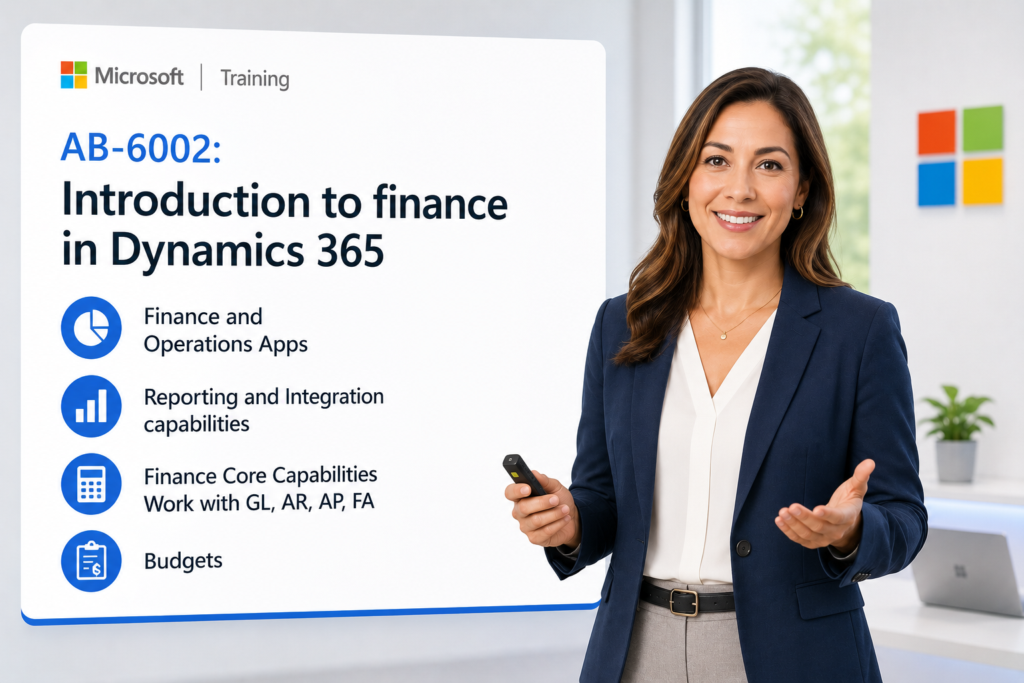
AB-6002: Introduction to Finance in Dynamics 365 Training
Instructor-led Microsoft training for finance professionals, business users, ERP beginners, functional consultants, students, and project stakeholders who need a practical introduction to Microsoft Dynamics 365 Finance. Dynamics Edge uses the official Microsoft course, Microsoft Learn content, GitHub lab exercises, and course PowerPoint materials as the topic source and rewrites the page into a clear, buyer-focused outline for public classes, private team training, and implementation readiness.
Why choose Dynamics Edge for AB-6002 training?
Dynamics Edge turns Microsoft course topics into practical instructor-led training for learners who need job skills, system navigation confidence, financial process understanding, and project-ready capability. This course can be delivered as a public class, private team class, government training, or customized workshop for finance, ERP, accounting, operations, and transformation teams.
- Learn from a Microsoft-focused training provider with practical Dynamics 365 Finance, ERP, Power Platform, AI, and business applications experience.
- Build foundational skills for navigating Dynamics 365 Finance and understanding core finance processes.
- Use structured course review, hands-on labs, instructor discussion, and real-world ERP examples instead of only reading a catalog outline.
- Prepare finance users, project teams, and business stakeholders for Dynamics 365 Finance implementation, adoption, testing, or process improvement.
What will you learn in AB-6002 training?
This course helps learners understand the fundamentals of Microsoft Dynamics 365 Finance and apply them through guided demonstrations, hands-on labs, business process examples, and review questions.
- Understand the purpose of ERP and how Dynamics 365 Finance supports financial operations.
- Navigate the Dynamics 365 Finance user interface and personalize workspaces.
- Describe core finance and operations shared features including security, workflows, legal entities, batch jobs, alerts, number sequences, and attachments.
- Review reporting, business events, Microsoft 365 integration, electronic reporting, and finance insights.
- Understand general ledger, fiscal calendars, chart of accounts, financial dimensions, journals, financial reporting, cash and bank management, allocations, accruals, and period close.
- Describe accounts payable, accounts receivable, vendor/customer payments, settlements, posting profiles, credit management, and collections.
- Review expense management, fixed assets, and budgeting.
- Explore how Copilot, AI forecasting, intelligent collections, reconciliation assistance, and Finance insights can improve finance operations.
Microsoft Dynamics 365 Finance AB-6002
Course Outline
Module 1: Describe the finance and operations apps
Students begin by learning the purpose of enterprise resource planning and how Dynamics 365 Finance fits into the broader Microsoft business applications ecosystem. The module explains how finance and operations apps support financial management, operational processes, reporting, automation, and role-based work. Students also explore the Dynamics 365 Finance user interface and learn how Copilot can assist users inside finance and operations apps.
Topics include:
- Enterprise resource planning concepts.
- General ledger as the core of the ERP system.
- Finance and operations app capabilities.
- Copilot sidecar and embedded Copilot experiences.
- AI-assisted help and natural language assistance.
- Dynamics 365 Finance navigation.
- Workspaces, menus, pages, and user interface basics.
- Personalization and productivity features.
Lab 1: Personalize your workspace
Students personalize the Dynamics 365 Finance workspace and practice basic navigation. The lab helps learners become comfortable with the user interface, common page elements, workspace design, and user productivity settings.
Module 2: Describe reporting and integration capabilities
Students learn how Dynamics 365 Finance supports reporting, analytics, document generation, Office integration, and system integration. The module introduces built-in reporting options such as inquiry pages, SSRS reports, financial reporting, embedded Power BI, Excel reporting, and electronic reporting. Students also review business events and Finance insights capabilities for forecasting, anomaly detection, and decision support.
Topics include:
- Built-in reporting capabilities.
- Trial balance reporting and export options.
- SSRS reports.
- Financial reporting.
- Embedded Power BI visualizations.
- Excel reporting and Microsoft 365 integration.
- Configurable business documents.
- Electronic reporting.
- Business events and event message formats.
- Finance insights forecasting and anomaly detection.
Module 3: Describe shared features
Students learn the common platform features that support finance and operations business processes. The module covers role-based security, workflow, batch processing, organizations, legal entities, the global address book, alerts, number sequences, and attachments. These shared features are important because they affect how users access the system, approve transactions, automate work, and manage data across legal entities.
Topics include:
- Security model and role-based access.
- Security roles, duties, and privileges.
- Workflow tasks, approvals, rejections, and submissions.
- Workflow-enabled documents.
- Batch jobs and batch job inquiries.
- Organizations and legal entities.
- Global address book features.
- Alerts and notifications.
- Number sequences.
- Attachments and document management.
Module 4: Describe Dynamics 365 Finance core capabilities
Students review the major finance capabilities available in Dynamics 365 Finance. The module introduces accounting currency, reporting currency, tax setup, currency conversion, currency revaluation, and electronic payment formats. Learners gain a practical understanding of how financial configuration supports multinational, multicurrency, and tax-aware finance operations.
Topics include:
- Dynamics 365 Finance capabilities and features.
- Accounting currency.
- Reporting currency.
- Transaction currency.
- Exchange rate types.
- Currency conversion.
- Currency revaluation.
- Sales tax codes.
- Sales tax groups.
- Item sales tax groups.
- Electronic payment formats.
Module 5: Describe general ledgers and cash and bank management
Students learn the core setup and transaction concepts used in general ledger and cash and bank management. The module explains fiscal calendars, ledger calendars, chart of accounts, main accounts, financial dimensions, financial tags, account structures, journals, financial reporting, bank accounts, bank reconciliation, allocations, accruals, and period close. Students also complete a guided journal lab to practice one of the most common Dynamics 365 Finance transaction patterns.
Topics include:
- Fiscal calendars and ledger calendars.
- Assigning calendars to legal entities.
- Chart of accounts.
- Main accounts.
- Financial dimensions.
- Dimension sets.
- Financial tags.
- Account structures.
- Financial journals.
- Journal creation and posting.
- Financial reporting.
- Cash and bank management.
- Bank accounts and reconciliation.
- Reconciliation assist with Finance Reconciliation Agent.
- Allocations and accruals.
- Periodic financial processes.
- Period close.
Lab 2: Create and post a journal
Students create, post, and review a financial journal in Dynamics 365 Finance. The lab reinforces general ledger navigation, journal entry concepts, posting behavior, and transaction review.
Module 6: Describe accounts payable and accounts receivable
Students learn the foundational concepts used to manage vendors, customers, invoices, payments, settlements, credit, and collections. The module explains vendor payment setup, accounts payable components, vendor posting profiles, vendor invoices, vendor payments, customer invoices, customer payments, customer/vendor netting, credit management, and collections. Students also review Copilot-assisted vendor and customer summaries to understand how AI can help users quickly review account activity.
Topics include:
- Vendor payment setup.
- Terms of payment.
- Methods of payment.
- Vendor groups.
- Vendor posting profiles.
- Vendor bank accounts.
- Accounts payable parameters.
- Vendors, purchase orders, vendor invoices, and matching.
- Vendor payments and settlements.
- Posting profiles.
- Customer setup.
- Accounts receivable components.
- Free text invoices.
- Customer payments.
- Customer/vendor netting.
- Credit management.
- Customer credit limits.
- Collections processes.
- Copilot vendor summaries.
- Copilot customer summaries.
Lab 3: Create and pay an accounts payable invoice
Students create and post a vendor invoice journal, then create and process a vendor payment journal. The lab helps learners understand the flow from vendor invoice entry to payment and settlement.
Module 7: Describe expense management, fixed assets, and budgeting
Students finish the course by reviewing three important finance areas: expense management, fixed assets, and budgeting. The module explains expense reports, expense categories, receipt capture, expense workflows, fixed asset lifecycle concepts, asset books, posting profiles, and budget register entries. Students also complete a budgeting lab that shows how budget entries are created and approved.
Topics include:
- Expense management capabilities.
- Expense categories.
- Expense reports and expense lines.
- Receipt capture and matching.
- Expense workflows.
- Fixed asset concepts.
- Fixed asset lifecycle.
- Fixed asset books.
- Fixed asset posting profiles.
- Asset acquisition, depreciation, and disposal concepts.
- Budgeting capabilities.
- Budget register entries.
- Budget approvals.
Lab 4: Create budget register entries and approve them
Students create budget register entries and move them through the approval process. The lab reinforces how Dynamics 365 Finance supports budget control, review, and financial planning activities.
Course Review
At the end of the course, students review the major Dynamics 365 Finance concepts covered during the class. The review connects ERP fundamentals, user navigation, finance configuration, shared features, general ledger, accounts payable, accounts receivable, expense management, fixed assets, budgeting, reporting, and AI-assisted finance capabilities.
Students should be able to explain how Dynamics 365 Finance supports core financial operations and how finance users interact with journals, invoices, payments, reports, workspaces, approvals, and financial data. The course provides a foundation for additional Dynamics 365 Finance training, implementation participation, user acceptance testing, project onboarding, and finance process improvement.
Certification and Next-Step Alignment
AB-6002 is an introductory Dynamics 365 Finance course and is best used as a foundation for learners who are new to Dynamics 365 Finance or ERP finance processes. It is useful for business users, finance professionals, project team members, students, new consultants, and stakeholders preparing for deeper Dynamics 365 Finance learning.
Recommended next steps may include:
- MB-920T00: Microsoft Dynamics 365 Fundamentals ERP.
- MB-310T00: Microsoft Dynamics 365 Finance.
- MB-700T00: Microsoft Dynamics 365 Finance and Operations Apps Solution Architect.
- Role-based Dynamics 365 Finance implementation workshops.
- Private team training for finance process design, testing, adoption, or go-live readiness.
Question About this Course?
Need help picking the right course?
Call Now