

Tentative
7:00 AM – 3:00 PM PST
Reserve Your Seat
- Virtual instructor Led Training
- Complete Hands-on Labs
- Softcopy of Courseware
- Learning Labs
- Virtual instructor Led Training
- Complete Hands-on Labs
- Softcopy of Courseware
- Learning Labs
- You can use your Purchase Card and checkout
- The GSA Contract Number: 47QTCA20D000D
- Call 800-453-5961 for details
- Customize your class
- Delivery Onsite or Online for your organization
- Choice of Dates when and where you want
- Guidance in choosing and customizing your class
Question About this Course?
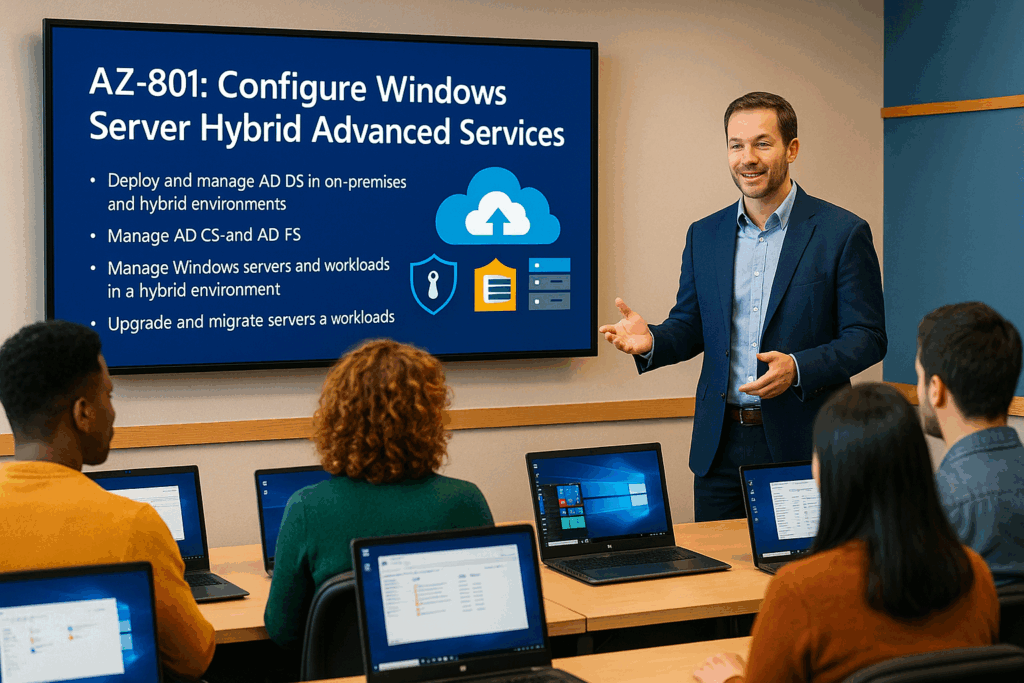
AZ-801T00: Configure Windows Server Hybrid Advanced Services
AZ-801T00: Configure Windows Server Hybrid Advanced Services is an instructor-led course for Windows Server administrators who configure advanced Windows Server services across on-premises, hybrid, and Microsoft Azure environments.
Students learn how to secure Windows Server, protect hybrid infrastructure, implement failover clustering, configure disaster recovery, migrate servers and workloads, use Azure-based recovery services, monitor Windows Server performance, and troubleshoot hybrid environments.
Certification: Microsoft Certified: Windows Server Hybrid Administrator Associate
Exam: AZ-801: Configuring Windows Server Hybrid Advanced Services
Duration: 4 days
Audience: Windows Server administrators, systems administrators, hybrid infrastructure administrators, Azure administrators, security administrators, migration specialists, and IT professionals responsible for advanced Windows Server hybrid services.
Why choose Dynamics Edge for AZ-801 training?
Dynamics Edge delivers AZ-801 training with practical Windows Server hybrid administration examples, hands-on labs, certification review, and implementation-focused discussion. The course helps administrators strengthen advanced Windows Server skills for security, availability, disaster recovery, migration, monitoring, and troubleshooting.
- Learn how to secure Windows Server operating systems, accounts, storage, networking, and hybrid infrastructure.
- Practice failover clustering, Hyper-V Replica, Windows Server Backup, Azure Backup, and Azure Site Recovery scenarios.
- Configure migration services using Storage Migration Service, Azure Migrate, IIS migration, and workload migration planning.
- Monitor and troubleshoot Windows Server using Performance Monitor, Windows Admin Center, Azure Monitor, VM Insights, and Log Analytics.
- Prepare for AZ-801 exam objectives through structured review and hands-on lab reinforcement.
What will you learn in AZ-801 training?
Students learn how to configure advanced Windows Server services across on-premises and hybrid environments. The course emphasizes securing Windows Server, protecting infrastructure, implementing high availability, configuring disaster recovery, migrating workloads, monitoring performance, and troubleshooting complex issues.
- Secure Windows Server using account protection, security baselines, Credential Guard, Defender technologies, BitLocker, firewalls, NSGs, and Microsoft Defender for Cloud.
- Implement high availability using failover clustering, cluster roles, quorum, cluster networking, Cluster-Aware Updating, and Storage Spaces Direct.
- Configure disaster recovery using Hyper-V Replica, Windows Server Backup, Azure Backup, Recovery Services vaults, and Azure Site Recovery.
- Migrate servers and workloads using Storage Migration Service, Azure Migrate, IIS migration, AD DS migration, and workload modernization planning.
- Monitor and troubleshoot Windows Server using native tools, Azure Monitor, Log Analytics, VM Insights, Azure Arc, Microsoft Sentinel, and advanced auditing.
Course Outline: Configure Windows Server Hybrid Advanced Services AZ-801
Module 1: Secure Windows Server user accounts and operating systems
Students learn how to secure Windows Server identities and operating systems using local and domain-based security controls. They review user rights, security options, password policies, protected users, authentication policies, Credential Guard, SmartScreen, and security baselines.
Topics include:
- Configure user rights, security options, and password policies.
- Protect privileged users with Protected Users and authentication policies.
- Configure Credential Guard, SmartScreen, and Exploit Protection.
- Apply operating system security by using Group Policy.
- Manage Windows Server security baselines and Windows LAPS.
Module 2: Secure hybrid Active Directory and identity infrastructure
Students learn how to secure Active Directory Domain Services and hybrid identity environments. They review domain controller hardening, RODC security, protected accounts, administrative delegation, Microsoft Entra Password Protection, Defender for Identity, and NTLM auditing.
Topics include:
- Harden domain controllers and restrict administrative access.
- Configure Microsoft Entra Password Protection for AD DS.
- Manage protected users, RODCs, and built-in administrative groups.
- Implement Microsoft Defender for Identity.
- Audit and reduce NTLM usage.
Module 3: Implement Windows Server IaaS VM network security
Students learn how to secure Windows Server virtual machines running in Azure. They review NSGs, ASGs, Azure Firewall, Windows Defender Firewall, firewall rules, network filtering options, and secure connectivity design.
Topics include:
- Configure network security groups for Azure VMs.
- Configure application security groups.
- Deploy and configure Azure Firewall.
- Configure Windows Defender Firewall with Advanced Security.
- Select the appropriate network filtering solution.
Module 4: Identify and remediate security issues by using Azure services
Students learn how Azure security services help protect Windows Server in hybrid environments. They review Microsoft Defender for Cloud, Defender for Servers, Microsoft Sentinel, Log Analytics, Azure Arc, security recommendations, alerts, and remediation workflows.
Topics include:
- Enable Microsoft Defender for Cloud for Windows Server.
- Configure Defender for Servers.
- Connect Windows Server data to Microsoft Sentinel.
- Review security recommendations and alerts.
- Remediate hybrid server security issues.
Module 5: Implement Windows Server failover clustering
Students learn how to implement high availability using Windows Server failover clustering. They review cluster types, validation, quorum, storage, cluster networking, Azure witness, clustered roles, failover, failback, and cluster management.
Topics include:
- Plan failover cluster architecture.
- Create and validate failover clusters.
- Configure cluster storage, networks, and quorum.
- Configure clustered roles and workload options.
- Manage failover, failback, and cluster nodes.
Module 6: Manage failover clustering and Storage Spaces Direct
Students learn how to manage clustered infrastructure and software-defined storage. They review Cluster-Aware Updating, cluster node recovery, cluster upgrades, Scale-Out File Server, Storage Spaces Direct, and high availability operations.
Topics include:
- Configure Cluster-Aware Updating.
- Recover failed cluster nodes.
- Upgrade failover cluster nodes.
- Configure Scale-Out File Server options.
- Implement and manage Storage Spaces Direct.
Module 7: Implement Hyper-V Replica and Windows Server Backup
Students learn how to protect Windows Server workloads using Hyper-V Replica and Windows Server Backup. They review replication planning, replica servers, recovery points, failover, failback, backup policies, and recovery scenarios.
Topics include:
- Plan and configure Hyper-V Replica.
- Configure replica servers and replication settings.
- Perform planned and unplanned failover.
- Configure Windows Server Backup.
- Restore files, folders, and virtual machines.
Module 8: Implement Azure-based recovery services
Students learn how Azure services support backup and disaster recovery for Windows Server workloads. They review Recovery Services vaults, Azure Backup, MARS agent, Azure VM backup, Azure Site Recovery, recovery plans, replication policies, and disaster recovery drills.
Topics include:
- Configure Recovery Services vaults.
- Configure Azure Backup policies.
- Back up and restore Azure VMs.
- Configure Azure Site Recovery.
- Run disaster recovery drills, failover, and failback.
Module 9: Upgrade and migrate in Windows Server
Students learn how to upgrade and migrate Windows Server roles and workloads. They review AD DS migration, in-place upgrade, Storage Migration Service, IIS migration, DHCP migration, print server migration, and migration planning.
Topics include:
- Plan upgrade versus migration.
- Migrate AD DS to newer Windows Server versions.
- Use Storage Migration Service.
- Migrate IIS, DHCP, print, and file services.
- Validate migration readiness and cutover.
Module 10: Migrate Windows Server workloads to Azure
Students learn how to migrate on-premises Windows Server workloads to Azure IaaS. They review Azure Migrate, discovery, assessment, dependency analysis, replication, test migration, final migration, and post-migration validation.
Topics include:
- Plan migration to Azure IaaS.
- Deploy and configure Azure Migrate appliance.
- Discover and assess servers.
- Replicate and migrate workloads to Azure VMs.
- Validate migrated servers and applications.
Module 11: Monitor Windows Server performance
Students learn how to monitor Windows Server health and performance using Windows Server tools. They review Performance Monitor, Resource Monitor, Reliability Monitor, Data Collector Sets, event logs, Hyper-V Resource Metering, and monitoring methodology.
Topics include:
- Use Performance Monitor and Resource Monitor.
- Review system reliability and event logs.
- Configure Data Collector Sets.
- Monitor network infrastructure services.
- Monitor virtual machines running Windows Server.
Module 12: Monitor hybrid Windows Server environments with Azure
Students learn how to monitor Windows Server in Azure and hybrid environments. They review Azure Monitor, Azure Arc, Log Analytics, VM Insights, data collection rules, alerts, workbooks, and operational monitoring.
Topics include:
- Enable Azure Monitor for VMs and hybrid servers.
- Configure Log Analytics workspaces.
- Configure data collection rules.
- Use VM Insights and Azure Monitor Logs.
- Create alerts and monitor hybrid infrastructure.
Module 13: Troubleshoot Windows Server and hybrid infrastructure
Students learn how to troubleshoot Windows Server services, Azure-connected servers, and hybrid infrastructure. They review connectivity, name resolution, Windows Update, time service, deployment failures, boot failures, performance, extensions, disk encryption, storage, and Active Directory recovery.
Topics include:
- Troubleshoot connectivity and name resolution.
- Troubleshoot Windows Update, time service, and deployment failures.
- Troubleshoot performance and storage issues.
- Troubleshoot Azure Arc and VM extensions.
- Recover and troubleshoot Active Directory.
Hands-on labs
The AZ-801 labs support hands-on practice for Windows Server Hybrid Administrators. This single consolidated lab list is based on the official MicrosoftLearning AZ-801 hosted labs and the most important lab, exercise, and speaker-note topics found in the AZ-801 PowerPoint deck.
- Lab 1: Configure Windows Server security settings.
- Lab 2: Configure user account rights, security options, and password policies.
- Lab 3: Configure protected users, authentication policies, and privileged account protections.
- Lab 4: Configure Windows Defender Firewall and operating system security controls.
- Lab 5: Deploy and configure Azure Firewall for Windows Server IaaS VM network security.
- Lab 6: Configure Microsoft Defender for Cloud in hybrid Windows Server scenarios.
- Lab 7: Enable Defender for Servers and review security recommendations.
- Lab 8: Configure Microsoft Sentinel data ingestion for Windows Server security events.
- Lab 9: Implement Windows Server failover clustering.
- Lab 10: Validate a failover cluster, configure quorum, and create clustered roles.
- Lab 11: Configure and perform failover and failback of a clustered role.
- Lab 12: Implement Hyper-V Replica.
- Lab 13: Configure Windows Server Backup and restore protected data.
- Lab 14: Implement Azure Backup using Recovery Services vaults and backup policies.
- Lab 15: Configure Azure Site Recovery, run a disaster recovery drill, and test failover and failback.
- Lab 16: Upgrade and migrate Windows Server workloads.
- Lab 17: Use Storage Migration Service to inventory, transfer, and cut over file server workloads.
- Lab 18: Migrate Hyper-V virtual machines to Azure by using Azure Migrate.
- Lab 19: Monitor and troubleshoot Windows Server using Performance Monitor, Data Collector Sets, event logs, and advanced auditing.
- Lab 20: Implement operational monitoring in hybrid scenarios using Azure Monitor, Log Analytics, VM Insights, Azure Arc, alerts, and queries.
Certification alignment
This course supports preparation for Exam AZ-801: Configuring Windows Server Hybrid Advanced Services. The exam validates the ability to secure Windows Server, implement high availability, implement disaster recovery, migrate servers and workloads, monitor environments, and troubleshoot Windows Server in on-premises and hybrid environments.
AZ-801 skills measured
- Secure Windows Server on-premises and hybrid infrastructures.
- Implement and manage Windows Server high availability.
- Implement disaster recovery.
- Migrate servers and workloads.
- Monitor and troubleshoot Windows Server environments.
Course review
Students should leave the course able to configure advanced Windows Server hybrid services across on-premises and Azure environments. The course review should reinforce Windows Server security, AD DS hardening, Microsoft Defender for Identity, Defender for Cloud, Sentinel, Azure Firewall, failover clustering, Storage Spaces Direct, Hyper-V Replica, Windows Server Backup, Azure Backup, Azure Site Recovery, Storage Migration Service, Azure Migrate, monitoring, and troubleshooting.
Certification exam review
Exam review should focus on practical administration and troubleshooting decisions for advanced Windows Server hybrid services. Priority review areas should include security baselines, Credential Guard, Windows LAPS, protected users, authentication policies, Defender for Identity, Defender for Cloud, Sentinel, NSGs, Azure Firewall, BitLocker, failover clustering, quorum, Azure witness, Cluster-Aware Updating, Storage Spaces Direct, Hyper-V Replica, Azure Backup, Azure Site Recovery, Storage Migration Service, Azure Migrate, IIS migration, Performance Monitor, Data Collector Sets, Azure Monitor, Log Analytics, VM Insights, Azure Arc, alerts, Active Directory recovery, and hybrid troubleshooting.
Question About this Course?
Need help picking the right course?
Call Now