

Reserve Your Seat
- Virtual instructor Led Training
- Complete Hands-on Labs
- Softcopy of Courseware
- Learning Labs
- Virtual instructor Led Training
- Complete Hands-on Labs
- Softcopy of Courseware
- Learning Labs
- You can use your Purchase Card and checkout
- The GSA Contract Number: 47QTCA20D000D
- Call 800-453-5961 for details
- Customize your class
- Delivery Onsite or Online for your organization
- Choice of Dates when and where you want
- Guidance in choosing and customizing your class
Question About this Course?
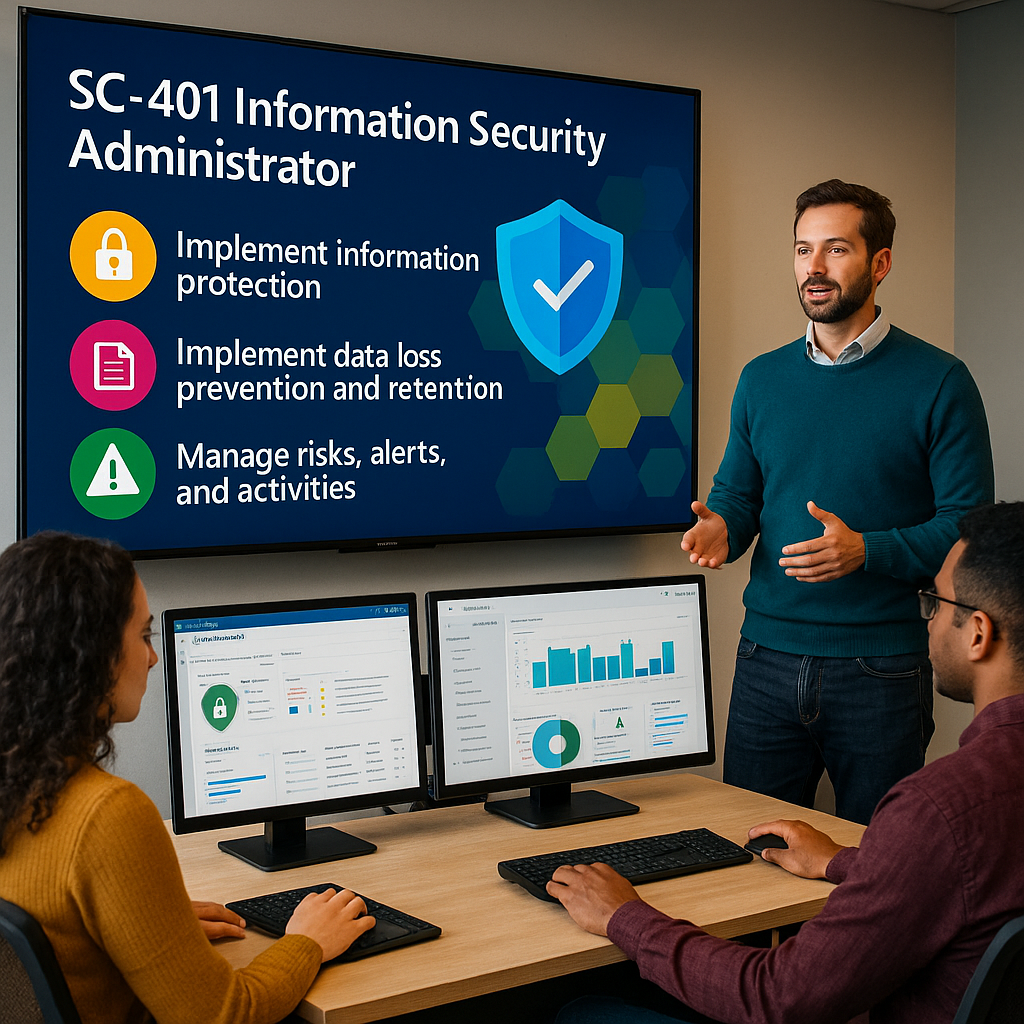
SC-401T00: Protect sensitive information with Microsoft Purview in the AI era
SC-401T00 training
Instructor-led Microsoft Purview training for information security administrators, compliance administrators, Microsoft 365 administrators, risk practitioners, data governance professionals, and security teams responsible for protecting sensitive information across Microsoft 365, endpoints, cloud services, and AI environments.
This course teaches students how to plan and implement information protection, data loss prevention, retention, insider risk management, audit, content search, and AI data security controls using Microsoft Purview and related Microsoft security services.
Study guide URL: https://learn.microsoft.com/en-us/credentials/certifications/resources/study-guides/sc-401
Certification: Microsoft Certified: Information Security Administrator Associate
Why choose Dynamics Edge for SC-401T00 training?
Dynamics Edge delivers SC-401 training with a practical Microsoft Purview, data protection, compliance, and AI security focus. Students learn how to classify, protect, monitor, investigate, and govern sensitive information across modern Microsoft environments.
- Learn how Microsoft Purview protects sensitive information across Microsoft 365, endpoints, cloud apps, and AI services.
- Prepare for the Microsoft Certified: Information Security Administrator Associate certification.
- Practice information protection, DLP, retention, insider risk, audit, content search, and AI data security scenarios.
- Build skills for Microsoft 365 security, compliance, governance, and risk reduction.
- Customize the class for enterprise, government, regulated industry, or AI governance teams.
What will you learn in SC-401T00 training?
This course teaches students how to protect sensitive information using Microsoft Purview and related services. Students learn how to classify data, apply sensitivity labels, configure DLP policies, manage retention, investigate alerts, detect insider risk, search audit activity, and protect data used by AI services.
- Implement Microsoft Purview Information Protection.
- Configure sensitivity labels, sensitive information types, and data classification.
- Implement data loss prevention and endpoint DLP policies.
- Manage retention, recovery, insider risk, audit, and content search.
- Protect sensitive information in AI interactions and AI-enabled environments.
Course Outline: Protect sensitive information with Microsoft Purview in the AI era SC-401T00
Module 1: Implement information protection
Students begin by learning how Microsoft Purview helps organizations classify, label, encrypt, and monitor sensitive information. This module focuses on protecting data across Microsoft 365, Exchange, SharePoint, OneDrive, Teams, endpoints, and AI-enabled environments.
Topics include:
- Protect sensitive data in a digital and AI-enabled workplace.
- Classify data for protection and governance.
- Review and analyze data classification and protection activity.
- Create and manage sensitive information types.
- Create, publish, apply, and manage sensitivity labels.
Module 2: Implement and manage data loss prevention
Students learn how to design and manage Microsoft Purview Data Loss Prevention policies. This module focuses on preventing accidental or intentional exposure of sensitive information across Microsoft 365 services, endpoints, cloud apps, and user workflows.
Topics include:
- Plan and design data loss prevention policies.
- Create and manage DLP policies and rules.
- Configure policy tips, notifications, user overrides, and rule precedence.
- Implement endpoint data loss prevention.
- Investigate and respond to Microsoft Purview DLP alerts.
Module 3: Implement and manage retention and recovery in Microsoft Purview
Students learn how Microsoft Purview retention helps organizations manage information lifecycle requirements. This module focuses on retaining, deleting, recovering, and governing content based on business, legal, regulatory, and compliance requirements.
Topics include:
- Understand retention in Microsoft Purview.
- Plan retention labels, retention policies, and disposition requirements.
- Create and publish retention labels.
- Configure auto-apply retention policies.
- Recover retained content in Microsoft 365.
Module 4: Implement and manage Microsoft Purview Insider Risk Management
Students learn how Microsoft Purview Insider Risk Management helps identify, investigate, and manage risky internal activity. This module focuses on policy planning, data connectors, risk signals, alerts, cases, workflows, and Adaptive Protection.
Topics include:
- Plan and prepare for Insider Risk Management.
- Configure insider risk settings, indicators, and data connectors.
- Create and manage insider risk policies.
- Manage insider risk alerts, cases, and investigation workflows.
- Implement Adaptive Protection for dynamic risk-based controls.
Module 5: Audit and search activity in Microsoft Purview
Students learn how to investigate user activity, administrative activity, and content using Microsoft Purview Audit and Content Search. This module supports security investigations, compliance reviews, legal requests, and information security incident response.
Topics include:
- Search and investigate activity with Microsoft Purview Audit.
- Configure and use Audit Standard and Audit Premium.
- Analyze user and admin activity across Microsoft 365 services.
- Use Content Search to locate relevant information.
- Export, review, and support investigations using search results.
Module 6: Secure AI interactions and environments with Microsoft Purview
Students learn how Microsoft Purview helps protect sensitive information used by AI services. This module focuses on AI data security, Microsoft 365 Copilot readiness, DSPM for AI, AI interaction discovery, prompt and response governance, and risk detection.
Topics include:
- Understand Microsoft Purview protections for AI.
- Use Data Security Posture Management for AI to identify AI usage and exposure.
- Discover AI interactions in Microsoft Purview.
- Protect sensitive data in AI prompts, responses, and grounded content.
- Govern AI prompts and responses and detect risky AI use.
Module 7: Validate sensitivity, DLP, and retention policies
Students complete a validation-focused lab to confirm that configured protection policies work as expected. This module reinforces hands-on policy testing for labels, DLP controls, retention behavior, and Microsoft 365 productivity apps.
Topics include:
- Validate sensitivity labels in Microsoft Word.
- Confirm encryption, marking, and protection behavior.
- Test DLP blocking and warning experiences.
- Validate retention policy behavior.
- Review results and adjust policy configuration.
Hands-on Labs
Hands-on activities may vary by delivery environment, tenant configuration, licensing, and lab availability. Dynamics Edge can align labs to the official Microsoft course flow and customize them for Microsoft 365, Purview, Copilot, government cloud, or enterprise compliance requirements.
- Configure sensitive information types and sensitivity labels.
- Create and test Microsoft Purview DLP policies.
- Configure endpoint DLP and review DLP alerts.
- Create retention labels and retention policies.
- Configure insider risk policies and review insider risk workflows.
- Use Microsoft Purview Audit and Content Search.
- Configure AI data security and DSPM for AI controls.
- Validate sensitivity, DLP, and retention policies in Microsoft 365 apps.
Certification Alignment
This course aligns to Microsoft Certified: Information Security Administrator Associate and Exam SC-401: Administering Information Security in Microsoft 365.
Microsoft’s SC-401 study guide lists the current skills measured as:
- Implement information protection: 30–35%.
- Implement data loss prevention and retention: 30–35%.
- Manage risks, alerts, and activities: 30–35%.
Course Review
By the end of this course, students should be able to implement Microsoft Purview Information Protection, configure sensitivity labels and sensitive information types, implement DLP and endpoint DLP, manage retention and recovery, configure insider risk management, investigate activity with audit and content search, and protect sensitive information used by AI services.
Certification Exam Review
This course supports preparation for Exam SC-401 by covering the core responsibilities of an Information Security Administrator: implementing information protection, implementing data loss prevention and retention, and managing risks, alerts, and activities. Students should review the Microsoft study guide, complete hands-on labs, use the Microsoft practice assessment, review the exam sandbox, and practice Microsoft Purview scenarios before scheduling the exam.
Question About this Course?
Need help picking the right course?
Call Now