

9:00 AM – 4:00 PM CST
Reserve Your Seat
- Virtual instructor Led Training
- Complete Hands-on Labs
- Softcopy of Courseware
- Learning Labs
- Virtual instructor Led Training
- Complete Hands-on Labs
- Softcopy of Courseware
- Learning Labs
- You can use your Purchase Card and checkout
- The GSA Contract Number: 47QTCA20D000D
- Call 800-453-5961 for details
- Customize your class
- Delivery Onsite or Online for your organization
- Choice of Dates when and where you want
- Guidance in choosing and customizing your class
Question About this Course?
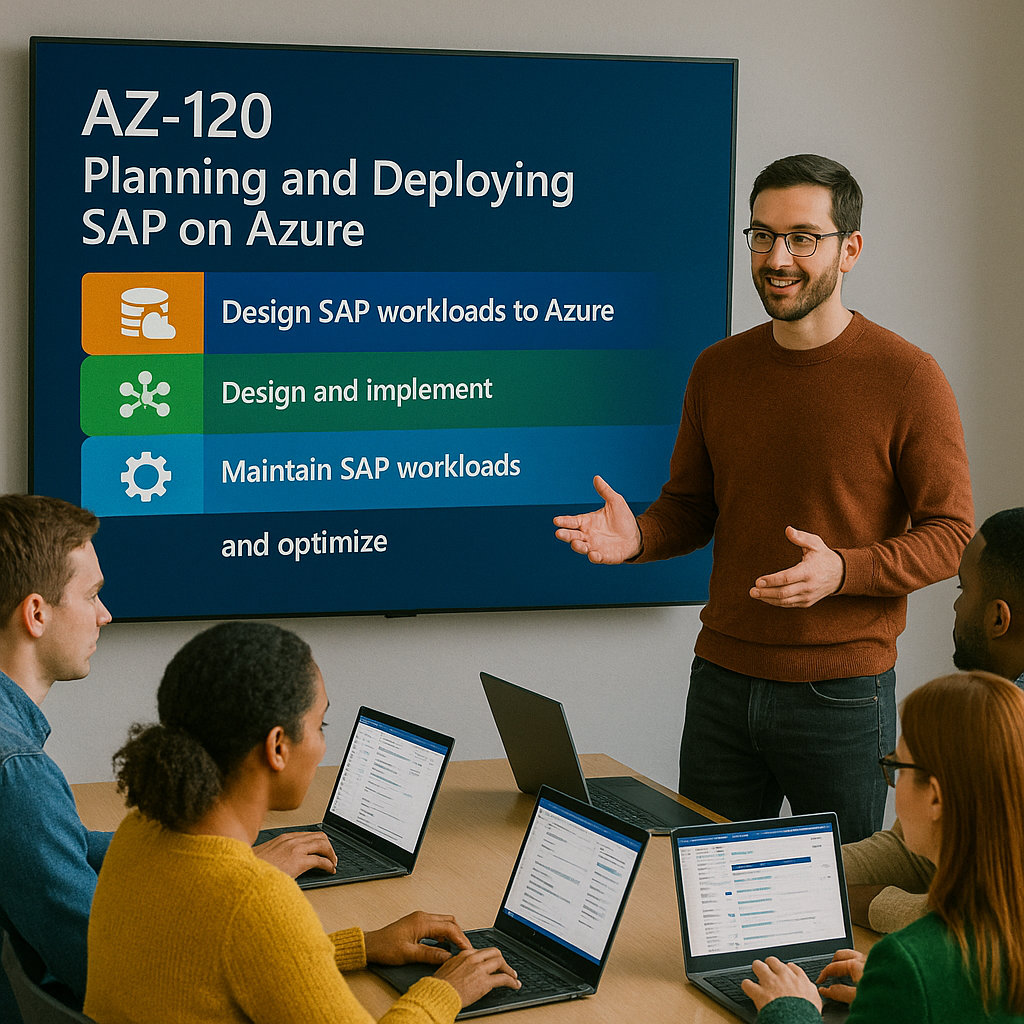
AZ-120T00-A: Planning and Deploying SAP on Azure
AZ-120 training
AZ-120T00-A: Planning and Deploying SAP on Azure is an instructor-led course for SAP and Azure professionals who plan, migrate, deploy, administer, monitor, and optimize SAP workloads running on Microsoft Azure.
Students learn how to evaluate SAP on Azure architecture, design Azure infrastructure for SAP workloads, deploy SAP systems, implement high availability and disaster recovery, migrate SAP workloads, monitor SAP systems, and manage operations using Azure services and Azure Center for SAP solutions.
Certification: Microsoft Certified: Azure for SAP Workloads Specialty
Exam: AZ-120: Planning and Administering Microsoft Azure for SAP Workloads
Duration: 4 days
Audience: SAP Basis administrators, Azure administrators, cloud architects, SAP architects, infrastructure engineers, migration specialists, and IT professionals responsible for SAP workloads on Azure.
Why choose Dynamics Edge for AZ-120T00-A training?
Dynamics Edge delivers AZ-120 training with practical SAP-on-Azure architecture examples, hands-on labs, certification review, and implementation-focused discussion. The course helps SAP and Azure teams understand how to design reliable, secure, scalable, and supportable SAP environments in Azure.
- Learn how to plan and deploy SAP workloads using Azure virtual machines, networking, storage, identity, and governance.
- Practice SAP architecture deployment, clustering, business continuity, monitoring, and Azure Center for SAP solutions scenarios.
- Prepare for AZ-120 certification objectives through structured review and lab reinforcement.
- Understand how SAP workloads use Azure infrastructure, high availability, disaster recovery, backup, migration, and monitoring services.
- Request private team delivery for SAP migration readiness, Azure landing zone planning, SAP Basis teams, infrastructure teams, or enterprise cloud transformation.
What will you learn in AZ-120T00-A training?
Students learn how to plan, deploy, migrate, operate, and monitor SAP workloads on Microsoft Azure. The course emphasizes SAP-certified Azure infrastructure, compute sizing, storage selection, networking, identity, governance, high availability, disaster recovery, backup, migration, and operational monitoring.
- Evaluate SAP workload requirements and map them to Azure compute, storage, networking, and identity services.
- Design Azure infrastructure for SAP NetWeaver, SAP HANA, AnyDB, Windows, Linux, and high-availability architectures.
- Deploy SAP architectures manually and by using Azure Center for SAP solutions.
- Plan SAP workload migration to Azure using SAP migration checklists, DMO, and database migration options.
- Monitor, troubleshoot, back up, restore, and operate SAP workloads using Azure Monitor, Azure Backup, and SAP-aware tools.
Planning and Deploying SAP on Azure AZ-120 Course Outline
Learning Path 1: Explore Azure for SAP workloads
Module 1: Explore Azure for SAP workloads
Students learn how Microsoft Azure supports SAP workloads and why organizations run SAP systems on Azure. They review SAP-certified configurations, SAP NetWeaver architecture, SAP HANA on Azure, and the SAP and Microsoft partnership.
Topics include:
- Describe the SAP and Microsoft partnership.
- Identify SAP workload options on Azure.
- Review SAP-certified Azure configurations.
- Describe SAP NetWeaver architecture on Azure.
- Understand SAP HANA and SAP workload support boundaries.
Learning Path 2: Explore the foundations of IaaS for SAP on Azure
Module 2: Explore Azure compute for SAP
Students learn how Azure virtual machines support SAP workloads. They review SAP-certified VM families, sizing considerations, compute planning, availability options, and SAP workload performance requirements.
Topics include:
- Review Azure VM types for SAP workloads.
- Identify SAP-certified VM families.
- Plan CPU, memory, storage, and network requirements.
- Evaluate VM sizing for SAP NetWeaver and SAP HANA.
- Review Azure compute resiliency options.
Module 3: Explore Azure networking for SAP
Students learn how Azure networking supports SAP system connectivity, isolation, routing, and performance. They review virtual networks, subnets, load balancers, service endpoints, network security groups, ExpressRoute, VPN, and VNet-to-VNet connectivity.
Topics include:
- Design virtual networks and subnets for SAP workloads.
- Configure network security groups and service endpoints.
- Review Azure Load Balancer for SAP architectures.
- Plan ExpressRoute and VPN connectivity.
- Understand VNet peering and VNet-to-VNet connections.
Module 4: Explore Azure storage for SAP
Students learn how Azure storage supports SAP application servers, database servers, backups, and high-performance storage requirements. They review managed disks, Azure Files, Azure NetApp Files, blob storage, storage accounts, AzCopy, and Storage Explorer.
Topics include:
- Select storage options for SAP workloads.
- Review managed disks and performance tiers.
- Use Azure NetApp Files for SAP scenarios.
- Use Azure Blob Storage and Azure Files.
- Review storage management tools such as AzCopy and Storage Explorer.
Module 5: Explore database options for SAP on Azure
Students learn how databases support SAP workloads on Azure. They review SAP HANA, SQL Server, AnyDB options, database sizing, storage requirements, performance considerations, and backup approaches.
Topics include:
- Review SAP HANA deployment considerations.
- Review SQL Server for SAP workloads.
- Evaluate AnyDB options on Azure.
- Plan database storage and performance.
- Review database backup and restore options.
Learning Path 3: Explore identity and governance for SAP on Azure
Module 6: Explore identity services for SAP on Azure
Students learn how identity services support SAP workloads and administrator access. They review Microsoft Entra ID, Active Directory Domain Services, hybrid identity, authentication, authorization, and identity integration considerations.
Topics include:
- Review Microsoft Entra ID for SAP environments.
- Review Active Directory Domain Services for SAP workloads.
- Plan hybrid identity requirements.
- Understand authentication and authorization options.
- Review identity dependencies for SAP administration.
Module 7: Explore governance and manageability for SAP on Azure
Students learn how Azure governance helps manage SAP environments at scale. They review Azure RBAC, management groups, subscriptions, resource groups, Azure Policy, tags, locks, cost management, and operational governance.
Topics include:
- Configure subscriptions and resource groups.
- Apply Azure RBAC for SAP administration.
- Use Azure Policy for governance.
- Apply tags and resource locks.
- Review cost management and operational control.
Learning Path 4: Deploy SAP on Azure
Module 8: Deploy single-instance SAP implementations on Azure
Students learn how to deploy single-instance SAP workloads using Azure infrastructure. They review two-tier and three-tier deployment models, Azure portal deployment, Azure PowerShell, Azure CLI, ARM templates, and QuickStart templates.
Topics include:
- Compare two-tier and three-tier SAP deployment models.
- Deploy SAP infrastructure using Azure portal options.
- Use Azure PowerShell and Azure CLI for deployment.
- Review ARM templates and QuickStart templates.
- Understand SAP Software Provisioning Manager deployment flow.
Module 9: Implement high availability SAP architectures on Azure
Students learn how to design and deploy high-availability SAP architectures. They review SAP ASCS/SCS, application servers, database servers, load balancing, Linux clustering, Windows clustering, fencing, quorum, and availability zones.
Topics include:
- Design high availability for SAP application servers.
- Design high availability for SAP ASCS/SCS.
- Configure Windows clustering for SAP.
- Configure Linux clustering for SAP.
- Use availability zones and load balancers appropriately.
Module 10: Deploy SAP with Azure Center for SAP solutions
Students learn how Azure Center for SAP solutions supports SAP system deployment, registration, management, and maintenance. They review ACSS prerequisites, deployment steps, SAP software installation, Virtual Instance for SAP solutions, and post-deployment operations.
Topics include:
- Complete ACSS deployment prerequisites.
- Deploy SAP infrastructure with Azure Center for SAP solutions.
- Install SAP software through ACSS.
- Register SAP systems as Virtual Instances for SAP solutions.
- Use ACSS for SAP system management and maintenance.
Learning Path 5: Ensure business continuity and disaster recovery for SAP on Azure
Module 11: Implement high availability for SAP workloads
Students learn how to protect SAP workloads from planned and unplanned outages. They review high availability across compute, storage, networking, databases, clusters, zones, and SAP components.
Topics include:
- Review SAP workload high availability requirements.
- Configure SAP application high availability.
- Configure database high availability.
- Review cluster quorum and fencing.
- Validate highly available SAP architecture.
Module 12: Implement disaster recovery for SAP workloads
Students learn how to design disaster recovery for SAP systems on Azure. They review regional strategy, replication, failover, recovery time objectives, recovery point objectives, network considerations, and Azure Site Recovery concepts.
Topics include:
- Design disaster recovery for SAP on Azure.
- Review Azure region-pair and region-selection considerations.
- Plan network configuration for disaster recovery.
- Evaluate Azure Site Recovery for SAP infrastructure.
- Validate failover and recovery processes.
Module 13: Perform backup and restore for SAP workloads
Students learn how to design backup and recovery for SAP workloads. They review Azure Backup, Recovery Services vaults, SAP HANA backup, SQL Server backup, file-share backup, snapshot-based backup, and restore validation.
Topics include:
- Design backup strategy for SAP systems.
- Configure Azure Backup for SAP workloads.
- Back up SAP HANA and SQL Server workloads.
- Back up Azure file shares.
- Test restore and recovery procedures.
Learning Path 6: Migrate SAP workloads to Azure
Module 14: Use the SAP planning and deployment checklist
Students learn how to plan SAP workload migration projects using Microsoft’s SAP workload checklist. They review project preparation, pilot, non-production, production preparation, cutover, and post-migration phases.
Topics include:
- Use the SAP workload planning checklist.
- Prepare high-level and technical design documents.
- Plan pilot and non-production deployments.
- Prepare production migration and cutover.
- Validate post-migration readiness.
Module 15: Migrate SAP workloads to Azure
Students learn common SAP migration methods and decision points. They review DMO, database migration options, very large database migration, downtime planning, cloud migration approaches, and migration validation.
Topics include:
- Review SAP migration options.
- Use DMO methodologies where appropriate.
- Plan migration for very large databases.
- Evaluate downtime and cutover constraints.
- Validate migrated SAP workloads.
Learning Path 7: Monitor and troubleshoot Azure for SAP workloads
Module 16: Monitor SAP workloads on Azure
Students learn how to monitor Azure infrastructure supporting SAP workloads. They review Azure Monitor, Log Analytics, Application Insights, Network Watcher, Azure Advisor, alert rules, and SAP-aware infrastructure monitoring.
Topics include:
- Configure Azure Monitor for SAP workloads.
- Use Log Analytics queries.
- Configure alert rules.
- Use Network Watcher and network monitoring tools.
- Review Azure Advisor recommendations.
Module 17: Configure SAP monitoring and operational support
Students learn how to configure SAP-related monitoring and operational tooling. They review Azure Enhanced Monitoring Extension for SAP, VM extension requirements, operational support boundaries, licensing, pricing, and support options.
Topics include:
- Configure Azure Enhanced Monitoring Extension for SAP.
- Review SAP monitoring requirements.
- Validate VM extension health.
- Review licensing and pricing considerations.
- Understand Microsoft and SAP support responsibilities.
Hands-on labs
The AZ-120 labs support hands-on practice for planning, deploying, administering, and operating SAP workloads on Azure. This single consolidated lab list is based on the official MicrosoftLearning AZ-120 labs and the most important exercise and demo topics found in the AZ-120 PowerPoint speaker notes.
- Lab 1: Complete AZ-120 lab prerequisites.
- Lab 2: Explore the Azure portal for SAP workload administration.
- Lab 3: Create and delete Azure resource groups.
- Lab 4: Experiment with Azure Cloud Shell.
- Lab 5: Work with Azure CLI locally.
- Lab 6: Create an Azure virtual machine in the Azure portal.
- Lab 7: Connect to Linux virtual machines.
- Lab 8: Explore network security groups and service endpoints.
- Lab 9: Explore VNet-to-VNet connections.
- Lab 10: Explore Azure Blob Storage.
- Lab 11: Explore AzCopy and common Storage Explorer tasks.
- Lab 12: Create Azure storage accounts.
- Lab 13: Back up Azure file shares.
- Lab 14: Explore Azure QuickStart templates for SAP deployment.
- Lab 15: Explore Microsoft Entra users, groups, role assignments, and Azure RBAC.
- Lab 16: Create and apply an Azure Policy.
- Lab 17: Implement Linux clustering on Azure virtual machines.
- Lab 18: Implement Windows clustering on Azure virtual machines.
- Lab 19: Implement SAP architecture on Azure virtual machines running Linux or Windows.
- Lab 20: Automate SAP deployment and maintenance by using Azure Center for SAP solutions.
Certification alignment
This course supports preparation for Exam AZ-120: Planning and Administering Microsoft Azure for SAP Workloads. The exam validates the ability to plan, migrate, deploy, monitor, and operate SAP workloads on Azure while using Azure compute, networking, storage, identity, governance, high availability, disaster recovery, backup, and monitoring services.
AZ-120 skills measured
- Design and implement an infrastructure to support SAP workloads on Azure.
- Design and implement high availability and disaster recovery.
- Migrate SAP workloads to Azure.
- Maintain SAP workloads on Azure.
- Monitor and troubleshoot Azure for SAP workloads.
Course review
Students should leave the course able to plan and administer SAP workloads on Microsoft Azure. The course review should reinforce SAP-certified Azure infrastructure, VM sizing, storage design, networking, identity, governance, HA/DR, backup, migration planning, SAP deployment, ACSS, monitoring, and operational support.
Certification exam review
Exam review should focus on SAP-on-Azure architecture scenarios, infrastructure design decisions, migration planning, high availability, disaster recovery, backup, and operational troubleshooting. Priority review areas should include SAP-certified VMs, SAP HANA sizing, Azure NetApp Files, managed disks, virtual networks, ExpressRoute, load balancers, Windows and Linux clustering, Azure Center for SAP solutions, Azure Policy, RBAC, backup and restore, Azure Monitor, Log Analytics, Enhanced Monitoring Extension, and SAP support boundaries.
Question About this Course?
Need help picking the right course?
Call Now