

✅ GUARANTEED TO RUN
7:00 AM – 3:00 PM PST
Reserve Your Seat
- Virtual instructor Led Training
- Complete Hands-on Labs
- Softcopy of Courseware
- Learning Labs
- Virtual instructor Led Training
- Complete Hands-on Labs
- Softcopy of Courseware
- Learning Labs
- You can use your Purchase Card and checkout
- The GSA Contract Number: 47QTCA20D000D
- Call 800-453-5961 for details
- Customize your class
- Delivery Onsite or Online for your organization
- Choice of Dates when and where you want
- Guidance in choosing and customizing your class
Question About this Course?
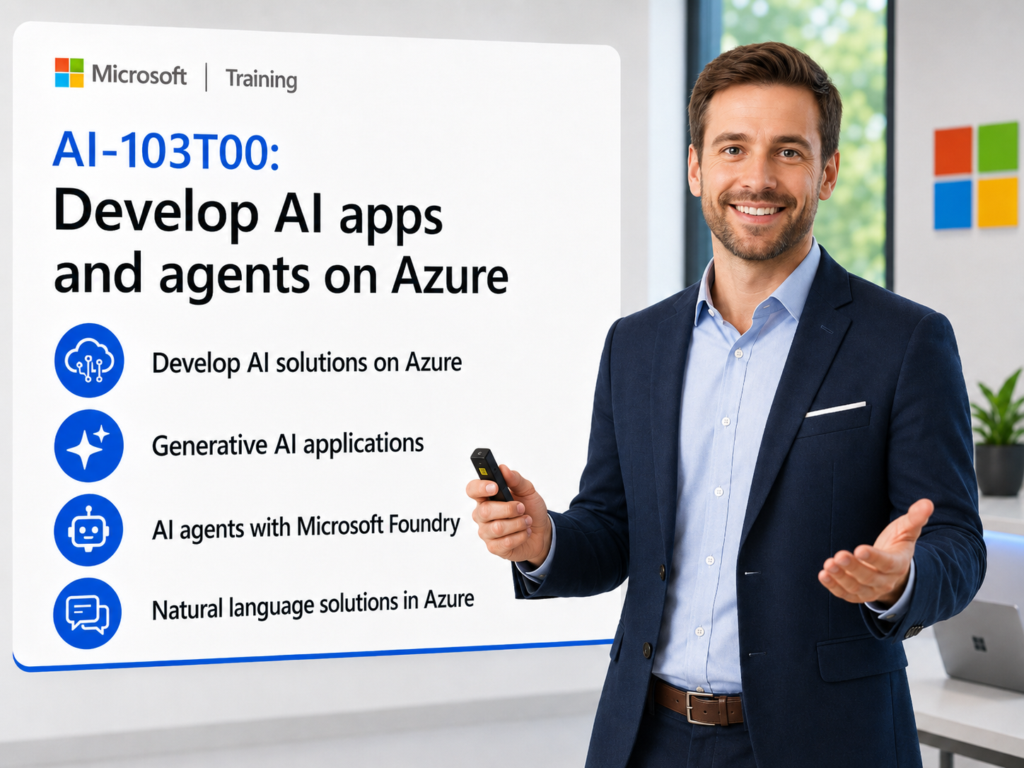
AI-103T00: Develop AI Apps and Agents on Azure
AI-103 training
AI-103T00: Develop AI Apps and Agents on Azure is an instructor-led course for developers and Azure AI engineers who want to build AI-infused applications and agentic solutions using Microsoft Foundry.
Students learn how to plan Azure AI solutions, deploy and evaluate models, develop generative AI chat apps, build AI agents, connect agents to tools and knowledge, implement natural language solutions, build speech-enabled apps, use multimodal models, extract information from complex content, and create AI search and knowledge mining solutions.
Certification: Microsoft Certified: Azure AI Apps and Agents Developer Associate
Exam: AI-103: Developing AI Apps and Agents on Azure
Why choose Dynamics Edge for AI-103 training?
Dynamics Edge delivers AI-103 training with practical Azure AI development examples, hands-on labs, certification review, and implementation-focused discussion. The course helps developers move from AI concepts into working AI apps, agents, tools, RAG patterns, multimodal workflows, and production-ready responsible AI practices.
- Learn how to build AI apps and agents with Microsoft Foundry.
- Practice model deployment, evaluation, chat app development, agent tools, MCP tools, Foundry IQ, and Microsoft 365 agent integration.
- Build natural language, speech, vision, multimodal, information extraction, and knowledge mining solutions.
- Apply responsible AI, guardrails, content filters, monitoring, security, and evaluation practices.
- Prepare for the Azure AI Apps and Agents Developer Associate certification through structured review and hands-on lab reinforcement.
What will you learn in AI-103 training?
Students learn how to design, develop, deploy, evaluate, and manage Azure AI applications and agentic solutions using Microsoft Foundry and Azure AI services.
- Plan and manage Azure AI solutions using Microsoft Foundry projects, services, model deployments, endpoints, keys, SDKs, and developer tools.
- Build generative AI apps using chat models, prompts, tools, model playgrounds, Foundry SDKs, and client applications.
- Build AI agents with custom tools, MCP servers, Foundry IQ, retrieval, Microsoft 365 publishing, workflows, and multi-agent orchestration.
- Implement natural language and speech solutions using Azure AI Language, Azure Speech, Translator, Voice Live, and speech-capable generative models.
- Implement vision, multimodal understanding, content extraction, document analysis, and knowledge mining with Azure Content Understanding and Azure AI Search.
Develop AI Apps and Agents on Azure AI-103 Course Outline
Module 1: Plan and prepare to develop AI solutions on Azure
Students learn how to plan Azure AI development projects using Microsoft Foundry. The module introduces Foundry projects, Foundry Tools, endpoints, keys, SDKs, developer tools, and responsible AI principles.
Topics include:
- Create and configure a Microsoft Foundry project.
- Identify Foundry Tools for AI app and agent development.
- Review endpoints, keys, SDKs, and developer tooling.
- Explore Microsoft Foundry Extension for Visual Studio Code.
- Apply responsible AI principles to solution planning.
Module 2: Select, deploy, and evaluate Microsoft Foundry models
Students learn how to choose and evaluate models for AI workloads. The module covers the model catalog, benchmarks, model leaderboard, endpoints, model playground, model deployment, and evaluation using datasets.
Topics include:
- Explore models in the Microsoft Foundry model catalog.
- Compare models using benchmarks and leaderboards.
- Deploy models to endpoints.
- Test models in the model playground.
- Evaluate model performance using datasets.
Module 3: Develop a generative AI chat app with Microsoft Foundry
Students learn how to build a client application that chats with a deployed model. The module covers model playground exploration, endpoints, SDK selection, per-turn conversation patterns, and app integration.
Topics include:
- Deploy a model for a chat application.
- Select the correct endpoint and SDK.
- Create a client app that sends prompts and receives model responses.
- Manage conversation context across turns.
- Test and troubleshoot chat app behavior.
Module 4: Develop generative AI apps that use tools
Students learn how tools extend generative AI apps beyond text generation. The module covers tool concepts, tool selection, tool-augmented prompts, custom functions, and tool execution patterns.
Topics include:
- Explain how tools extend generative AI applications.
- Experiment with tools in the model playground.
- Build an app that invokes tools.
- Process tool calls and return tool results.
- Validate tool output and application flow.
Module 5: Optimize generative AI model performance
Students learn how to improve generative AI output quality, reliability, and relevance. The module covers prompt engineering, model parameters, retrieval augmented generation, fine-tuning, evaluation, and optimization strategies.
Topics include:
- Apply prompt engineering techniques.
- Adjust model behavior using parameters.
- Ground responses with retrieval augmented generation.
- Compare fine-tuning and grounding scenarios.
- Evaluate output quality, relevance, and consistency.
Module 6: Implement responsible generative AI solutions
Students learn how to implement responsible AI controls in Microsoft Foundry. The module covers guardrails, content filters, custom guardrails, safety controls, harmful content prevention, and responsible AI review.
Topics include:
- Plan responsible AI controls for generative apps.
- Use default guardrails.
- Create and apply custom guardrails.
- Configure content filters for harmful content.
- Test safety behavior and output restrictions.
Module 7: Develop AI agents with Microsoft Foundry and Visual Studio Code
Students learn how AI agents use models, instructions, tools, and memory-like conversation patterns to complete tasks. The module introduces agent use cases, development workflows, development options, Foundry portal, and Visual Studio Code integration.
Topics include:
- Explain what AI agents are and how they work.
- Identify common AI agent use cases.
- Compare portal-based and code-based agent development.
- Create an AI agent in Microsoft Foundry.
- Interact with an agent from Visual Studio Code.
Module 8: Integrate custom tools into AI agents
Students learn how to extend agents with custom tools. The module covers tool functions, function schemas, agent tool definitions, function calls, agent responses, and custom tool integration.
Topics include:
- Explain why agents use custom tools.
- Create functions for an agent to use.
- Define function tools and schemas.
- Process function calls in code.
- Display and validate agent responses.
Module 9: Integrate MCP tools with Azure AI agents
Students learn how Model Context Protocol helps agents connect with external tools and services. The module covers MCP concepts, remote MCP servers, custom MCP server tools, MCP clients, and agent tool integration.
Topics include:
- Describe Model Context Protocol for AI agents.
- Connect a Foundry agent to a remote MCP server.
- Connect a Foundry agent to custom MCP tools.
- Test MCP-enabled agent behavior.
- Validate secure tool access patterns.
Module 10: Build knowledge-enhanced AI agents with Foundry IQ
Students learn how agents can use enterprise knowledge and retrieval patterns. The module covers RAG for agents, Foundry IQ, data sources, retrieval configuration, playground testing, and client application integration.
Topics include:
- Review retrieval augmented generation for agents.
- Configure data sources for Foundry IQ.
- Configure retrieval settings.
- Test knowledge-grounded agents in the playground.
- Connect to a knowledge-enhanced agent from a client app.
Module 11: Integrate agents with Microsoft 365 and workflows
Students learn how to publish and use agents in Microsoft 365 experiences and agent-driven workflows. The module covers agent apps, file search, Teams publishing, Microsoft 365 Copilot publishing, workflow patterns, and customer support triage.
Topics include:
- Publish an agent to Microsoft Teams.
- Publish an agent to Microsoft 365 Copilot.
- Add knowledge with File Search.
- Build an agent-driven workflow in Microsoft Foundry.
- Preview and use a workflow from code.
Module 12: Develop agents with Microsoft Agent Framework
Students learn how to create code-based agents and orchestrated agent solutions. The module covers conversation management, agent creation, tool integration, sequential orchestration, concurrent orchestration, group chat orchestration, and handoff orchestration.
Topics include:
- Create an AI agent using Microsoft Agent Framework.
- Manage agent conversations.
- Add tools to framework-based agents.
- Create sequential and concurrent orchestration.
- Build multi-agent workflows with group chat and handoff patterns.
Module 13: Analyze text and build language-enabled agents
Students learn how to use Azure AI Language in Foundry Tools and MCP-enabled agents. The module covers language detection, entity extraction, PII extraction, text analysis APIs, Azure Language MCP server, and client application integration.
Topics include:
- Use Azure Language in Foundry Tools.
- Detect language from text.
- Extract entities and personally identifiable information.
- Build a text analysis agent with Azure Language MCP tools.
- Create a client application for the text analysis agent.
Module 14: Develop speech-capable AI applications and agents
Students learn how to build speech-enabled AI apps and agents. The module covers speech-capable generative models, speech synthesis, transcription, Azure Speech in Foundry Tools, SSML, Azure Speech MCP server, and Voice Live agents.
Topics include:
- Deploy speech-capable models in Microsoft Foundry.
- Build speech synthesis and transcription apps.
- Use Azure Speech for speech-to-text and text-to-speech.
- Add Azure Speech MCP tools to an agent.
- Develop a Voice Live conversational agent.
Module 15: Translate text and speech with Microsoft Foundry Tools
Students learn how to translate multilingual content using Azure Translator and Azure Speech. The module covers text translation, speech translation, translated speech synthesis, and Foundry-based translation workflows.
Topics include:
- Use Azure Translator in Foundry Tools.
- Translate text between languages.
- Translate speech with Azure Speech.
- Synthesize translated speech.
- Validate translation output for user scenarios.
Module 16: Develop vision-enabled generative AI applications
Students learn how vision-capable models combine image input with text prompts. The module covers vision model deployment, image-based prompts, SDK/API selection, multimodal responses, and client app development.
Topics include:
- Deploy a vision-capable model.
- Compare APIs for image-based prompts.
- Send image and text prompts to a model.
- Generate responses grounded in visual data.
- Build a vision-enabled chat app.
Module 17: Generate images and video with AI
Students learn how image and video generation models can create media from prompts and reference inputs. The module covers image-generation models, video-generating models, prompt design, playground testing, and client app development.
Topics include:
- Use an image-generation model in the playground.
- Generate images from text prompts.
- Develop a client app that generates images.
- Review video-generating model capabilities.
- Generate videos from prompts and reference media.
Module 18: Analyze images with Azure Content Understanding
Students learn how Azure Content Understanding extracts insights from visual content. The module covers image analyzers, Content Understanding APIs, submission of images for analysis, analysis results, and image understanding workflows.
Topics include:
- Create an image analyzer.
- Submit images for analysis.
- Review Content Understanding results.
- Extract visual characteristics from images.
- Use results in downstream AI workflows.
Module 19: Extract information from multimodal content
Students learn how Azure Content Understanding analyzes documents, slides, audio, and video. The module covers analyzer creation, schema definition, document processing, audio and video analysis, and client application development.
Topics include:
- Analyze documents, slides, audio, and video.
- Define analyzer schemas.
- Create analyzers using Content Understanding.
- Use the Content Understanding API.
- Build a client application for structured extraction.
Module 20: Create a knowledge mining solution with Azure AI Search
Students learn how to build search-based knowledge mining solutions. The module covers Azure AI Search, indexes, indexers, AI skill enrichment, querying, projections, and knowledge stores.
Topics include:
- Create an Azure AI Search index.
- Extract data with an indexer.
- Enrich content using AI skills.
- Query search indexes.
- Persist projections in a knowledge store.
Hands-on labs
The AI-103 labs support hands-on practice for developers building AI apps and agents on Azure. This single consolidated lab list is based on the most important exercises found in the AI-103 PowerPoint slides and speaker notes, with supplemental alignment to the AI-102 Azure AI Engineer lab areas.
- Lab 1: Prepare for an AI development project by creating a Microsoft Foundry project, deploying a generative AI model, identifying endpoints and keys, and exploring the Foundry extension for Visual Studio Code.
- Lab 2: Select, deploy, and evaluate models by exploring the model catalog, comparing benchmark results, deploying models, using the playground, and evaluating a model with a synthetic dataset.
- Lab 3: Create a generative AI chat app that connects to a deployed model and manages conversation turns.
- Lab 4: Create a generative AI chat app that uses tools, including playground experimentation and tool-enabled app development.
- Lab 5: Apply content filters and custom guardrails to prevent harmful output in Microsoft Foundry.
- Lab 6: Build AI agents with the Microsoft Foundry portal and Visual Studio Code.
- Lab 7: Build an agent with custom tools by creating function tools, processing function calls, and displaying agent responses.
- Lab 8: Connect MCP tools to Foundry agents using remote MCP servers and custom MCP server tools.
- Lab 9: Integrate an AI agent with Foundry IQ by configuring data, retrieval, playground testing, and client app access.
- Lab 10: Publish a Foundry agent to Microsoft Teams and Microsoft 365 Copilot using knowledge such as File Search.
- Lab 11: Build an agent-driven workflow in Microsoft Foundry and call the workflow from code.
- Lab 12: Develop an Azure AI agent with Microsoft Agent Framework using Visual Studio Code, a deployed model, starter code, and a runnable agent app.
- Lab 13: Develop a multi-agent solution using sequential orchestration and multiple AI agents.
- Lab 14: Analyze text with Azure AI Language by detecting language, extracting entities, and extracting personally identifiable information.
- Lab 15: Develop a text analysis agent using the Azure Language MCP server and a client application.
- Lab 16: Build speech-capable AI applications using speech-capable generative models, speech synthesis, transcription, Azure Speech, and SSML.
- Lab 17: Develop a speech-enabled or Voice Live agent using Azure Speech MCP tools and Microsoft Foundry.
- Lab 18: Develop a vision-enabled chat app using a vision-capable model, image prompts, text prompts, and visual data responses.
- Lab 19: Analyze and extract insights from images, documents, slides, audio, and video using Azure Content Understanding and a client application.
- Lab 20: Create a knowledge mining solution with Azure AI Search by creating an index, querying the index, enriching content with AI skills, and persisting projections in a knowledge store.
Certification alignment
This course supports preparation for Exam AI-103: Developing AI Apps and Agents on Azure and the Microsoft Certified: Azure AI Apps and Agents Developer Associate certification. The exam validates the ability to build, manage, deploy, secure, evaluate, and monitor Azure AI apps and agentic solutions using Python, Microsoft Foundry, Azure AI services, and related developer tools.
AI-103 skills measured
- Plan and manage an Azure AI solution.
- Implement generative AI and agentic solutions.
- Implement computer vision solutions.
- Implement text analysis solutions.
- Implement information extraction solutions.
Course review
Students should leave the course able to build AI apps and agents using Microsoft Foundry and Azure AI services. The course review should reinforce Foundry projects, model selection, model deployment, endpoints, SDKs, chat apps, tools, custom tools, MCP tools, Foundry IQ, RAG, agent publishing, agent workflows, Microsoft Agent Framework, multi-agent orchestration, Azure AI Language, Azure Speech, Translator, vision-capable models, image generation, video generation, Azure Content Understanding, Azure AI Search, responsible AI, guardrails, monitoring, and evaluation.
Certification exam review
Exam review should focus on developer implementation decisions, service selection, SDK usage, agent patterns, responsible AI controls, and scenario-based Azure AI design. Priority review areas should include Microsoft Foundry, model catalog, model deployment, model evaluation, Foundry projects, endpoints, keys, SDKs, RAG, vector search, tool calling, custom tools, MCP tools, Foundry IQ, agent roles, goals, conversation tracking, tool schemas, multi-agent orchestration, monitoring, tracing, token analytics, safety signals, managed identity, private networking, Azure AI Language, Azure Speech, Azure Translator, vision-capable models, image and video generation, Azure Content Understanding, document extraction, and Azure AI Search.
Question About this Course?
Need help picking the right course?
Call Now