

9:00 AM – 4:00 PM CST
9:00 AM – 4:00 PM CST
9:00 AM – 4:00 PM CST
9:00 AM – 4:00 PM CST
9:00 AM – 4:00 PM CST
9:00 AM – 4:00 PM CST
9:00 AM – 4:00 PM CST
9:00 AM – 4:00 PM CST
9:00 AM – 4:00 PM CST
9:00 AM – 4:00 PM CST
9:00 AM – 4:00 PM CST
9:00 AM – 4:00 PM CST
9:00 AM – 4:00 PM CST
Reserve Your Seat
- Virtual instructor Led Training
- Complete Hands-on Labs
- Softcopy of Courseware
- Learning Labs
- Virtual instructor Led Training
- Complete Hands-on Labs
- Softcopy of Courseware
- Learning Labs
- You can use your Purchase Card and checkout
- The GSA Contract Number: 47QTCA20D000D
- Call 800-453-5961 for details
- Customize your class
- Delivery Onsite or Online for your organization
- Choice of Dates when and where you want
- Guidance in choosing and customizing your class
Question About this Course?
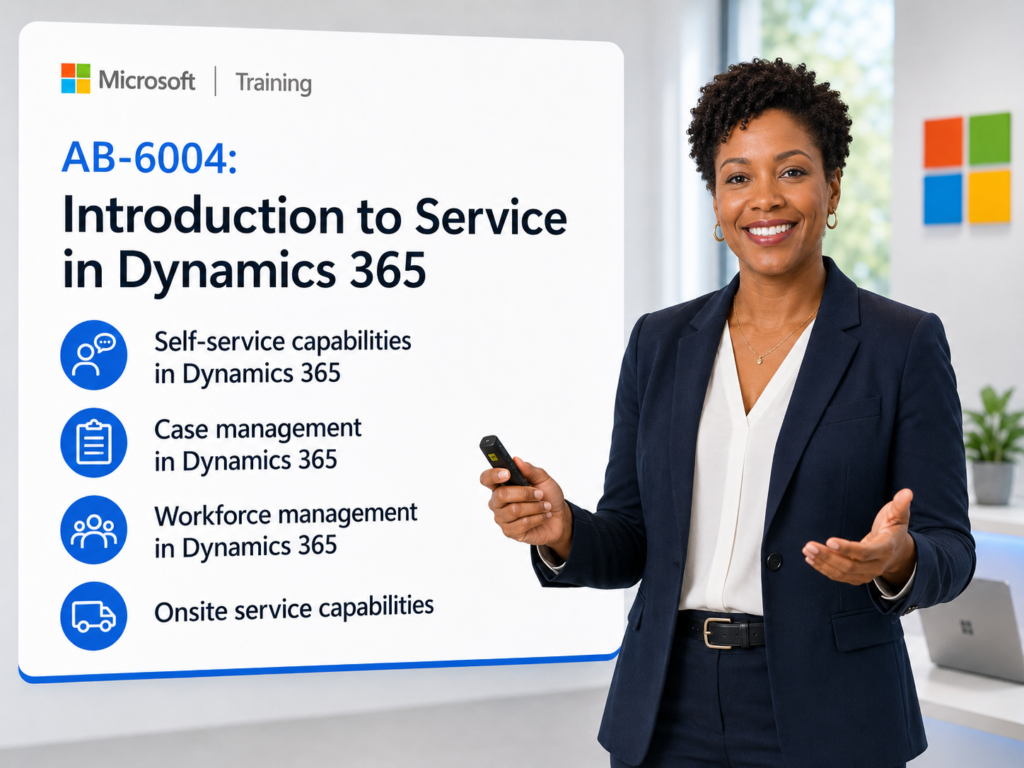
AB-6004: Introduction to Service in Dynamics 365 Training
AB-6004 training
Instructor-led Microsoft training for service leaders, customer service users, contact center teams, field service teams, business users, functional consultants, and students who need a practical introduction to service capabilities in Microsoft Dynamics 365. This course introduces Dynamics 365 Customer Service, Dynamics 365 Contact Center, Dynamics 365 Field Service, Microsoft 365 integration, Copilot, AI-assisted service, case management, knowledge management, workforce management, onsite service, and shared customer engagement capabilities.
Why choose Dynamics Edge for AB-6004 training?
Dynamics Edge turns Microsoft course topics into practical instructor-led training for learners who need job skills, customer engagement understanding, service process knowledge, and project-ready capability. This course can be delivered as a public class, private team class, government training, or customized workshop for customer service, contact center, field service, CRM, and business transformation teams.
- Learn how Dynamics 365 service applications support modern customer engagement.
- Understand the relationship between Customer Service, Contact Center, Field Service, Microsoft 365, Power Platform, Dataverse, and Copilot.
- Build foundational skills for navigating Dynamics 365 customer engagement apps.
- Explore AI-driven service, case automation, knowledge management, routing, workforce management, and onsite service scenarios.
- Prepare service users, project teams, and business stakeholders for Dynamics 365 implementation, adoption, testing, or process improvement.
What will you learn in AB-6004 training?
This course helps learners understand the foundations of service delivery in Microsoft Dynamics 365 and how organizations can improve customer support, contact center operations, field service execution, and service automation.
- Describe Dynamics 365 customer engagement apps and how they work together.
- Navigate customer engagement apps, records, views, forms, activities, and timelines.
- Use Copilot concepts and prompting practices in Dynamics 365 service scenarios.
- Explain self-service capabilities in Dynamics 365 Contact Center.
- Describe knowledge articles, knowledge management, and AI-assisted knowledge creation.
- Understand case management, service-level agreements, routing, channels, queues, and contact center analytics.
- Describe workforce management, forecasting, capacity planning, shift planning, scheduling, and Copilot for Service.
- Explain field service use cases, work orders, technicians, schedules, customer assets, inspections, mobile app usage, and Connected Field Service.
- Review shared capabilities including Dataverse, Power Platform, reporting, dashboards, Excel, Word, SharePoint, Teams, Outlook, and Copilot.
Course Outline Microsoft Dynamics 365 Service AB-6004
Module 1: Describe the foundations of Dynamics 365 customer engagement apps
Students begin by learning the purpose of Dynamics 365 customer engagement apps and how they support service, sales, marketing, field service, and customer experience processes. The module introduces the core customer engagement applications and explains how organizations can use them individually or together as part of a broader service solution. Students also learn how to navigate the application, work with customer records, use activities, and apply Copilot prompting best practices.
Topics include:
- Customer engagement concepts.
- Dynamics 365 customer engagement apps.
- Dynamics 365 Customer Insights.
- Dynamics 365 Sales.
- Dynamics 365 Customer Service.
- Dynamics 365 Contact Center.
- Dynamics 365 Field Service.
- Cross-solution capabilities.
- Navigation in Dynamics 365 apps.
- App switcher, sitemap, recent records, and pinned records.
- Views, forms, records, and tables.
- Accounts, contacts, customers, and activities.
- Timeline interactions.
- Copilot in Dynamics 365 apps.
- Prompting best practices.
- Role-based security concepts.
Lab simulation: Manage customers and activities
Students work with account and contact records and practice common customer engagement activities. This simulation helps learners understand how customer records, related activities, and timeline history support service interactions.
Lab simulation: Explore prompting in Dynamics 365 with Copilot Chat
Students practice giving Copilot clear instructions in natural language. The lab reinforces the value of context, action words, constraints, and business-specific prompts.
Module 2: Explore self-service capabilities in Dynamics 365
Students learn how self-service improves customer support and reduces operational workload. The module explains how Dynamics 365 Contact Center supports self-service through knowledge articles, portals, and AI agents. Students also explore knowledge management in Dynamics 365 Customer Service, including article creation, approval, lifecycle management, external knowledge providers, and Copilot-connected knowledge sources.
Topics include:
- Self-service strategy in customer service.
- Dynamics 365 Contact Center self-service capabilities.
- AI agents and customer self-help.
- Self-service portals.
- Knowledge articles.
- Knowledge management capabilities.
- Manual article creation.
- Article suggestions from case activity.
- Article review and approval.
- External knowledge search providers.
- SharePoint knowledge integration.
- Copilot-connected knowledge.
- Knowledge Management Agent.
- Real-time and historical knowledge creation.
Lab simulation: Create and configure knowledge
Students create a knowledge article and move it through the knowledge article lifecycle. The simulation reinforces how knowledge supports service representatives, customers, portals, and AI-assisted service experiences.
Module 3: Explore case management in Dynamics 365 Contact Center
Students learn how Dynamics 365 Contact Center and Customer Service support the case lifecycle. The module introduces case management tools, service-level agreements, channels, workstreams, routing, queues, and unified routing. Students also review AI-assisted case management, autonomous agents, supervisor capabilities, reporting, analytics, and Agent Hub deployment planning.
Topics include:
- Dynamics 365 Contact Center capabilities.
- Case management in Dynamics 365 Customer Service.
- Case lifecycle.
- Case Management Agent.
- Customer Intent Agent.
- Timeline and customer interaction history.
- Autonomous agents in service.
- Service-level agreements.
- First response and resolution KPIs.
- Channels and workstreams.
- Chat, messaging, voice, and record channels.
- Queues and basic routing.
- Unified routing.
- Classification and assignment.
- Skills-based routing.
- Shift-based routing.
- Capacity-based routing.
- Intent-based routing.
- Historical and real-time reporting.
- Supervisor monitoring and conversation assistance.
- Agent Hub.
- AI rollout plans and agent insights.
Lab simulation: Manage cases in Dynamics 365 Customer Service
Students work as customer service representatives in Customer Service workspace. They receive a conversation, review context, manage the customer interaction, and resolve a case using Dynamics 365 service tools.
Module 4: Describe workforce management in Dynamics 365 Contact Center
Students learn how workforce management helps contact centers plan staffing, forecast demand, manage schedules, and improve service delivery. The module explains forecasting, capacity planning, shift planning, scheduling, and the role of Microsoft 365 Copilot for Service. Students review how Dynamics 365 Contact Center supports data-driven staffing and how AI can help service teams work more efficiently.
Topics include:
- Workforce management concepts.
- Contact center staffing optimization.
- Forecasting and demand planning.
- Long-term forecasts.
- Short-term intraday forecasts.
- Forecasting reports.
- Capacity planning.
- Staffing requirements.
- Shift planning.
- Shift plan creation.
- Scheduling methods.
- Automatic scheduling.
- Microsoft 365 Copilot for Service.
- CRM-connected AI assistance.
- Case summaries.
- AI-generated email drafts.
- Conversation summaries.
- CRM record updates in Microsoft Teams.
Lab simulation: Workforce management
Students practice creating forecasts, capacity plans, shift plans, and schedules. The simulation shows how workforce management connects expected demand to staffing and scheduling decisions.
Module 5: Utilize onsite service capabilities in Dynamics 365 Field Service
Students learn how Dynamics 365 Field Service supports onsite service delivery for technicians, dispatchers, service managers, and customers. The module introduces field service terminology, work orders, incident types, service tasks, inspections, the mobile app, Copilot, resource scheduling, schedule board usage, and customer assets. Students also explore how Connected Field Service can use IoT signals to support proactive service.
Topics include:
- Field service use cases.
- Field technicians.
- Work orders.
- Customer assets.
- Dispatchers and schedulers.
- First-time fix rate.
- Estimated time of arrival.
- Truck rolls and travel time.
- Dynamics 365 Field Service capabilities.
- Work order lifecycle.
- Incident types.
- Service tasks.
- Inspections.
- Field Service mobile app.
- Mobile access to work orders and schedules.
- Customer location and asset information.
- Copilot in the mobile app.
- AI-generated work order summaries.
- Copilot for managers, dispatchers, and technicians.
- Scheduling process.
- Resource types.
- Resource roles and skills.
- Schedule board.
- Schedule Assistant.
- Schedule Operations Agent.
- Customer assets.
- Connected Field Service and IoT alerts.
Lab simulation: Create and schedule a work order
Students create a work order, schedule a technician, and track work order progress. The simulation reinforces how service requests move from creation to scheduling, execution, and completion.
Module 6: Describe shared capabilities in Dynamics 365 customer engagement apps
Students learn the shared platform capabilities that support Dynamics 365 customer engagement applications. The module introduces Dataverse, tailoring options, Power Platform, reporting, dashboards, Power BI, Excel, Word, SharePoint, Teams, Outlook, and Copilot. Students see how Dynamics 365 service applications can be extended, integrated, and enhanced using Microsoft cloud services.
Topics include:
- Microsoft Dataverse.
- Dynamics 365 customer engagement data model.
- Tables, columns, forms, and views.
- Tailoring options.
- Power Platform overview.
- Power Apps.
- Power Automate.
- Power BI.
- Copilot Studio.
- Out-of-the-box reporting.
- Views and charts.
- Dashboards.
- Embedded Power BI.
- Excel integration.
- Static and dynamic worksheets.
- Excel templates.
- Word templates.
- SharePoint document management.
- Microsoft Teams integration.
- Dynamics 365 records in Teams.
- Outlook integration.
- Dynamics 365 App for Outlook.
- Copilot in Dynamics 365 apps.
Course Review
At the end of the course, students review the major Dynamics 365 service concepts covered during class. The review connects customer engagement foundations, self-service, knowledge management, case management, Contact Center, workforce management, Field Service, Copilot, Power Platform, Dataverse, reporting, and Microsoft 365 integrations.
Students should be able to explain how Dynamics 365 supports customer service, contact center operations, onsite service delivery, customer records, service cases, routing, knowledge, schedules, work orders, and AI-assisted service processes. The course provides a foundation for deeper Dynamics 365 Customer Service, Contact Center, Field Service, Power Platform, and CRM learning.
Certification and Next-Step Alignment
AB-6004 is an introductory Dynamics 365 service course and is best used as a foundation for learners who are new to Dynamics 365 service applications or customer engagement processes. It is useful for business users, service leaders, contact center staff, field service teams, functional consultants, students, and project stakeholders preparing for implementation or adoption.
Recommended next steps may include:
- MB-910T00: Microsoft Dynamics 365 Fundamentals CRM.
- MB-230T00: Microsoft Dynamics 365 Customer Service.
- MB-240T00: Microsoft Dynamics 365 Field Service.
- Configure Dynamics 365 customer experience model-driven apps.
- Copilot Studio and Power Platform service automation training.
- Private team workshops for customer service, contact center, field service, or AI-enabled service transformation.
Question About this Course?
Need help picking the right course?
Call Now