

9:00 AM – 4:00 PM CST
9:00 AM – 4:00 PM CST
9:00 AM – 4:00 PM CST
9:00 AM – 4:00 PM CST
9:00 AM – 4:00 PM CST
9:00 AM – 4:00 PM CST
9:00 AM – 4:00 PM CST
9:00 AM – 4:00 PM CST
9:00 AM – 4:00 PM CST
9:00 AM – 4:00 PM CST
9:00 AM – 4:00 PM CST
9:00 AM – 4:00 PM CST
9:00 AM – 4:00 PM CST
Reserve Your Seat
- Virtual instructor Led Training
- Complete Hands-on Labs
- Softcopy of Courseware
- Learning Labs
- Virtual instructor Led Training
- Complete Hands-on Labs
- Softcopy of Courseware
- Learning Labs
- You can use your Purchase Card and checkout
- The GSA Contract Number: 47QTCA20D000D
- Call 800-453-5961 for details
- Customize your class
- Delivery Onsite or Online for your organization
- Choice of Dates when and where you want
- Guidance in choosing and customizing your class
Question About this Course?
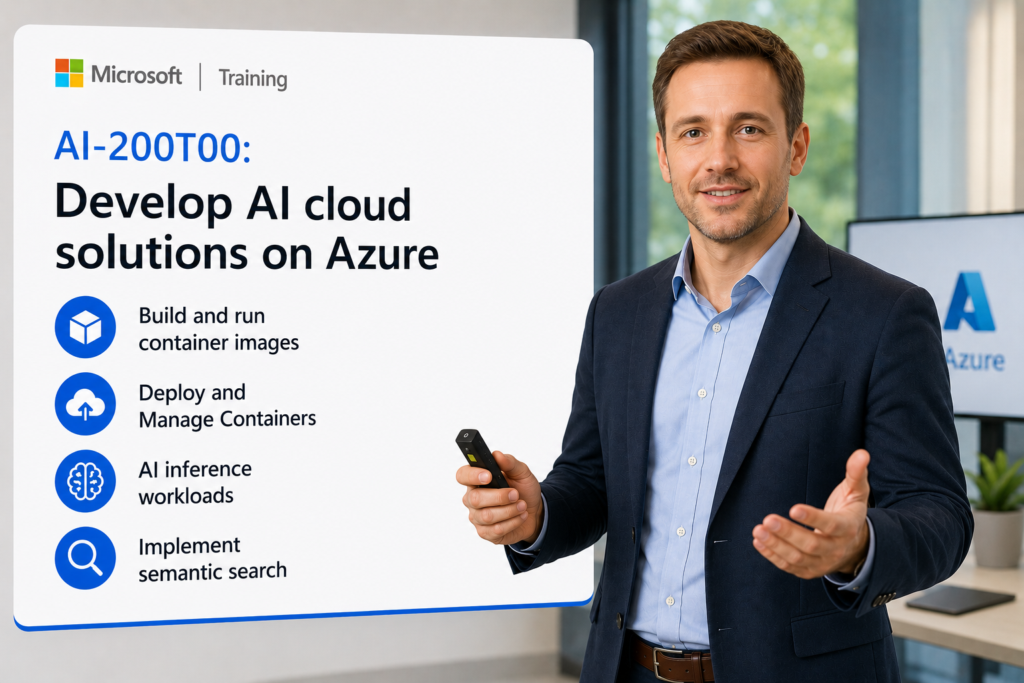
AI-200T00: Develop AI Cloud Solutions on Azure
AI-200T00: Develop AI Cloud Solutions on Azure is an instructor-led course for developers who build, deploy, secure, monitor, and troubleshoot AI-enabled cloud applications on Microsoft Azure.
Students learn how to implement containerized AI workloads, deploy applications to Azure App Service, Azure Container Apps, and Azure Kubernetes Service, use Azure data services for AI scenarios, integrate event-driven and message-based services, secure application secrets and configuration, and monitor distributed AI applications.
Certification: Microsoft Certified: Azure AI Cloud Developer Associate
Exam: AI-200: Developing AI Cloud Solutions on Azure
Why choose Dynamics Edge for AI-200 training?
Dynamics Edge delivers AI-200 training with practical Azure development examples, hands-on labs, certification review, and implementation-focused discussion. The course helps developers build secure, scalable, observable AI cloud solutions using Azure compute, data, integration, security, and monitoring services.
- Learn how to build and deploy containerized AI applications using Azure Container Registry, App Service, Container Apps, and AKS.
- Practice AI data patterns using Cosmos DB for NoSQL, PostgreSQL with pgvector, Azure Managed Redis, vector search, semantic retrieval, and RAG support.
- Build event-driven and message-based AI workflows using Azure Service Bus, Azure Event Grid, and Azure Functions.
- Secure application secrets and configuration using Azure Key Vault, managed identities, and Azure App Configuration.
- Monitor and troubleshoot AI applications using OpenTelemetry, Application Insights, Azure Monitor, logs, metrics, and KQL.
What will you learn in AI-200 training?
Students learn how to develop, deploy, connect, secure, monitor, and troubleshoot AI cloud solutions on Azure. The course emphasizes developer implementation skills across containers, APIs, event-driven workflows, vector data stores, secrets management, configuration management, telemetry, and troubleshooting.
- Build, store, version, and deploy container images using Azure Container Registry and Azure App Service.
- Deploy and manage AI workloads on Azure Container Apps and Azure Kubernetes Service.
- Build AI data solutions using Cosmos DB, PostgreSQL with pgvector, Redis, embeddings, vector indexes, semantic search, and retrieval patterns.
- Connect cloud services using Service Bus, Event Grid, Azure Functions, triggers, bindings, and MCP server patterns.
- Secure, configure, observe, and troubleshoot applications with Key Vault, App Configuration, OpenTelemetry, Application Insights, and KQL.
Course Outline Develop AI Cloud Solutions on Azure AI-200
Module 1: Build and run container images with Azure Container Registry
Students learn how to build, store, version, and manage container images for AI applications. The module introduces Azure Container Registry, ACR Tasks, image tagging, repository management, and cloud-based image builds.
Topics include:
- Create and configure Azure Container Registry.
- Build container images using ACR Tasks.
- Tag and version container images.
- Store and manage images in Azure Container Registry.
- Validate image availability for deployment.
Module 2: Deploy containers to Azure App Service
Students learn how to deploy Linux container images from Azure Container Registry to Azure App Service. The module covers containerized web app deployment, environment variables, secrets, startup behavior, and troubleshooting.
Topics include:
- Deploy containerized applications to Azure App Service.
- Pull images from Azure Container Registry.
- Configure environment variables and secrets.
- Review App Service container settings.
- Troubleshoot container startup and runtime issues.
Module 3: Deploy containers to Azure Container Apps
Students learn how Azure Container Apps supports serverless containerized AI workloads without managing Kubernetes infrastructure. The module covers environments, ingress, revisions, YAML deployment, secrets, managed identity, and Azure Monitor integration.
Topics include:
- Create Azure Container Apps environments.
- Deploy container apps using Azure CLI and YAML.
- Configure ingress, secrets, and environment variables.
- Use managed identity for Azure Container Registry image pulls.
- Validate health using logs, revisions, and replica status.
Module 4: Manage containers in Azure Container Apps
Students learn how to manage day-two operations for container apps. The module covers image updates, revision management, lifecycle actions, runtime diagnostics, health probes, resource sizing, and troubleshooting.
Topics include:
- Update container images safely.
- Manage revisions and revision lifecycle.
- Diagnose failing revisions using logs and replica status.
- Configure readiness and liveness probes.
- Optimize CPU, memory, and runtime settings.
Module 5: Scale containers in Azure Container Apps
Students learn how to configure autoscaling for AI APIs and event-driven workers. The module introduces KEDA, HTTP scaling, Service Bus scaling, Event Hubs scaling, cron scaling, Redis scaling, Prometheus scaling, scale-to-zero, and canary traffic patterns.
Topics include:
- Configure HTTP-based autoscaling.
- Configure KEDA event-driven scaling rules.
- Use scale-to-zero for bursty workloads.
- Configure replica limits and resource settings.
- Use revision traffic splitting for safe rollout patterns.
Module 6: Deploy AI inference workloads to Azure Kubernetes Service
Students learn how to deploy AI inference APIs to Azure Kubernetes Service. The module covers AKS clusters, Azure Container Registry integration, Kubernetes manifests, deployments, services, and AI model-backed APIs.
Topics include:
- Deploy Azure Kubernetes Service resources.
- Connect AKS to Azure Container Registry.
- Deploy AI inference APIs with Kubernetes manifests.
- Configure services for workload access.
- Validate application deployment and connectivity.
Module 7: Configure applications on Azure Kubernetes Service
Students learn how to configure Kubernetes applications for AI workloads. The module covers ConfigMaps, Secrets, PersistentVolumeClaims, application configuration, sensitive credentials, and persistent storage.
Topics include:
- Configure non-sensitive settings with ConfigMaps.
- Store sensitive values using Kubernetes Secrets.
- Configure persistent storage with PersistentVolumeClaims.
- Manage deployment configuration through manifests.
- Validate application settings and storage behavior.
Module 8: Troubleshoot applications on Azure Kubernetes Service
Students learn how to diagnose and resolve Kubernetes application issues. The module covers pods, events, logs, service connectivity, image pull errors, configuration issues, resource pressure, and repeatable troubleshooting workflows.
Topics include:
- Inspect Kubernetes pods, events, and logs.
- Troubleshoot image pull and deployment failures.
- Diagnose service connectivity issues.
- Resolve configuration and secret issues.
- Validate fixes with redeployment and monitoring.
Module 9: Build a RAG document store with Azure Cosmos DB for NoSQL
Students learn how Cosmos DB supports AI data workloads and retrieval-augmented generation. The module covers document modeling, partition keys, SDK connectivity, document storage, and retrieval patterns for AI applications.
Topics include:
- Create Cosmos DB for NoSQL resources.
- Design containers and partition keys.
- Store documents for RAG scenarios.
- Connect using SDKs.
- Query and retrieve content for AI workflows.
Module 10: Implement semantic search with Azure Cosmos DB for NoSQL
Students learn how to store embeddings and implement vector similarity search in Cosmos DB. The module covers vector indexes, embedding storage, similarity queries, semantic retrieval, and RAG application patterns.
Topics include:
- Store embeddings in Cosmos DB documents.
- Configure vector search capabilities.
- Execute vector similarity queries.
- Combine metadata filters with semantic retrieval.
- Use results in RAG-enabled applications.
Module 11: Optimize Azure Cosmos DB query performance
Students learn how to improve cost and performance for Cosmos DB AI workloads. The module covers RU consumption, indexing policies, composite indexes, vector index tuning, consistency levels, and query optimization.
Topics include:
- Monitor request unit consumption.
- Optimize indexing policies.
- Use composite and vector indexes.
- Reduce cross-partition query cost.
- Tune consistency and query patterns.
Module 12: Build an agent tool backend on Azure Database for PostgreSQL
Students learn how PostgreSQL can support AI agent tool backends. The module covers schema design, agent state, conversation context, task state, SDK access, and reliable backend operations.
Topics include:
- Create Azure Database for PostgreSQL resources.
- Design schemas for agent tools.
- Store conversation context and task state.
- Connect and query from application code.
- Validate backend operations for AI agents.
Module 13: Implement vector search with PostgreSQL and pgvector
Students learn how Azure Database for PostgreSQL supports vector similarity search using pgvector. The module covers embeddings, vector columns, similarity queries, indexing, metadata filtering, and product similarity scenarios.
Topics include:
- Enable and use pgvector.
- Store embeddings in PostgreSQL.
- Build vector similarity search queries.
- Combine vector search with metadata filters.
- Implement retrieval patterns for AI applications.
Module 14: Optimize PostgreSQL vector search performance
Students learn how to tune PostgreSQL for vector workloads. The module covers index choices, compute and memory sizing, storage planning, query latency, connection optimization, and pgvector performance tuning.
Topics include:
- Choose vector indexing strategies.
- Optimize query latency.
- Configure compute, memory, and storage.
- Reduce pgvector compute overhead.
- Improve throughput with connection optimization.
Module 15: Use Azure Managed Redis for AI data operations
Students learn how Azure Managed Redis supports caching and fast data access for AI applications. The module covers keys, values, expiration, invalidation, data structures, and Python Redis client access.
Topics include:
- Create Azure Managed Redis resources.
- Perform Redis data operations from Python.
- Configure caching, expiration, and invalidation.
- Use Redis data structures for app state.
- Validate cache behavior in AI workloads.
Module 16: Use Azure Managed Redis for events and vector search
Students learn how Redis supports event patterns and semantic retrieval. The module covers publish/subscribe, streaming-style patterns, vector indexes, vector storage, and low-latency similarity search.
Topics include:
- Implement publisher and subscriber patterns.
- Use Redis for event-style messaging.
- Store vectors in Redis.
- Create vector indexes.
- Run semantic search queries.
Module 17: Build message-based AI workflows with Azure Service Bus
Students learn how Service Bus supports reliable back-end processing for AI workloads. The module covers queues, topics, subscriptions, dead-letter queues, scheduled messages, sessions, retries, and AI inference processing.
Topics include:
- Create Service Bus namespaces and queues.
- Send and receive messages from application code.
- Process back-end AI operations asynchronously.
- Use topics, subscriptions, and filters.
- Handle failures with retries and dead-letter queues.
Module 18: Build event-driven AI workflows with Azure Event Grid
Students learn how Event Grid supports event-driven application integration. The module covers custom events, namespace topics, event subscriptions, filters, pull delivery, retries, and content moderation event scenarios.
Topics include:
- Create Event Grid namespaces and topics.
- Publish custom events.
- Configure filtered event subscriptions.
- Receive events using pull delivery.
- Use events to trigger AI workflow steps.
Module 19: Create serverless APIs and MCP servers with Azure Functions
Students learn how Azure Functions supports serverless APIs and tool-based AI integration. The module covers triggers, bindings, deployment, function projects, MCP extension concepts, document processing tools, and local testing.
Topics include:
- Build serverless APIs with Azure Functions.
- Configure triggers and bindings.
- Deploy function apps.
- Create MCP server tool trigger functions.
- Test MCP server behavior with developer tools.
Module 20: Secure applications with Azure Key Vault
Students learn how Azure Key Vault protects application secrets, keys, and certificates. The module covers managed identity access, secret retrieval, versioning, rotation, RBAC roles, SDK access, caching, and secure development patterns.
Topics include:
- Store secrets, keys, and certificates in Key Vault.
- Retrieve secrets using managed identity.
- Apply least-privilege Key Vault access.
- Handle secret versioning and rotation.
- Cache secrets securely for application performance.
Module 21: Manage application settings with Azure App Configuration
Students learn how Azure App Configuration centralizes application settings and feature flags. The module covers labels, feature management, Key Vault references, managed identity, Python provider libraries, and configuration separation.
Topics include:
- Store and retrieve application configuration.
- Organize settings with labels.
- Implement feature flags.
- Reference Key Vault secrets from App Configuration.
- Decide what belongs in configuration versus Key Vault.
Module 22: Instrument applications with OpenTelemetry
Students learn how to add observability to AI applications. The module covers OpenTelemetry instrumentation, traces, spans, dependencies, request telemetry, application pipelines, and Application Insights integration.
Topics include:
- Instrument application code with OpenTelemetry.
- Capture requests, dependencies, exceptions, and traces.
- Send telemetry to Application Insights.
- Trace document processing pipelines.
- Validate telemetry across application operations.
Module 23: Analyze logs and metrics with KQL
Students learn how to investigate application health using KQL. The module covers Application Insights logs, Azure Monitor Logs, requests, dependencies, exceptions, performance metrics, filtering, aggregation, and troubleshooting queries.
Topics include:
- Write KQL queries for application telemetry.
- Investigate requests, dependencies, and exceptions.
- Analyze performance and error patterns.
- Use logs to troubleshoot application health.
- Build repeatable diagnostics queries.
Module 24: Monitor, troubleshoot, and operate AI cloud solutions
Students learn how to combine monitoring, logs, metrics, alerts, and troubleshooting practices for production AI workloads. The module emphasizes operational readiness, runtime diagnostics, secure logging, cost-performance tradeoffs, and incident response.
Topics include:
- Monitor container, data, messaging, and serverless workloads.
- Troubleshoot end-to-end AI application failures.
- Avoid logging sensitive prompts or documents.
- Tune performance based on telemetry.
- Use operational feedback to improve reliability.
Hands-on labs
The AI-200 labs support hands-on practice for developers building AI cloud solutions on Azure. This single consolidated lab list is based on the most important exercises found in the AI-200 PowerPoint slides and speaker notes.
- Lab 1: Build and run a container image with Azure Container Registry Tasks.
- Lab 2: Deploy a Linux container image from Azure Container Registry to Azure App Service.
- Lab 3: Deploy a containerized backend API to Azure Container Apps using managed identity, secrets, and environment variables.
- Lab 4: Diagnose and fix a failing Azure Container Apps deployment using revision status, logs, and Azure CLI troubleshooting.
- Lab 5: Configure Azure Container Apps autoscaling using KEDA triggers for HTTP traffic and event-driven workloads.
- Lab 6: Deploy an AI inference API to Azure Kubernetes Service using Azure Container Registry and Kubernetes manifests.
- Lab 7: Configure applications on Azure Kubernetes Service using ConfigMaps, Secrets, and PersistentVolumeClaims.
- Lab 8: Troubleshoot applications on Azure Kubernetes Service by diagnosing common Kubernetes deployment, configuration, and connectivity issues.
- Lab 9: Build a RAG document store on Azure Cosmos DB for NoSQL.
- Lab 10: Build a semantic search application with Azure Cosmos DB for NoSQL and vector similarity search.
- Lab 11: Optimize query performance with vector indexes and indexing policies in Azure Cosmos DB for NoSQL.
- Lab 12: Build an agent tool backend on Azure Database for PostgreSQL to store conversation context and task state.
- Lab 13: Implement vector search on Azure Database for PostgreSQL using pgvector.
- Lab 14: Optimize vector search performance in Azure Database for PostgreSQL.
- Lab 15: Perform data operations in Azure Managed Redis using Python and redis-py.
- Lab 16: Publish and subscribe to events in Azure Managed Redis.
- Lab 17: Implement semantic search in Azure Managed Redis using vector storage and vector indexes.
- Lab 18: Process messages with Azure Service Bus using a Python Flask AI inference scenario.
- Lab 19: Publish and receive events with Azure Event Grid using filtered event subscriptions and pull delivery.
- Lab 20: Secure, configure, and monitor AI cloud applications using Azure Functions MCP tools, Azure Key Vault, Azure App Configuration, OpenTelemetry, Application Insights, and KQL.
Certification alignment
This course supports preparation for Exam AI-200: Developing AI Cloud Solutions on Azure and the Microsoft Certified: Azure AI Cloud Developer Associate certification. The exam validates the ability to design, build, deploy, secure, monitor, and troubleshoot AI solutions on Azure with emphasis on backend services, scalable architectures, Azure data services, messaging, eventing, vector databases, Python, and containerized applications.
AI-200 skills measured
- Develop containerized solutions on Azure.
- Develop AI solutions by using Azure data management services.
- Connect to and consume Azure services.
- Secure, monitor, and troubleshoot Azure solutions.
Course review
Students should leave the course able to build AI cloud solutions using Azure compute, data, integration, security, configuration, monitoring, and troubleshooting services. The course review should reinforce Azure Container Registry, Azure App Service, Azure Container Apps, KEDA, Azure Kubernetes Service, Cosmos DB for NoSQL, PostgreSQL with pgvector, Azure Managed Redis, Service Bus, Event Grid, Azure Functions, MCP servers, Key Vault, App Configuration, OpenTelemetry, Application Insights, Azure Monitor, and KQL.
Certification exam review
Exam review should focus on practical developer implementation decisions and scenario-based Azure service selection. Priority review areas should include container images, ACR Tasks, App Service containers, Container Apps environments, revisions, YAML deployment, managed identity, KEDA scaling, AKS manifests, ConfigMaps, Secrets, PersistentVolumeClaims, Cosmos DB partition keys, RU optimization, vector search, pgvector, Redis caching and vector search, Service Bus queues and topics, Event Grid subscriptions and filters, Azure Functions triggers and bindings, Key Vault secret retrieval and rotation, App Configuration labels and feature flags, OpenTelemetry traces, Application Insights telemetry, Azure Monitor Logs, KQL queries, and secure troubleshooting practices.
Question About this Course?
Need help picking the right course?
Call Now