

Tentative
8:00 AM – 4:00 PM MST
Reserve Your Seat
- Virtual instructor Led Training
- Complete Hands-on Labs
- Softcopy of Courseware
- Learning Labs
- Virtual instructor Led Training
- Complete Hands-on Labs
- Softcopy of Courseware
- Learning Labs
- You can use your Purchase Card and checkout
- The GSA Contract Number: 47QTCA20D000D
- Call 800-453-5961 for details
- Customize your class
- Delivery Onsite or Online for your organization
- Choice of Dates when and where you want
- Guidance in choosing and customizing your class
Question About this Course?
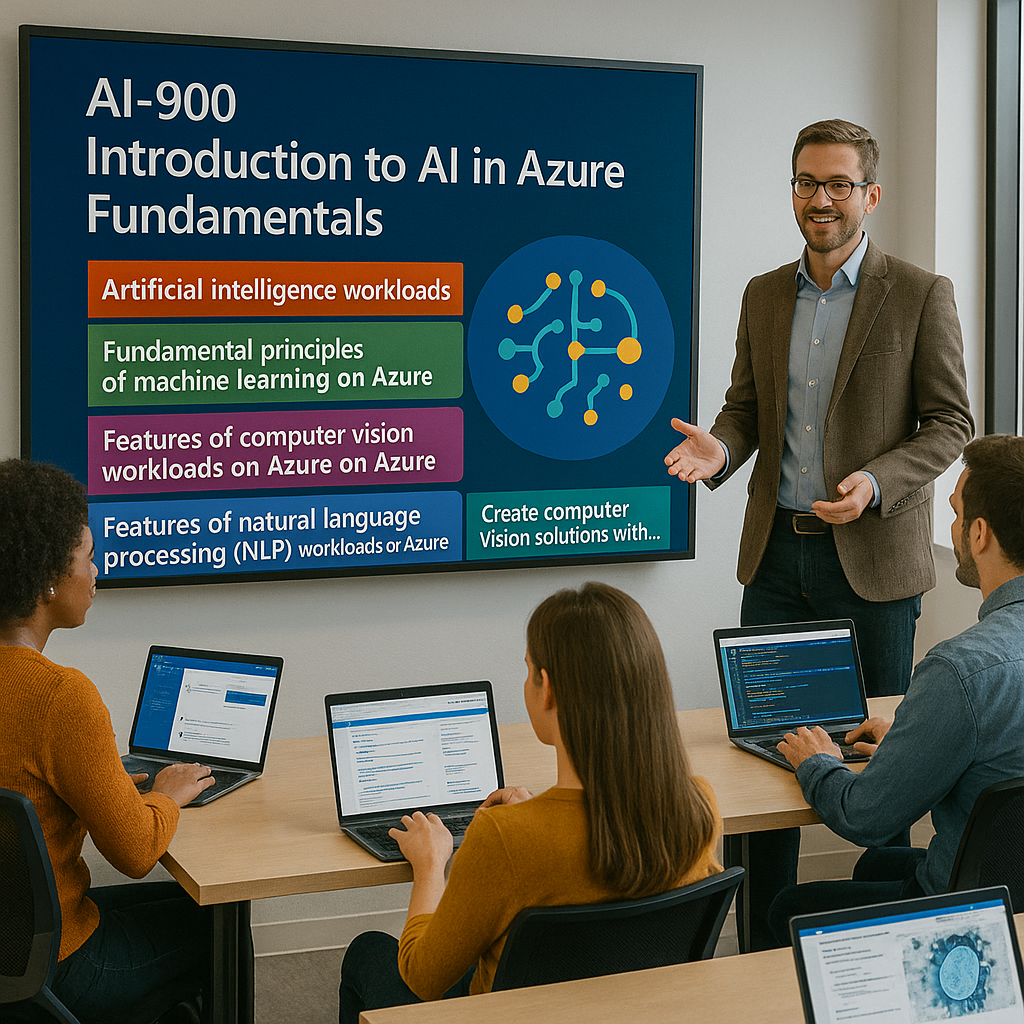
AI-901T00: Introduction to AI in Azure Training
Instructor-led Microsoft training for business users, students, developers, technical decision makers, AI beginners, cloud professionals, analysts, consultants, and project stakeholders who need a practical introduction to artificial intelligence in Microsoft Azure. This course introduces core AI concepts, responsible AI principles, Microsoft Azure, Microsoft Foundry, generative AI, AI agents, language models, natural language processing, speech, computer vision, information extraction, and hands-on Azure AI solution concepts.
Dynamics Edge delivers AI-901T00 as a practical, instructor-led course for learners who need to understand how AI solutions are created, deployed, and used with Microsoft Azure and Microsoft Foundry. The course is designed for learners who are new to AI and Azure AI services and want to build a foundation for certification, implementation projects, and AI-enabled business transformation.
Why choose Dynamics Edge for AI-901T00 training?
Dynamics Edge turns Microsoft course topics into practical instructor-led training for learners who need AI fluency, Azure AI awareness, Microsoft Foundry experience, and project-ready understanding. This course can be delivered as a public class, private team class, government training, or customized AI readiness workshop.
- Learn foundational AI concepts using Microsoft Azure and Microsoft Foundry examples.
- Understand how generative AI, agents, speech, vision, language, and information extraction are used in real business solutions.
- Explore Microsoft Foundry projects, models, endpoints, agents, tools, and APIs.
- Build awareness of responsible AI principles including fairness, reliability, privacy, inclusiveness, transparency, and accountability.
- Prepare for the AI-901 Microsoft Azure AI Fundamentals certification path.
- Support AI adoption, Azure AI solution planning, Microsoft Foundry readiness, and AI-enabled business transformation.
What will you learn in AI-901T00 training?
This course helps learners understand artificial intelligence concepts and the Microsoft Azure services used to create AI solutions. Students learn through instructor explanation, demonstrations, knowledge checks, and hands-on exercises using Microsoft Foundry and Azure AI capabilities.
- Describe common AI workloads and business use cases.
- Understand responsible AI principles.
- Explain Azure, tenants, subscriptions, resource groups, resources, and Microsoft Entra ID.
- Use Microsoft Foundry concepts including projects, models, agents, tools, endpoints, and APIs.
- Explain generative AI, large language models, small language models, embeddings, transformers, prompts, and agents.
- Use Microsoft Foundry to explore and deploy generative AI models.
- Understand natural language processing, text analysis, key phrase extraction, entity recognition, sentiment analysis, summarization, language detection, and PII redaction.
- Understand speech recognition, speech synthesis, and speech-capable agents.
- Understand computer vision, image analysis, image generation, video generation, CNNs, vision transformers, and multimodal models.
- Understand information extraction, OCR, field extraction, document intelligence, content understanding, and audio/video extraction.
Microsoft AI-901T00 Course Outline
Module 1: Get started with AI in Azure
Students begin by learning what artificial intelligence is and how AI systems imitate human capabilities such as recognizing patterns, understanding language, interpreting visual input, extracting information, and generating content. The module introduces major AI workloads and the responsible AI principles that guide ethical and trustworthy AI solution development.
Students also learn how Microsoft Azure provides the cloud foundation for AI services. The module introduces Azure tenants, subscriptions, resource groups, Microsoft Entra ID, Azure resources, Microsoft Foundry resources, projects, models, agents, tools, and endpoints. Learners explore how AI applications connect to Foundry endpoints using keys or Microsoft Entra ID authentication.
Topics include:
- What artificial intelligence is.
- Common AI workloads.
- Generative AI and agents.
- Text and language AI.
- Computer speech.
- Computer vision.
- Information extraction.
- Machine learning.
- Responsible AI principles.
- Fairness.
- Reliability and safety.
- Privacy and security.
- Inclusiveness.
- Transparency.
- Accountability.
- Microsoft Azure tenants.
- Subscriptions and resource groups.
- Microsoft Entra ID.
- Azure resources.
- Microsoft Foundry resources.
- Microsoft Foundry projects.
- Models, agents, tools, and endpoints.
- REST interfaces and JSON requests.
- Endpoint authentication with keys and Microsoft Entra ID.
Optional exercise: Explore a simple AI agent
Students use a simple AI agent to get answers to questions about AI concepts. This exercise helps learners understand how an AI agent can use prompts and knowledge to respond to user questions.
Lab: Get started with Microsoft Foundry
Students create a Microsoft Foundry project, explore the Foundry portal, deploy a model, and connect an AI app to a Foundry endpoint. The lab reinforces the relationship between Azure resources, Foundry projects, deployed models, endpoints, keys, and client applications.
Module 2: Get started with generative AI and agents
Students learn how generative AI creates responses from natural language prompts. The module explains how generative AI can produce text, speech, images, video, code, and dynamic chatbot responses. Learners review large language models, small language models, tokenization, embeddings, transformers, attention layers, prompts, system instructions, parameters, and model behavior.
The module also introduces AI agents as applications that can perform tasks on behalf of a user. Students explore how Microsoft Foundry supports model discovery, model deployment, playground testing, OpenAI APIs, and agent creation with tools such as file search.
Topics include:
- What generative AI is.
- Natural language prompts.
- Text, speech, image, video, and code generation.
- Chatbots and creative AI assistants.
- Agentic AI foundations.
- Large language models.
- Small language models.
- Tokens and embeddings.
- Transformer models.
- Attention layers.
- Model catalog in Microsoft Foundry.
- Model playground.
- OpenAI APIs.
- System prompts and instructions.
- User prompts.
- Model parameters.
- Response length and creativity controls.
- Creating agents in Microsoft Foundry.
- File search tools.
- Agent prompts and agent responses.
Optional exercise: Explore generative AI
Students experiment with a generative AI model and observe how prompts affect generated responses. This exercise helps learners understand the relationship between prompt quality, model behavior, and output.
Lab: Get started with generative AI and agents in Microsoft Foundry
Students experiment with a deployed model in the playground, observe the effect of system prompts and parameters, and create an agent with a file search tool. The lab reinforces how Foundry supports model testing, prompt refinement, and agent creation.
Module 3: Get started with text analysis in Azure
Students learn how natural language processing enables AI systems to analyze, classify, summarize, and extract meaning from text. The module introduces key phrase extraction, named entity recognition, text classification, sentiment analysis, summarization, language detection, PII detection, and text analytics for health.
Students also compare general-purpose AI models with Azure Language in Microsoft Foundry Tools. Learners review when to use flexible conversational models and when to use structured, deterministic Azure Language capabilities for production workflows, regulated data, confidence scores, PII redaction, and repeatable results.
Topics include:
- Natural language processing concepts.
- Text analysis.
- Key phrase extraction.
- Named entity recognition.
- Text classification.
- Sentiment analysis.
- Summarization.
- Language detection.
- PII detection and redaction.
- Text analytics for health.
- Text preprocessing.
- Tokenization.
- Normalization.
- Stop-word removal.
- Stemming and lemmatization.
- Parts-of-speech tagging.
- Term frequency.
- TF-IDF.
- Bag-of-words.
- TextRank.
- Semantic models.
- Embedding vectors.
- General-purpose AI models.
- Azure Language in Microsoft Foundry Tools.
- OpenAI Python library.
- Azure Language SDK.
- Model Context Protocol.
- Azure Language in an agent.
Optional exercise: Explore text analytics
Students evaluate sentiment, identify key terms, recognize entities, and summarize text. This exercise helps learners understand how AI can extract meaning from unstructured text.
Lab: Get started with Azure Language in Foundry Tools
Students explore text analysis using general-purpose models and Azure Language in Foundry Tools. They work with key phrase extraction, named entity recognition, sentiment analysis, language detection, and PII redaction.
Module 4: Get started with AI speech in Azure
Students learn how AI speech solutions convert audio to text and text to audio. The module introduces speech recognition, speech synthesis, speech-to-text, text-to-speech, audio capture, preprocessing, acoustic modeling, language modeling, post-processing, phonemes, normalization, linguistic modeling, prosody generation, and waveform encoding.
Students also explore speech services in Microsoft Foundry. The module explains how developers can use the Azure Speech SDK for speech recognition and synthesis and how Azure Speech in Foundry Tools can support voice-enabled agents through real-time voice experiences.
Topics include:
- Speech-enabled solutions.
- Speech-to-text.
- Text-to-speech.
- Audio files, audio streams, and microphone input.
- Customer service and support use cases.
- Voice-activated assistants and agents.
- Accessibility use cases.
- Meeting and interview transcription.
- Speech recognition process.
- Audio capture.
- Preprocessing.
- Acoustic modeling.
- Language modeling.
- Post-processing.
- Phonemes.
- Speech synthesis process.
- Text normalization.
- Linguistic modeling.
- Prosody generation.
- Waveform encoding.
- Azure Speech SDK.
- Azure Speech in Microsoft Foundry Tools.
- Speech-to-Text.
- Text-to-Speech.
- Voice Live.
- Speech-capable agents.
Optional exercise: Explore AI speech
Students explore AI speech in a browser-based playground. The exercise introduces speech recognition and speech synthesis capabilities through a guided interface.
Lab: Get started with Speech in Microsoft Foundry
Students explore Azure Speech in Foundry Tools using the Voice Live service. The lab shows how real-time speech, generative AI, instructions, tools, and continuous conversation flow can support voice-enabled agents.
Module 5: Get started with computer vision in Azure
Students learn how computer vision systems analyze images and video. The module introduces image classification, object detection, semantic segmentation, contextual image analysis, convolutional neural networks, vision transformers, multimodal models, image generation, video generation, and diffusion models.
Students also learn how Microsoft Foundry supports image analysis, image generation, and video generation. The module explains how multimodal models can work with both text and image inputs and how developers can use APIs to analyze images or generate image and video content.
Topics include:
- Computer vision tasks and techniques.
- Image classification.
- Object detection.
- Semantic segmentation.
- Contextual image analysis.
- Convolutional neural networks.
- Filters and feature maps.
- Vision transformers.
- Image patches.
- Attention for visual features.
- Diffusion models.
- Image generation.
- Video generation.
- Multimodal models.
- Text and image input.
- Image-to-text inferencing.
- OpenAI API content structure.
- Base64-encoded images.
- Microsoft Foundry model catalog.
- Text-to-image models.
- Video-generation models.
- Image analysis in Foundry.
- Image generation in Foundry.
- Video generation in Foundry.
Optional exercise: Explore computer vision
Students explore computer vision in a browser-based chat playground. This exercise helps learners understand how AI can analyze visual content and respond to image-based prompts.
Lab: Get started with computer vision in Microsoft Foundry
Students use models in Microsoft Foundry to analyze images, generate images, and generate video. The lab reinforces multimodal AI, deployed models, prompts, and generated visual content workflows.
Module 6: Get started with information extraction in Azure
Students learn how AI extracts useful data from documents, emails, business cards, receipts, invoices, contracts, forms, images, audio recordings, and video. The module introduces OCR, field extraction, field mapping, schema-based extraction, predefined analyzers, custom analyzers, and structured JSON output.
Students also explore Azure Content Understanding in Microsoft Foundry Tools. The module explains how predefined and custom analyzers can extract structured information from documents, audio, and video for use cases such as invoice processing, post-call analysis, voice message automation, video call transcription, summary generation, and recorded video analysis.
Topics include:
- What information extraction is.
- Documents and emails.
- Business cards and receipts.
- Invoices, contracts, and forms.
- Images, audio recordings, and video.
- Converting digital content into useful data.
- Optical character recognition.
- Image acquisition.
- Preprocessing and image enhancement.
- Text region detection.
- Character recognition.
- Output generation and post-processing.
- OCR output ingestion.
- Field detection.
- Candidate identification.
- Field mapping and association.
- Data normalization.
- Predefined analyzers.
- Custom analyzers.
- Schema-based extraction.
- REST API and JSON results.
- Azure Content Understanding in Foundry Tools.
- Document extraction.
- Audio and video extraction.
- Post-call analysis.
- Voice message automation.
- Video call transcription and summary.
- Video recording analysis.
Optional exercise: Explore information extraction
Students explore a simple information extraction tool that reads data from receipts. This exercise introduces OCR and structured field extraction concepts.
Lab: Get started with information extraction in Microsoft Foundry
Students use Content Understanding in Foundry Tools to extract information from a document. The lab demonstrates how analyzers process content and return structured data that can be used in applications and workflows.
Course Review
At the end of the course, students review the major AI and Azure concepts covered during class. The review connects AI workloads, responsible AI, Microsoft Azure, Microsoft Foundry, models, endpoints, agents, generative AI, text analysis, speech, computer vision, and information extraction.
Students should be able to explain how Azure AI services and Microsoft Foundry support common AI solution patterns. They should understand how AI models are deployed, how endpoints are used, how agents are created, and how AI services can analyze text, process speech, interpret images, generate content, and extract structured information from documents and media.
Certification Exam Review
AI-901T00 aligns with the Microsoft Azure AI Fundamentals certification path. The AI-901 exam validates foundational understanding of AI concepts and the ability to identify how Microsoft Foundry and Azure AI services are used to implement AI solutions.
Exam AI-901 skills measured
Identify AI concepts and capabilities
Students should understand AI workloads, generative AI, agents, natural language processing, speech, computer vision, information extraction, machine learning, and responsible AI principles. Learners should be able to recognize common AI use cases and explain which AI capabilities support different business scenarios.
Implement AI solutions with Microsoft Foundry
Students should understand Microsoft Foundry concepts including projects, models, model catalog, model deployment, endpoints, authentication, playgrounds, APIs, tools, and agents. Learners should understand how Foundry supports generative AI, text analysis, speech, computer vision, information extraction, and agent development.
Recommended next-step training
AI-901T00 is a strong starting point for learners who are new to Azure AI, Microsoft Foundry, generative AI, and AI-enabled solution development. Recommended next steps may include:
- AI-102T00: Designing and Implementing a Microsoft Azure AI Solution.
- AI-3002: Create document intelligence solutions with Azure AI Document Intelligence.
- AI-3003: Build a natural language processing solution with Azure AI Services.
- AI-3004: Build an Azure AI Vision solution with Azure AI services.
- AI-3005: Create agents with Azure AI Foundry Agent Service.
- AI-3016: Develop generative AI apps in Azure.
- AI-3026: Develop AI agents on Azure.
- Microsoft Copilot Studio training for agent development.
- Private team workshops for Azure AI adoption, Microsoft Foundry readiness, responsible AI governance, and AI solution planning.
Question About this Course?
Need help picking the right course?
Call Now