

9:00 AM – 4:00 PM CST
9:00 AM – 4:00 PM CST
Reserve Your Seat
- Virtual instructor Led Training
- Complete Hands-on Labs
- Softcopy of Courseware
- Learning Labs
- Virtual instructor Led Training
- Complete Hands-on Labs
- Softcopy of Courseware
- Learning Labs
- You can use your Purchase Card and checkout
- The GSA Contract Number: 47QTCA20D000D
- Call 800-453-5961 for details
- Customize your class
- Delivery Onsite or Online for your organization
- Choice of Dates when and where you want
- Guidance in choosing and customizing your class
Question About this Course?
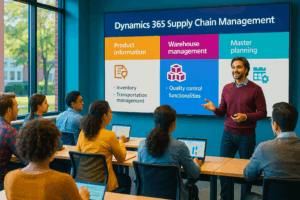
MB-330T00: Conceptualize Supply Chain Management in Microsoft Dynamics 365
MB-330 training
MB-330T00: Conceptualize Supply Chain Management in Microsoft Dynamics 365 is an instructor-led course for functional consultants, supply chain analysts, inventory managers, warehouse leaders, procurement professionals, and implementation team members who need to understand and configure Microsoft Dynamics 365 Supply Chain Management.
This course covers product information management, inventory management, quality management, asset management, procurement and sourcing, landed cost, sales and marketing, warehouse management, transportation management, Warehouse Management mobile app, and master planning.
Certification: Microsoft Certified: Dynamics 365 Supply Chain Management Functional Consultant Associate
Exam: MB-330: Microsoft Dynamics 365 Supply Chain Management Functional ConsultantWhy choose Dynamics Edge for MB-330T00 training?
Dynamics Edge delivers MB-330 training with practical implementation examples, course review, hands-on labs, and certification-focused discussion. The course is designed to help students understand how Dynamics 365 Supply Chain Management supports end-to-end supply chain operations.
- Learn how Dynamics 365 Supply Chain Management supports product, inventory, warehouse, procurement, sales, transportation, quality, and planning processes.
- Practice key configuration tasks used in real implementation projects.
- Prepare for MB-330 certification exam objectives.
- Understand how supply chain processes connect across modules.
- Request private team delivery for ERP implementation, upgrade readiness, role-based onboarding, or government training.
What will you learn in MB-330T00 training?
Students learn how to configure and use Microsoft Dynamics 365 Supply Chain Management to support modern supply chain operations. The course emphasizes both business process understanding and practical system configuration.
- Configure products, product masters, variants, BOMs, categories, product attributes, dimensions, and costing.
- Manage inventory activities, inventory journals, quality control, inventory blocking, counting, and asset management.
- Configure procurement, vendors, purchase requisitions, purchase orders, landed cost, and common sales processes.
- Implement warehouse management, mobile device workflows, replenishment, cycle counting, inbound receiving, outbound shipping, and transportation management.
- Configure master planning, coverage groups, master plans, planned orders, planning optimization, and supply schedules.
Dynamics 365 Supply Chain Management MB-330 Course Outline
Learning Path 1: Implement product information management
Module 1: Create and manage products
Students learn how to create and manage products and product masters in Dynamics 365 Supply Chain Management. They review released products, product variants, product templates, bills of materials, product categories, product lifecycle states, and product attributes.
Topics include:
- Create and release products and product variants.
- Create product masters with variants.
- Create and manage product templates.
- Create BOMs and BOM versions.
- Configure product lifecycle states and product attributes.
Module 2: Configure prerequisites for products
Students configure the foundational product settings required before inventory, warehouse, costing, and supply chain processes can work correctly. They review storage dimensions, tracking dimensions, product dimensions, item model groups, reservation hierarchies, and unit sequence groups.
Topics include:
- Configure inventory dimensions.
- Configure storage dimension groups.
- Configure tracking dimension groups.
- Configure item model groups.
- Configure reservation hierarchies and unit sequence groups.
Module 3: Configure additional product details
Students learn how to add more detailed product configuration for warehouse, inventory, sales, purchasing, and mobile device processes. They configure bar codes, GS1 and QR codes, product unit conversions, default order settings, and product filter codes.
Topics include:
- Set up bar codes, GS1 codes, and QR codes.
- Configure product unit conversions.
- Configure default order settings.
- Configure product filter codes for warehouse operations.
- Manage product search and classification details.
Module 4: Manage inventory pricing and costing
Students learn how product costing and pricing support inventory valuation and supply chain transactions. They configure costing versions, item prices, standard costs, planned costs, purchase prices, sales prices, discounts, and trade agreements.
Topics include:
- Configure costing versions.
- Configure items with standard costs.
- Manage default item prices.
- Configure purchase and sales prices.
- Use trade agreements for prices and discounts.
Learning Path 2: Implement inventory and asset management
Module 5: Configure inventory management
Students learn how inventory management supports inbound, outbound, on-hand, costing, tracking, and visibility processes. They review inventory parameters, inventory journals, inventory visibility, commodity pricing concepts, and inventory control setup.
Topics include:
- Configure inventory management parameters.
- Understand inbound and outbound inventory processes.
- Configure inventory journals.
- Review inventory visibility concepts.
- Configure inventory control foundations.
Module 6: Manage and process inventory activities
Students perform common inventory activities used in daily supply chain operations. They process movement journals, transfer journals, counting journals, transfer orders, inventory adjustments, inventory blocking, batch disposition codes, and inventory reports.
Topics include:
- Process movement, transfer, counting, and adjustment journals.
- Create and process transfer orders.
- Manage inventory closing and adjustment.
- Apply and remove inventory blocking.
- Configure inventory reports and ABC classification.
Module 7: Manage quality
Students learn how Dynamics 365 Supply Chain Management supports quality control and quality assurance. They configure quality associations, tests, test variables, item sampling, nonconformances, quality orders, quarantine orders, and inventory blocking.
Topics include:
- Configure quality management components.
- Configure quality associations.
- Process quality orders.
- Process nonconformances.
- Manage quarantine and inventory blocking.
Module 8: Configure asset management
Students learn how to configure asset management for maintenance operations. They review asset types, assets, service levels, maintenance job types, lifecycle states, work order setup, and automatic work order generation.
Topics include:
- Configure assets and asset types.
- Configure maintenance job types.
- Configure service levels and lifecycle states.
- Configure work order settings.
- Create work orders from maintenance schedules.
Module 9: Implement asset management
Students learn how asset management supports ongoing maintenance execution. They configure maintenance plans, functional locations, maintenance requests, work order consumption, scheduling, capacity, and asset loan processes.
Topics include:
- Configure maintenance plans.
- Configure functional locations.
- Manage maintenance requests.
- Manage work order scheduling and consumption.
- Manage asset loans and maintenance execution.
Learning Path 3: Implement and manage supply chain processes
Module 10: Implement procurement and sourcing
Students learn how to configure and process procurement activities in Dynamics 365 Supply Chain Management. They work with vendors, purchase requisitions, RFQs, purchase orders, purchase agreements, vendor rebates, consignment inventory, vendor collaboration, vendor returns, and procurement workflows.
Topics include:
- Create and maintain vendors.
- Create purchase requisitions, RFQs, and purchase orders.
- Configure purchase agreements and vendor rebates.
- Configure vendor collaboration and procurement workflows.
- Process vendor returns and product receipts.
Module 11: Implement landed cost
Students learn how landed cost helps organizations estimate, track, and allocate additional costs for imported goods and inbound supply chain movement. They configure landed cost parameters, voyage statuses, cost types, auto costs, tracking control, journey templates, and shipping container tracking.
Topics include:
- Configure landed cost parameters.
- Configure voyage statuses and journey templates.
- Configure cost type codes and auto costs.
- Track inbound voyages and shipping containers.
- Process landed cost for purchase orders and transfer orders.
Module 12: Implement common sales and marketing features
Students learn how common sales features support supply chain execution. They review customers, customer groups, sales orders, sales quotations, sales agreements, sales returns, commissions, intercompany orders, customer rebates, and delivery schedules.
Topics include:
- Create and maintain customers.
- Configure and process sales orders and sales quotations.
- Configure sales agreements and sales returns.
- Configure intercompany orders.
- Manage delivery schedules, ATP, CTP, and customer rebates.
Learning Path 4: Implement warehouse management and transportation management
Module 13: Configure warehouse management
Students configure the warehouse management foundation required for advanced warehouse operations. They set up sites, warehouses, locations, location formats, location profiles, location types, zones, work policies, location directives, wave templates, load templates, work templates, labels, and packing dimensions.
Topics include:
- Configure sites, warehouses, locations, and zones.
- Configure work policies and work breaks.
- Configure location directives.
- Configure wave, load, and work templates.
- Configure labels, packing dimensions, and inventory status.
Module 14: Perform warehouse management processes
Students learn how to process inbound, outbound, replenishment, movement, counting, packing, cross-docking, and load planning operations. They use warehouse work, cycle counting, replenishment, mobile app transactions, and warehouse work execution processes.
Topics include:
- Configure and process replenishment.
- Manage inbound and outbound load planning.
- Process inventory movement through warehouse work.
- Create and perform cycle counting work.
- Process inbound and outbound warehouse orders.
Module 15: Implement transportation management
Students learn how transportation management supports carrier selection, route planning, load execution, freight calculation, and freight reconciliation. They configure shipping carriers, carrier groups, route plans, route guides, rate engines, freight bills, and dock appointment scheduling.
Topics include:
- Configure shipping carriers and carrier groups.
- Plan and execute loads and shipments.
- Configure route plans, route guides, and rate engines.
- Generate freight bills and invoices.
- Reconcile freight manually or automatically.
Module 16: Implement the Warehouse Management mobile app
Students learn how the Warehouse Management mobile app supports warehouse execution for workers. They configure mobile device menus, menu items, display settings, warehouse workers, detours, and app-based inbound and outbound processes.
Topics include:
- Configure mobile device menus and menu items.
- Configure mobile device display settings.
- Configure detours for mobile device steps.
- Create and manage warehouse workers.
- Install and configure the Warehouse Management mobile app.
Learning Path 5: Implement master planning
Module 17: Configure master planning
Students learn how master planning helps organizations calculate supply, demand, coverage, lead time, and planned orders. They configure coverage groups, item coverage, master planning parameters, master plans, positive and negative days, action messages, delays, time fences, period templates, and demand forecast concepts.
Topics include:
- Configure coverage groups and item coverage.
- Configure master planning parameters and master plans.
- Define positive and negative days.
- Configure action messages, delays, and time fences.
- Configure period templates and demand forecast concepts.
Module 18: Manage master plans
Students learn how to run master planning and analyze planning results. They review planned purchase orders, planned transfer orders, planned production orders, planning optimization, purchase trade agreements, approved planned orders, safety margins, safety stock journals, and supply schedules.
Topics include:
- Run master planning and analyze results.
- Evaluate and process planned orders.
- Use Planning Optimization.
- Configure safety margins and safety stock journals.
- Use the Supply Schedule form.
Hands-on labs
The MB-330 labs support hands-on practice for Microsoft Dynamics 365 Supply Chain Management. These labs reinforce product information management, inventory, quality management, asset management, procurement, warehouse management, transportation management, landed cost, sales, and master planning.
- Lab 1: Configure warehouse management.
- Lab 2: Configure mobile devices.
- Lab 3: Configure purchase orders.
- Lab 4: Transfer orders and replenishments.
- Lab 5: Configure cycle counting.
- Lab 6: Create a reservation hierarchy.
- Lab 7: Add and release new products to a warehouse.
- Lab 8: Create a standard cost version that uses a specific model group.
- Lab 9: Create a BOM in the BOM designer.
- Lab 10: Use the inventory movement journal to initialize stock levels.
- Lab 11: Use the inventory transfer journal to move items.
- Lab 12: Enable a quality management process that specifies items to be inspected.
- Lab 13: Create a manual quality order with a specification.
- Lab 14: Set up assets.
- Lab 15: Set up work orders.
- Lab 16: Create, submit, and approve a purchase requisition.
- Lab 17: Create a purchase order for delivery to multiple sites.
- Lab 18: Create trade agreements for vendors.
- Lab 19: Process outbound shipments.
- Lab 20: Process and view planned orders.
Additional optional labs
- Optional Lab 1: Set up landed cost parameters.
- Optional Lab 2: Set up Auto Cost.
- Optional Lab 3: Enter and confirm a sales order.
- Optional Lab 4: Create a customer trade agreement.
- Optional Lab 5: Create and run intercompany master plans.
Certification alignment
This course supports preparation for Exam MB-330: Microsoft Dynamics 365 Supply Chain Management Functional Consultant. The certification validates the ability to design and configure Dynamics 365 Supply Chain Management solutions that support product information management, inventory and asset management, procurement, sales, warehouse management, transportation management, landed cost, and master planning.
MB-330 skills measured
- Implement product information management.
- Implement inventory and asset management.
- Implement and manage supply chain processes.
- Implement warehouse management and transportation management.
- Implement master planning.
Course review
Students should leave the course able to explain and configure the major areas of Dynamics 365 Supply Chain Management. The course review should reinforce product setup, inventory processing, quality control, asset maintenance, procurement, warehouse execution, transportation, landed cost, sales order processing, and master planning.
Certification exam review
Exam review should focus on configuration decisions, business scenarios, process dependencies, and troubleshooting. Priority review areas should include product dimensions, item model groups, reservation hierarchies, costing versions, inventory journals, transfer orders, quality orders, asset work orders, purchase requisitions, purchase orders, landed cost setup, warehouse wor
Question About this Course?
Need help picking the right course?
Call Now