

Tentative
8:00 AM – 4:00 PM MST
Tentative
8:00 AM – 4:00 PM MST
Reserve Your Seat
- Virtual instructor Led Training
- Complete Hands-on Labs
- Softcopy of Courseware
- Learning Labs
- Virtual instructor Led Training
- Complete Hands-on Labs
- Softcopy of Courseware
- Learning Labs
- You can use your Purchase Card and checkout
- The GSA Contract Number: 47QTCA20D000D
- Call 800-453-5961 for details
- Customize your class
- Delivery Onsite or Online for your organization
- Choice of Dates when and where you want
- Guidance in choosing and customizing your class
Question About this Course?
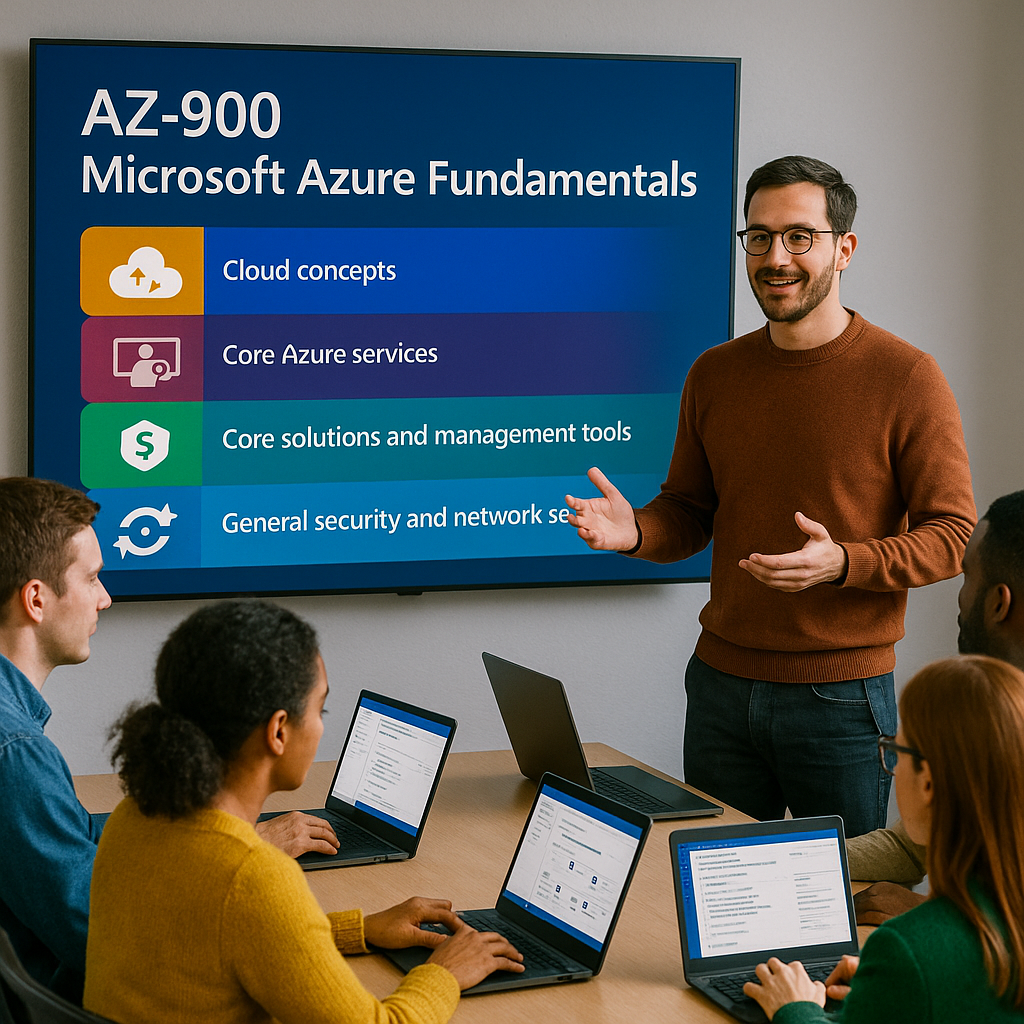
AZ-900T00: Introduction to Cloud Infrastructure
AZ-900 training
AZ-900T00: Introduction to Cloud Infrastructure is an instructor-led Microsoft Azure Fundamentals course for students who are beginning to work with cloud services and Microsoft Azure.
Students learn foundational cloud concepts, Azure architecture, Azure compute, networking, storage, identity, security, cost management, governance, deployment tools, and monitoring services.
Certification: Microsoft Certified: Azure Fundamentals
Exam: AZ-900: Microsoft Azure Fundamentals
Duration: 1 day
Audience: Business users, IT professionals, developers, administrators, managers, sales professionals, and anyone who wants foundational knowledge of Microsoft Azure and cloud computing.
Why choose Dynamics Edge for AZ-900T00 training?
Dynamics Edge delivers AZ-900 training with practical Azure examples, guided demonstrations, hands-on labs, certification review, and business-focused discussion. The course helps students understand Azure terminology, services, pricing, security, and governance before moving into role-based Azure courses.
- Learn cloud fundamentals, Azure services, security, governance, pricing, and monitoring.
- Build confidence using the Azure portal, Cloud Shell, Azure CLI, and basic Azure resource management.
- Prepare for the Microsoft Certified: Azure Fundamentals certification exam.
- Understand Azure compute, networking, storage, identity, management, and governance services.
- Request private team delivery for cloud onboarding, Azure readiness, executive awareness, or IT foundation training.
What will you learn in AZ-900T00 training?
Students learn how Microsoft Azure supports cloud computing, infrastructure, security, governance, and modern IT operations. The course emphasizes practical understanding of Azure services, when to use them, and how they support business and technical needs.
- Describe cloud computing, cloud models, shared responsibility, and cloud service types.
- Describe Azure regions, availability zones, resources, subscriptions, management groups, and core Azure architecture.
- Identify Azure compute, networking, storage, identity, access, and security services.
- Describe Azure cost management, governance, compliance, resource locks, tags, and Azure Policy.
- Use Azure management, deployment, monitoring, and alerting tools at a foundational level.
Introduction to Cloud Infrastructure AZ-900 Course Outline
Module 1: Describe cloud computing
Students learn the basic concepts of cloud computing and how cloud services differ from traditional on-premises infrastructure. They review shared responsibility, public cloud, private cloud, hybrid cloud, consumption-based pricing, and serverless concepts.
Topics include:
- Define cloud computing and cloud service delivery.
- Describe the shared responsibility model.
- Compare public, private, and hybrid cloud models.
- Describe the consumption-based model.
- Describe serverless computing.
Module 2: Describe the benefits of using cloud services
Students learn why organizations use cloud services to improve agility, reliability, scale, security, governance, and manageability. They review high availability, scalability, elasticity, reliability, predictability, governance, and cloud sustainability.
Topics include:
- Describe high availability and scalability.
- Describe reliability and predictability.
- Describe security and governance benefits.
- Describe manageability in the cloud.
- Describe sustainability considerations in cloud computing.
Module 3: Describe cloud service types
Students learn how cloud service types divide responsibility between the customer and the cloud provider. They compare infrastructure as a service, platform as a service, and software as a service.
Topics include:
- Describe infrastructure as a service.
- Describe platform as a service.
- Describe software as a service.
- Compare customer responsibility across IaaS, PaaS, and SaaS.
- Identify use cases for each cloud service type.
Module 4: Describe core Azure architectural components
Students learn the major building blocks of Microsoft Azure architecture. They review Azure regions, region pairs, sovereign regions, availability zones, datacenters, resources, resource groups, subscriptions, and management groups.
Topics include:
- Describe Azure regions, region pairs, and sovereign regions.
- Describe availability zones and datacenters.
- Describe Azure resources and resource groups.
- Describe subscriptions and management groups.
- Explain the resource hierarchy in Azure.
Module 5: Describe Azure compute and application hosting services
Students learn how Azure provides compute services for virtual machines, virtual desktops, containers, serverless functions, application hosting, AI, machine learning, IoT, and edge scenarios.
Topics include:
- Compare virtual machines, containers, and functions.
- Describe Azure Virtual Machines and VM Scale Sets.
- Describe Azure Virtual Desktop.
- Describe Azure container services.
- Describe application hosting options.
Module 6: Describe Azure networking services
Students learn how Azure networking connects users, services, applications, and hybrid environments. They review virtual networks, subnets, peering, Azure DNS, public endpoints, private endpoints, VPN Gateway, and ExpressRoute.
Topics include:
- Describe Azure virtual networks and subnets.
- Describe public and private endpoints.
- Describe VNet peering.
- Describe Azure VPN Gateway and ExpressRoute.
- Describe Azure DNS.
Module 7: Describe Azure storage services
Students learn how Azure storage supports files, objects, disks, queues, and migration scenarios. They review storage accounts, storage redundancy, storage services, access tiers, data migration tools, and file movement options.
Topics include:
- Compare Azure Storage services.
- Describe storage account options.
- Describe storage redundancy options.
- Describe storage tiers and storage types.
- Identify Azure file movement and migration options.
Module 8: Describe Azure identity, access, and security
Students learn how Azure supports identity, authentication, authorization, and security. They review Microsoft Entra ID, Microsoft Entra Domain Services, MFA, passwordless authentication, external identities, Conditional Access, RBAC, Zero Trust, defense in depth, encryption, key management, and Microsoft Defender for Cloud.
Topics include:
- Describe Microsoft Entra ID and Microsoft Entra Domain Services.
- Describe authentication methods including MFA and passwordless.
- Describe external identities and Conditional Access.
- Describe Azure RBAC and role assignments.
- Describe Zero Trust, defense in depth, encryption, and Defender for Cloud.
Module 9: Describe cost management in Azure
Students learn how Azure pricing and cost management tools help organizations plan, control, and optimize cloud spending. They review cost factors, pricing models, pricing calculator, Microsoft Cost Management, tags, reservations, savings plans, and spot pricing.
Topics include:
- Describe factors that affect Azure costs.
- Use the Azure Pricing Calculator.
- Describe Microsoft Cost Management.
- Describe the purpose of tags.
- Compare reservations, savings plans, and spot pricing.
Module 10: Describe governance and compliance features in Azure
Students learn how Azure governance and compliance tools help organizations enforce standards and manage risk. They review Microsoft Purview, Azure Policy, resource locks, compliance resources, and the Service Trust Portal.
Topics include:
- Describe Microsoft Purview.
- Describe Azure Policy.
- Describe resource locks.
- Describe the Service Trust Portal.
- Explain governance and compliance use cases.
Module 11: Describe Azure management and deployment tools
Students learn how Azure resources can be managed and deployed through graphical tools, command-line tools, automation, and infrastructure as code. They review the Azure portal, Azure Cloud Shell, Azure CLI, Azure PowerShell, Azure Arc, Azure Resource Manager, ARM templates, and Bicep.
Topics include:
- Describe the Azure portal.
- Describe Azure Cloud Shell, Azure CLI, and Azure PowerShell.
- Describe Azure Arc.
- Describe Azure Resource Manager.
- Describe ARM templates, Bicep, and infrastructure as code.
Module 12: Describe Azure monitoring tools
Students learn how Azure monitoring tools help organizations track health, performance, service events, and operational issues. They review Azure Advisor, Azure Service Health, Azure Monitor, Log Analytics, alerts, and Application Insights.
Topics include:
- Describe Azure Advisor.
- Describe Azure Service Health.
- Describe Azure Monitor.
- Describe Log Analytics and Azure Monitor alerts.
- Describe Application Insights.
Hands-on labs
The AZ-900 labs support hands-on practice for Azure Fundamentals students. This single consolidated lab list is based on the official MicrosoftLearning AZ-900 exercises and the most important guided project, exercise, and speaker-note topics found in the AZ-900 PowerPoint deck.
- Lab 1: Create an Azure resource.
- Lab 2: Create a virtual machine and configure it as a web host.
- Lab 3: Create a storage blob.
- Lab 4: Estimate workload costs by using the Azure Pricing Calculator.
- Lab 5: Configure resource locks.
- Lab 6: Create a storage account and enable static website hosting.
- Lab 7: Upload HTML content to Blob Storage and verify the live static website.
- Lab 8: Update static website content and confirm the change.
- Lab 9: Create resources and apply organizational tags.
- Lab 10: Apply resource locks to prevent accidental changes.
- Lab 11: Test lock enforcement and confirm the full lock lifecycle.
- Lab 12: Create a Function App using the Flex Consumption plan.
- Lab 13: Deploy an HTTP-triggered Azure Function from Cloud Shell.
- Lab 14: Test the serverless endpoint, add security, and review logs.
- Lab 15: Create a user account and security group in Microsoft Entra ID.
- Lab 16: Assign the Reader role to a group at resource group scope.
- Lab 17: Verify read access is granted and write access is denied.
- Lab 18: Create a private blob container, upload a file, generate a SAS link, and test secure access.
- Lab 19: Create a budget with alert thresholds and assign an Azure Policy for region compliance.
- Lab 20: Create an action group, configure Service Health and Activity Log alerts, and manage resources with Cloud Shell and Azure CLI.
Certification alignment
This course supports preparation for Exam AZ-900: Microsoft Azure Fundamentals. The exam validates foundational knowledge of cloud concepts, Azure architecture and services, and Azure management and governance.
AZ-900 skills measured
- Describe cloud concepts.
- Describe Azure architecture and services.
- Describe Azure management and governance.
Course review
Students should leave the course able to explain fundamental cloud concepts and identify common Azure services. The course review should reinforce cloud models, shared responsibility, IaaS, PaaS, SaaS, Azure regions, resources, compute, networking, storage, identity, security, governance, cost management, deployment tools, and monitoring.
Certification exam review
Exam review should focus on foundational understanding and terminology rather than deep administration. Priority review areas should include cloud computing, shared responsibility, public/private/hybrid cloud, consumption pricing, high availability, scalability, Azure regions, availability zones, resource groups, subscriptions, management groups, VMs, containers, functions, virtual networks, VPN Gateway, ExpressRoute, Azure Storage, Microsoft Entra ID, MFA, Conditional Access, RBAC, Zero Trust, Defender for Cloud, Azure Policy, resource locks, tags, Azure portal, Cloud Shell, ARM templates, Azure Advisor, Service Health, Azure Monitor, Log Analytics, alerts, and Application Insights.
Question About this Course?
Need help picking the right course?
Call Now