

9:00 AM – 4:00 PM CST
9:00 AM – 4:00 PM CST
Reserve Your Seat
- Virtual instructor Led Training
- Complete Hands-on Labs
- Softcopy of Courseware
- Learning Labs
- Virtual instructor Led Training
- Complete Hands-on Labs
- Softcopy of Courseware
- Learning Labs
- You can use your Purchase Card and checkout
- The GSA Contract Number: 47QTCA20D000D
- Call 800-453-5961 for details
- Customize your class
- Delivery Onsite or Online for your organization
- Choice of Dates when and where you want
- Guidance in choosing and customizing your class
Question About this Course?
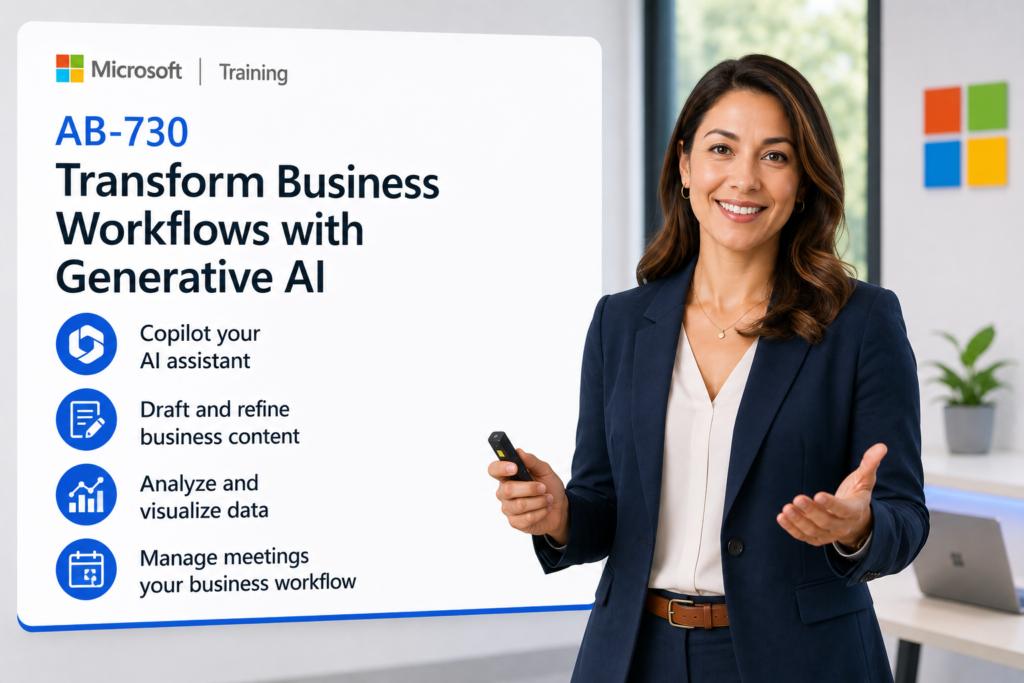
AB-730T00: Transform Business Workflows with Generative AI
AB-730 training
AB-730T00: Transform Business Workflows with Generative AI is a one-day instructor-led course for business professionals who want to use Microsoft 365 Copilot and generative AI to improve everyday work, collaboration, analysis, and decision-making.
Students learn how generative AI works, how to use Copilot Chat, how to create effective prompts, how to draft and refine business content, how to analyze and visualize data, how to improve meetings and collaboration, and how to apply Copilot to real business workflows.
Course: AB-730T00: Transform Business Workflows with Generative AI
Certification: Microsoft Certified: AI Business Professional
Exam: AB-730: AI Business Professional
Why choose Dynamics Edge for AB-730 training?
Dynamics Edge delivers AB-730 training with practical Microsoft 365 Copilot examples, guided prompting practice, real business workflow exercises, and AI productivity scenarios. The course helps business teams understand how to use Copilot safely, effectively, and responsibly across Microsoft 365 apps.
- Learn how generative AI and Microsoft 365 Copilot improve daily business workflows.
- Practice Copilot Chat prompts for summarizing, drafting, researching, analyzing, and organizing work.
- Use Copilot in Word, PowerPoint, Outlook, Excel, Teams, Pages, and Notebooks.
- Explore Researcher and Analyst agents for business research and data analysis.
- Request private team delivery for Microsoft 365 Copilot adoption, AI productivity, business workflow redesign, or workforce enablement.
What will you learn in AB-730 training?
Students learn how to use generative AI and Microsoft 365 Copilot to transform business workflows across content creation, communication, meetings, collaboration, analysis, and decision support.
- Explain generative AI, Microsoft 365 Copilot, responsible AI, and enterprise data protection concepts.
- Use Copilot Chat in work-grounded and web-grounded modes.
- Create effective prompts using context, goal, source, format, tone, and examples.
- Draft emails, reports, presentations, summaries, proposals, and business communications.
- Analyze data, create visualizations, summarize meetings, manage follow-ups, and build AI-supported workflows.
Transform Business Workflows with Generative AI AB-730 Course Outline
Module 1: What is generative AI?
Students learn the fundamentals of generative AI and how Microsoft 365 Copilot uses large language models and Microsoft Graph context to support business work. The module introduces responsible AI, grounding, content moderation, privacy, security, and human oversight.
Topics include:
- Describe generative AI and how it creates new content.
- Explain how large language models use patterns in data.
- Describe Microsoft 365 Copilot and how it works with Microsoft Graph.
- Review responsible AI, privacy, grounding, and content moderation.
- Identify risks such as hallucinations, prompt injection, and overreliance.
Module 2: Employ Copilot Chat as your workflow companion
Students learn how to use Microsoft 365 Copilot Chat as an AI assistant for business tasks. The module covers Copilot Chat access, work and web modes, prompt structure, prompt management, conversation management, Copilot Memory, and agents.
Topics include:
- Access Copilot Chat from Microsoft 365 experiences.
- Compare work-grounded and web-grounded modes.
- Create effective prompts with context, goal, source, and expectation.
- Save, share, rename, delete, and organize prompts and conversations.
- Use prebuilt and custom agents to support workflow automation.
Module 3: Draft business content with Microsoft 365 Copilot
Students learn how to use Microsoft 365 Copilot to draft, refine, summarize, and improve business content. The module focuses on Word, PowerPoint, Outlook, and the Researcher agent.
Topics include:
- Generate first drafts from prompts.
- Refine and enhance text for tone, clarity, and audience.
- Draft reports and business documents in Word.
- Create presentation content in PowerPoint.
- Summarize email threads and draft professional updates in Outlook.
Module 4: Analyze and visualize data for decision-making
Students learn how Copilot in Excel and the Analyst agent can support data analysis and business decision-making. The module covers importing data, identifying trends, creating charts, explaining formulas, and using AI-supported formulas.
Topics include:
- Search and import data by using Copilot Chat.
- Identify trends, outliers, and business insights.
- Generate charts and visual summaries.
- Explain and create formulas.
- Use the Analyst agent for multi-step data analysis.
Module 5: Manage meetings, collaboration, and follow-ups
Students learn how Copilot improves meeting preparation, collaboration, follow-through, and team alignment. The module covers Outlook, Teams, meeting summaries, action items, Copilot Notebooks, Copilot Pages, and asynchronous collaboration.
Topics include:
- Prepare for meetings using Copilot in Outlook.
- Use Copilot in Teams to summarize discussions and identify action items.
- Use Copilot Chat for meeting follow-up and project updates.
- Use Copilot Notebooks to organize files, chats, notes, and insights.
- Use Copilot Pages as a shared project hub for live collaboration.
Module 6: Define Copilot’s role in your workflows
Students practice real-world business scenarios that show how Copilot can automate tasks, solve problems, and improve productivity. The module emphasizes flexible workflow design and encourages learners to customize AI-supported processes for their own work.
Topics include:
- Prepare a weekly status report from scattered updates.
- Build a client proposal deck from notes, emails, and pricing data.
- Create an executive summary from internal and external sources.
- Use Copilot Chat and agents across multiple Microsoft 365 apps.
- Define Copilot’s role as assistant, analyst, drafter, researcher, or collaborator.
Hands-on labs
The AB-730 labs support hands-on practice for business users who want to apply Microsoft 365 Copilot and generative AI to real work. This single consolidated lab list is based on the official Microsoft Learn course topics and the most important PowerPoint exercise and speaker-note activities.
- Lab 1: Use Copilot Chat to complete a business task with a clear prompt, context, source, and expected output.
- Lab 2: Compare weak and strong prompts, then improve a prompt using role, task, context, format, tone, and examples.
- Lab 3: Use work-grounded and web-grounded Copilot Chat modes and verify responses against source material.
- Lab 4: Save, share, rename, delete, and organize prompts and conversations in Copilot Chat.
- Lab 5: Create or use an agent in Copilot Chat to support a recurring business workflow.
- Lab 6: Draft and refine a business document in Word, then improve clarity, tone, and audience fit.
- Lab 7: Build a client proposal deck in PowerPoint from discovery notes, pricing data, and customer requirements.
- Lab 8: Summarize email threads in Outlook and draft a professional leadership update.
- Lab 9: Analyze data in Excel with Copilot, identify trends, explain formulas, and create a chart or visual summary.
- Lab 10: Use Copilot in Teams, Copilot Notebooks, and Copilot Pages to summarize meetings, capture decisions, assign action items, and build a shared project hub.
Certification alignment
This course supports preparation for Exam AB-730: AI Business Professional and the Microsoft Certified: AI Business Professional certification. The exam validates a business professional’s ability to use generative AI productivity tools and Microsoft 365 apps to improve work, manage prompts and conversations, draft and analyze business content, and support collaboration.
AB-730 skills measured
- Understand generative AI fundamentals.
- Manage prompts and conversations by using AI.
- Draft and analyze business content by using AI.
- Manage meetings and collaboration by using AI.
Course review
Students should leave the course able to explain generative AI fundamentals and apply Microsoft 365 Copilot to practical business workflows. The course review should reinforce Copilot Chat, work and web modes, effective prompting, responsible AI, enterprise data protection, Copilot Memory, prompts and conversations, agents, Word, PowerPoint, Outlook, Excel, Teams, Researcher agent, Analyst agent, Copilot Notebooks, Copilot Pages, weekly status reports, proposal decks, executive summaries, meeting follow-ups, and AI-supported workflow redesign.
Certification exam review
Exam review should focus on practical business use of generative AI rather than technical development. Priority review areas should include generative AI concepts, how Copilot uses context, responsible AI risks, human review, data protection, effective prompt components, prompt management, conversation management, agents, drafting and refining business content, summarizing documents and email threads, analyzing data in Excel, creating visual summaries, managing meetings, summarizing Teams discussions, identifying action items, using Copilot Pages, using Copilot Notebooks, and applying Copilot to real business workflows.
Question About this Course?
Need help picking the right course?
Call Now