

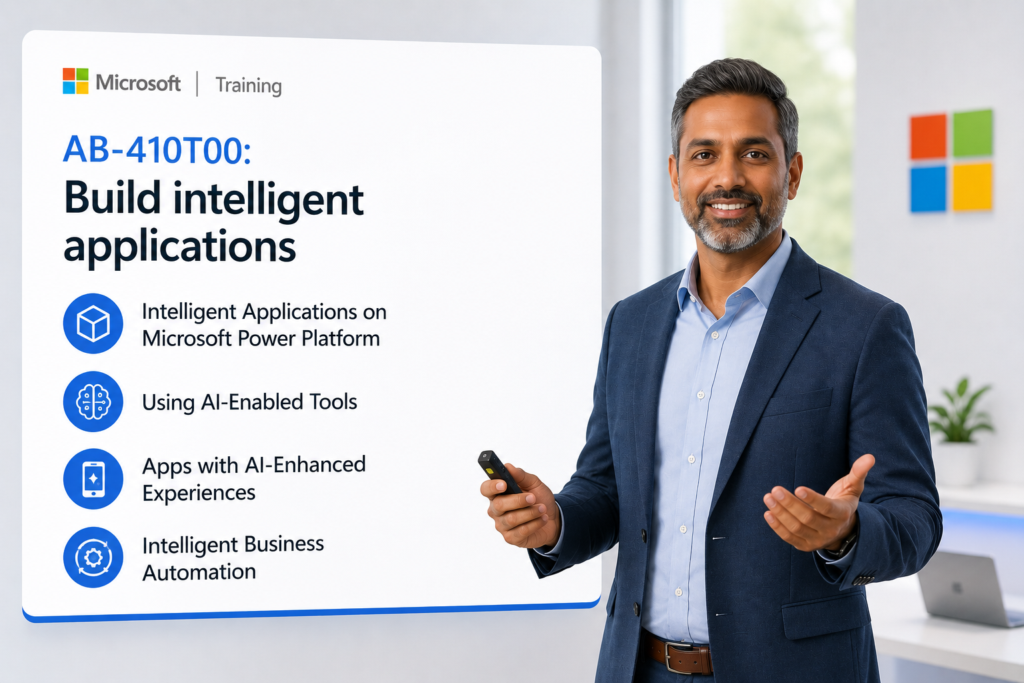
AB-410 AI-Enabled Power Platform, Copilots, Agents, Apps, Automation, and Dataverse Build intelligent applications

Course: 4717

This course is ideal for organizations modernizing business processes with AI, copilots, agents, and low-code automation while maintaining governance, security, and responsible AI practices.

Download PDF
  • Duration: 3 days
  • Price: $595.00
Get This Course $595.00
Scroll to view additional course dates

Reserve Your Seat

  • Virtual instructor Led Training
  • Complete Hands-on Labs
  • Softcopy of Courseware
  • Learning Labs
  • Virtual instructor Led Training
  • Complete Hands-on Labs
  • Softcopy of Courseware
  • Learning Labs
  • You can use your Purchase Card and checkout
  • The GSA Contract Number: 47QTCA20D000D
  • Call 800-453-5961 for details
  • Customize your class
  • Delivery Onsite or Online for your organization
  • Choice of Dates when and where you want
  • Guidance in choosing and customizing your class

Question About this Course?
Overview

Configure and operate intelligent applications on Microsoft Power Platform using AI, copilots, and agents. Learn how to enhance customer engagement using AI agents, intelligent routing, work distribution, insights, and secure data access. Advance your organization with Intelligent AI Applications.

Audience Profile:

  • Power Platform app makers who want to add AI, copilots, and agents to business applications.
  • Business analysts and functional consultants who gather requirements and convert them into app, automation, data, and AI solutions.
  • Dynamics 365 and Power Platform professionals who want to build AI-enhanced business applications.
  • Teams preparing for the Microsoft Certified: Intelligent Applications Builder Associate path.
  • Organizations modernizing manual business processes with intelligent apps and automation.

You will Learn:

  • Analyze business requirements and select the right Power Platform components.
  • Build Dataverse data models for intelligent applications.
  • Create model-driven apps and canvas apps enhanced with AI capabilities.
  • Use Copilot-assisted development to accelerate app creation.
  • Create prompts and consume AI models in apps and flows.
  • Build Power Automate cloud flows for business process automation.
  • Connect apps to agents, prompts, approvals, dashboards, and business logic.
  • Apply governance, security, ALM, and responsible AI practices.

Introduction to Intelligent Applications AI to enhance your business

Module 1: Introduction to Intelligent Applications on Microsoft Power Platform

Topics

  • Understand what makes an application “intelligent.”
  • Explore AI-first, agent-first, and automation-first solution patterns.
  • Review how Power Apps, Power Automate, Dataverse, Power Pages, Copilot Studio, and Power BI work together.
  • Identify business scenarios where copilots, agents, prompts, and AI models improve outcomes.
  • Map business needs to Power Platform solution components.

Support Statements

  • Students learn how intelligent apps combine data, automation, AI, and user experience into one business solution.
  • This module establishes the relationship between apps, agents, workflows, prompts, and analytics.
  • Learners begin thinking like AI-enabled business solution builders rather than traditional app makers.

Hands-On Lab

  • Analyze a business scenario and identify the required app, automation, AI, data, and reporting components.

Module 2: Design Power Platform Solutions Using AI-Enabled Tools

Topics

  • Analyze requirements and recommend implementation options.
  • Evaluate when to use canvas apps, model-driven apps, Power Pages, agents, or automation.
  • Recommend extensibility options for business applications.
  • Select the appropriate environment type.
  • Apply solution management, ALM, and deployment strategy.

Support Statements

  • Microsoft’s exam guide includes analyzing requirements, evaluating built-in agents, recommending extensibility, selecting environments, and applying ALM strategy as part of the intelligent application foundation.
  • Students learn how to translate business problems into Power Platform design decisions.
  • The module reinforces Dynamics Edge’s business-first approach: design the process before building the technology.

Hands-On Lab

  • Create a solution design blueprint for an AI-enhanced business application.

Module 3: Build Dataverse Data Models for Intelligent Applications

Topics

  • Create and edit Dataverse tables.
  • Modify standard tables and configure table properties.
  • Create columns, relationships, views, and forms.
  • Configure prompt columns and row summaries.
  • Apply table-level and row-level security.

Support Statements

  • Dataverse is the core business data platform for intelligent Power Platform applications.
  • Students learn how AI-enhanced applications depend on clean, secure, well-modeled business data.
  • The module connects data modeling to app behavior, prompts, agents, dashboards, and automation.

Hands-On Lab

  • Build a Dataverse data model for a business request management or customer service scenario.

Module 4: Create Model-Driven Apps with AI-Enhanced Experiences

Topics

  • Create and configure forms for model-driven apps.
  • Create and configure views for business users.
  • Generate app pages using natural language.
  • Compose a model-driven app from Dataverse tables.
  • Configure charts, dashboards, forms, and role-based access.

Support Statements

  • Microsoft includes forms, views, generative pages, app composition, access control, charts, and dashboards in the AB-410 model-driven app skills area.
  • Students learn how model-driven apps support structured, process-heavy business scenarios.
  • AI-assisted design helps accelerate application creation while maintaining data and security discipline.

Hands-On Lab

  • Build a model-driven app for managing cases, requests, approvals, or customer interactions.

Module 5: Create Canvas Apps Using Data, AI, and Copilot Capabilities

Topics

  • Create a canvas app from Dataverse or other data sources.
  • Design responsive and accessible app screens.
  • Use Power Fx, variables, collections, and named formulas.
  • Implement reusable components and component libraries.
  • Test and troubleshoot canvas apps using Monitor.

Support Statements

  • Canvas apps give organizations highly tailored user experiences for role-based business processes.
  • Students learn how to build apps that are usable, accessible, responsive, and integrated with automation.
  • The module introduces practical app-building techniques needed for intelligent application delivery.

Hands-On Lab

  • Build a canvas app that captures user requests, displays intelligent recommendations, and triggers automation.

Module 6: Connect Canvas Apps to Copilot Studio Agents

Topics

  • Understand how agents enhance application experiences.
  • Create or connect a Copilot Studio agent from a canvas app.
  • Identify when an agent should answer questions, guide users, or trigger actions.
  • Connect agent conversations to business data and workflows.
  • Design agent-assisted user experiences for real business processes.

Support Statements

  • The AB-410 guide specifically includes creating a Copilot Studio agent from a canvas app.
  • Students learn how agents can move apps beyond static forms and screens.
  • The module shows how conversational AI can help users navigate processes, retrieve information, and complete work faster.

Hands-On Lab

  • Add an agent-assisted experience to a canvas app for guided intake, support, or request triage.

Module 7: Build Cloud Flows for Intelligent Business Automation

Topics

  • Recommend cloud flow triggers.
  • Evaluate and recommend connectors.
  • Configure cloud flow actions.
  • Implement conditions, loops, approvals, and notifications.
  • Test and troubleshoot cloud flows.

Support Statements

  • Microsoft gives business application logic and automation the largest weighting in the AB-410 skills outline, at 40–45% of the exam coverage.
  • Students learn how automation connects apps, data, approvals, AI, and business outcomes.
  • This module focuses on turning business rules into repeatable digital workflows.

Hands-On Lab

  • Build a cloud flow that routes a request, performs checks, sends approvals, and updates Dataverse records.

Module 8: Create Prompts and Use AI Hub in Apps and Flows

Topics

  • Build prompts from templates or from blank.
  • Add inputs and knowledge to prompts.
  • Customize prompt settings and model behavior.
  • Consume prompts in Power Apps.
  • Consume prompts in Power Automate cloud flows.

Support Statements

  • Microsoft’s AB-410 guide includes creating prompts and models in AI Hub, consuming prompts in apps and flows, adding knowledge, configuring model settings, and using prompt inputs.
  • Students learn how prompts can summarize records, classify requests, generate responses, and recommend next actions.
  • The module helps learners apply generative AI safely and practically inside business applications.

Hands-On Lab

  • Create a prompt that summarizes a Dataverse record and recommends a next action inside an app or flow.

Module 9: Use AI Models in Power Apps and Power Automate

Topics

  • Understand common AI model use cases.
  • Consume AI models inside Power Apps.
  • Consume AI models inside Power Automate.
  • Combine AI outputs with business rules and Dataverse updates.
  • Validate model results before using them in business processes.

Support Statements

  • AI models can help classify data, extract information, summarize content, and improve decision support.
  • Students learn how to embed AI into operational workflows instead of treating it as a standalone tool.
  • This module reinforces responsible use by validating AI output before applying business actions.

Hands-On Lab

  • Add an AI model to classify or summarize a business request and trigger the correct workflow path.

Module 10: Implement Business Rules, Process Logic, and Formula Columns

Topics

  • Configure business rules.
  • Configure business process flows.
  • Create calculated columns.
  • Create rollup columns.
  • Use formula columns to support business logic.

Support Statements

  • Microsoft includes business rules, business process flows, calculated columns, rollup columns, formula columns, and logic evaluation in the AB-410 automation skill area.
  • Students learn when to use app logic, Dataverse logic, flow logic, or AI-driven logic.
  • The module helps learners design maintainable solutions that align with real business processes.

Hands-On Lab

  • Configure business rules and process logic for a request lifecycle, approval workflow, or service case process.

Module 11: Build Intelligent Power Pages Experiences

Topics

  • Understand when to use Power Pages for external-facing applications.
  • Connect Power Pages to Dataverse data.
  • Apply identity, authentication, and access patterns.
  • Use AI-enabled experiences to improve self-service.
  • Design secure external portals for customers, partners, or citizens.

Support Statements

  • Microsoft identifies Power Pages as part of the product scope for AB-410T00.
  • Students learn how intelligent applications can extend beyond internal users.
  • The module supports real-world scenarios such as customer portals, vendor onboarding, case intake, and citizen services.

Hands-On Lab

  • Design a Power Pages self-service portal concept connected to Dataverse and supported by automation or AI.

Module 12: Add Power BI and Decision Support to Intelligent Applications

Topics

  • Understand how Power BI supports intelligent application scenarios.
  • Create dashboards and visualizations for app-driven processes.
  • Use Dataverse data for operational reporting.
  • Identify KPIs that measure automation and AI impact.
  • Embed insights into user workflows and decision points.

Support Statements

  • Microsoft lists Power BI as part of the AB-410T00 product scope.
  • Students learn how intelligent apps should not only automate work but also improve visibility and decision-making.
  • The module connects app usage, process performance, AI outcomes, and executive reporting.

Hands-On Lab

  • Define a dashboard for tracking requests, cycle time, approval performance, and AI-assisted outcomes.

Module 13: Governance, Security, Responsible AI, and ALM

Topics

  • Apply environment and security governance.
  • Understand roles, policies, identity, and authentication.
  • Manage solutions and pipelines.
  • Monitor application performance and usage.
  • Apply responsible AI principles for business solutions.

Support Statements

  • Microsoft’s AB-410 audience profile highlights collaboration with environment administrators, security administrators, governance teams, ALM teams, and responsible AI stakeholders.
  • Students learn how to build intelligent applications that are secure, manageable, and production-ready.
  • This module helps organizations avoid unmanaged AI sprawl and low-code application risk.

Hands-On Lab

  • Create a governance checklist for deploying an intelligent Power Platform application.

Module 14: Capstone Lab — Build an End-to-End Intelligent Business Application

Topics

  • Analyze a real-world business scenario.
  • Build a Dataverse data model.
  • Create a model-driven or canvas app.
  • Add automation, prompts, AI models, and agent-assisted experiences.
  • Prepare the solution for deployment, governance, and adoption.

Support Statements

  • The capstone brings together the full AB-410 skill set: data, apps, automation, AI, agents, governance, and user experience.
  • Students practice building a complete business solution instead of isolated Power Platform components.
  • The final lab mirrors real consulting and implementation work performed in enterprise Power Platform projects.

Hands-On Lab

  • Build and present an intelligent application prototype for a business process such as service intake, HR request management, sales support, field operations, procurement intake, or customer onboarding.

Suggested 3-Day Delivery Plan

Day 1 — Intelligent App Foundation

  • Module 1: Introduction to Intelligent Applications
  • Module 2: Design Power Platform Solutions Using AI-Enabled Tools
  • Module 3: Build Dataverse Data Models
  • Module 4: Create Model-Driven Apps

Day 2 — Apps, Agents, and User Experience

  • Module 5: Create Canvas Apps
  • Module 6: Connect Canvas Apps to Copilot Studio Agents
  • Module 11: Build Intelligent Power Pages Experiences
  • Module 12: Add Power BI and Decision Support

Day 3 — Automation, AI Hub, Governance, and Capstone

  • Module 7: Build Cloud Flows
  • Module 8: Create Prompts and Use AI Hub
  • Module 9: Use AI Models in Apps and Flows
  • Module 10: Implement Business and Process Logic
  • Module 13: Governance, Security, Responsible AI, and ALM
  • Module 14: Capstone Lab

Question About this Course?

Need help picking the right course?

Contact Us

Call Now

Call Now800-453-5961