

✅ GUARANTEED TO RUN
7:00 AM – 3:00 PM PST
Tentative
9:00 AM – 5:00 PM PST
Tentative
7:00 AM – 3:00 PM PST
Tentative
9:00 AM – 4:30 PM EST
Tentative
7:00 AM – 3:00 PM PST
Tentative
8:00 AM – 4:00 PM MST
Reserve Your Seat
- Virtual instructor Led Training
- Complete Hands-on Labs
- Softcopy of Courseware
- Learning Labs
- Virtual instructor Led Training
- Complete Hands-on Labs
- Softcopy of Courseware
- Learning Labs
- You can use your Purchase Card and checkout
- The GSA Contract Number: 47QTCA20D000D
- Call 800-453-5961 for details
- Customize your class
- Delivery Onsite or Online for your organization
- Choice of Dates when and where you want
- Guidance in choosing and customizing your class
Question About this Course?
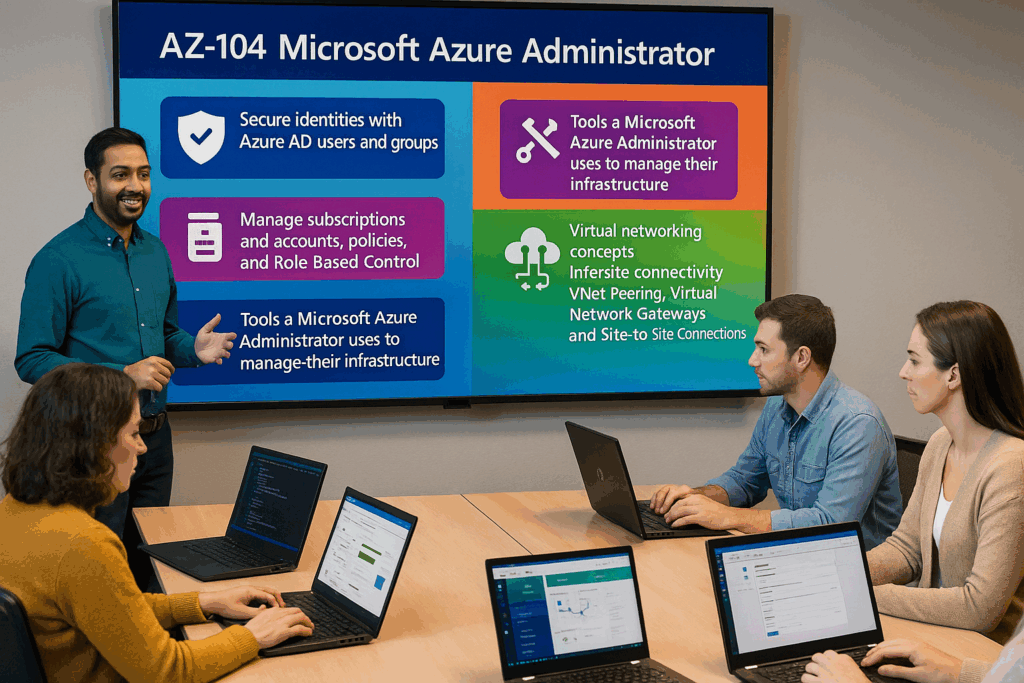
AZ-104T00: Microsoft Azure Administrator
AZ-104 training
AZ-104T00: Microsoft Azure Administrator is an instructor-led course for IT professionals who administer Microsoft Azure environments. Students learn how to manage Azure identities, governance, storage, compute, virtual networking, backup, monitoring, and operational administration.
This course prepares students to implement, manage, and monitor Azure infrastructure services used by organizations running cloud and hybrid workloads.
Certification: Microsoft Certified: Azure Administrator Associate
Exam: AZ-104: Microsoft Azure Administrator
Duration: 4 days
Audience: Azure administrators, cloud administrators, infrastructure administrators, systems administrators, network administrators, and IT professionals responsible for Azure operations.
Why choose Dynamics Edge for AZ-104T00 training?
Dynamics Edge delivers AZ-104 training with practical Azure administration examples, hands-on labs, certification review, and implementation-focused discussion. The course helps administrators build the skills needed to manage Azure resources in production environments.
- Learn how to administer Azure identity, governance, storage, compute, networking, backup, and monitoring.
- Practice common Azure administrator tasks used in real enterprise environments.
- Prepare for AZ-104 certification exam objectives through structured review and lab reinforcement.
- Understand how Azure services connect across subscriptions, resource groups, virtual networks, storage accounts, virtual machines, and monitoring tools.
- Request private team delivery for Azure administrator onboarding, cloud operations, migration readiness, or infrastructure modernization.
What will you learn in AZ-104T00 training?
Students learn how to implement and manage Azure resources using the Azure portal, Azure PowerShell, Azure CLI, ARM templates, and Bicep concepts. The course emphasizes practical administration, security, governance, networking, storage, compute, backup, and monitoring.
- Manage Microsoft Entra ID users, groups, roles, RBAC, subscriptions, management groups, policies, locks, tags, and cost controls.
- Configure Azure storage accounts, blob containers, file shares, lifecycle management, access control, and data protection.
- Deploy and manage virtual machines, availability options, scale sets, App Service, Azure Container Instances, and Azure Container Apps.
- Configure virtual networks, subnets, private DNS, network security groups, peering, routes, load balancing, and Application Gateway.
- Monitor Azure resources, configure alerts, analyze logs, implement backup, and support recovery scenarios.
Microsoft Azure Administrator AZ-104 Course Outline
Module 1: Administer identity
Students learn how Microsoft Entra ID supports identity management for Azure administrators. They create and manage users, groups, guest users, licenses, role assignments, and self-service password reset.
Topics include:
- Manage Microsoft Entra users.
- Manage Microsoft Entra groups.
- Manage guest users and external collaboration.
- Configure self-service password reset.
- Review identity-related administrative roles.
Module 2: Administer governance and compliance
Students learn how Azure governance controls access, policy, cost, and organization across Azure environments. They configure subscriptions, management groups, RBAC, Azure Policy, resource locks, tags, and budgets.
Topics include:
- Manage subscriptions and management groups.
- Configure Azure RBAC role assignments.
- Implement Azure Policy and initiatives.
- Configure resource locks and tags.
- Manage cost alerts, budgets, and Advisor recommendations.
Module 3: Administer Azure resources
Students learn how Azure Resource Manager provides a consistent deployment and management layer for Azure resources. They use the Azure portal, Azure PowerShell, Azure CLI, ARM templates, and Bicep concepts.
Topics include:
- Manage resource groups.
- Use Azure Resource Manager templates.
- Deploy resources by using templates.
- Use Azure PowerShell and Azure CLI.
- Review Bicep deployment concepts.
Module 4: Administer virtual networking
Students learn how to configure Azure virtual networks, subnets, IP addresses, network security groups, and DNS. They build the foundation for secure network connectivity in Azure.
Topics include:
- Create virtual networks and subnets.
- Configure public and private IP addressing.
- Configure network security groups.
- Configure Azure DNS and private DNS zones.
- Troubleshoot basic network connectivity.
Module 5: Administer intersite connectivity
Students learn how to connect virtual networks and support communication across Azure network boundaries. They configure virtual network peering, routing, and network connectivity validation.
Topics include:
- Configure virtual network peering.
- Configure user-defined routes.
- Manage traffic flow between virtual networks.
- Review VPN gateway concepts.
- Troubleshoot intersite connectivity.
Module 6: Administer network traffic management
Students learn how Azure supports traffic distribution, load balancing, and application delivery. They configure load balancers, Application Gateway, public and private IP addresses, and Network Watcher tools.
Topics include:
- Configure Azure Load Balancer.
- Configure Application Gateway.
- Configure backend pools and routing rules.
- Use Network Watcher tools.
- Troubleshoot traffic management.
Module 7: Administer Azure storage
Students learn how to create, secure, and manage Azure Storage accounts. They configure blob containers, file shares, access controls, redundancy, lifecycle management, and storage tools.
Topics include:
- Create and configure storage accounts.
- Configure blob containers and access tiers.
- Configure Azure Files shares.
- Configure shared access signatures and access keys.
- Manage data with Storage Explorer and AzCopy.
Module 8: Administer Azure virtual machines
Students learn how to create and manage Azure virtual machines. They configure availability, sizing, disks, extensions, scale sets, encryption, and administrative access.
Topics include:
- Create and configure virtual machines.
- Manage VM sizes and disks.
- Configure availability zones and availability sets.
- Deploy and configure virtual machine scale sets.
- Manage virtual machines with Azure PowerShell or Azure CLI.
Module 9: Administer PaaS compute options
Students learn how Azure App Service and container services support application hosting. They configure web apps, App Service plans, deployment slots, Azure Container Instances, and Azure Container Apps.
Topics include:
- Create App Service plans and web apps.
- Configure deployment slots.
- Configure scaling for App Service.
- Deploy Azure Container Instances.
- Deploy Azure Container Apps.
Module 10: Administer data protection
Students learn how Azure Backup and recovery services protect workloads. They configure Recovery Services vaults, backup policies, virtual machine backup, restore operations, and disaster recovery concepts.
Topics include:
- Create Recovery Services vaults.
- Configure backup policies.
- Back up Azure virtual machines.
- Restore Azure virtual machines.
- Review Azure Site Recovery concepts.
Module 11: Administer monitoring
Students learn how Azure Monitor supports visibility, alerting, and troubleshooting. They configure metrics, logs, alerts, action groups, processing rules, and monitoring insights.
Topics include:
- Configure Azure Monitor metrics.
- Configure diagnostic settings and logs.
- Query logs with Log Analytics.
- Configure alert rules and action groups.
- Use monitoring insights and Network Watcher.
Hands-on labs
The AZ-104 labs support hands-on practice for Microsoft Azure administrators. This single consolidated lab list is based on the official MicrosoftLearning AZ-104 labs and the most important exercise topics found in the AZ-104 PowerPoint speaker notes.
- Lab 1: Manage Microsoft Entra ID identities.
- Lab 2: Create and manage Microsoft Entra users and groups.
- Lab 3: Manage subscriptions and Azure RBAC.
- Lab 4: Configure management groups, built-in roles, custom roles, and role assignments.
- Lab 5: Manage governance by using Azure Policy.
- Lab 6: Configure tags, resource locks, and policy remediation.
- Lab 7: Manage Azure resources by using ARM templates.
- Lab 8: Deploy and modify resources by using Azure PowerShell, Azure CLI, ARM templates, and Bicep.
- Lab 9: Implement virtual networking.
- Lab 10: Configure virtual networks, subnets, IP addressing, DNS, and network security groups.
- Lab 11: Implement intersite connectivity.
- Lab 12: Configure virtual network peering, user-defined routes, and connectivity testing.
- Lab 13: Implement network traffic management.
- Lab 14: Configure Azure Load Balancer, Application Gateway, backend pools, and path-based routing.
- Lab 15: Manage Azure storage.
- Lab 16: Configure storage accounts, blob containers, file shares, access control, and storage tools.
- Lab 17: Manage Azure virtual machines.
- Lab 18: Configure virtual machine availability, resizing, scale sets, autoscale rules, PowerShell deployment, and CLI deployment.
- Lab 19: Implement PaaS compute with Azure Web Apps, Azure Container Instances, and Azure Container Apps.
- Lab 20: Implement data protection and monitoring with Azure Backup, Recovery Services vaults, Azure Monitor, alerts, action groups, processing rules, and log queries.
Certification alignment
This course supports preparation for Exam AZ-104: Microsoft Azure Administrator. The exam validates the ability to implement, manage, and monitor Azure identity, governance, storage, compute, networking, backup, and monitoring services.
AZ-104 skills measured
- Manage Azure identities and governance.
- Implement and manage storage.
- Deploy and manage Azure compute resources.
- Implement and manage virtual networking.
- Monitor and maintain Azure resources.
Course review
Students should leave the course able to administer core Azure services used in production environments. The course review should reinforce Microsoft Entra ID, RBAC, subscriptions, Azure Policy, ARM templates, storage, virtual machines, virtual networks, load balancing, App Service, containers, backup, and monitoring.
Certification exam review
Exam review should focus on scenario-based Azure administration decisions, configuration dependencies, troubleshooting, and operational readiness. Priority review areas should include Entra ID users and groups, RBAC scopes, Azure Policy, tags, locks, storage security, storage redundancy, Azure Files, blob lifecycle management, virtual machines, VM scale sets, App Service, containers, virtual networks, NSGs, peering, routing, load balancers, Application Gateway, Azure Monitor, alerts, Log Analytics, Azure Backup, and recovery operations.
Question About this Course?
Need help picking the right course?
Call Now