

Reserve Your Seat
- Virtual instructor Led Training
- Complete Hands-on Labs
- Softcopy of Courseware
- Learning Labs
- Virtual instructor Led Training
- Complete Hands-on Labs
- Softcopy of Courseware
- Learning Labs
- You can use your Purchase Card and checkout
- The GSA Contract Number: 47QTCA20D000D
- Call 800-453-5961 for details
- Customize your class
- Delivery Onsite or Online for your organization
- Choice of Dates when and where you want
- Guidance in choosing and customizing your class
Question About this Course?
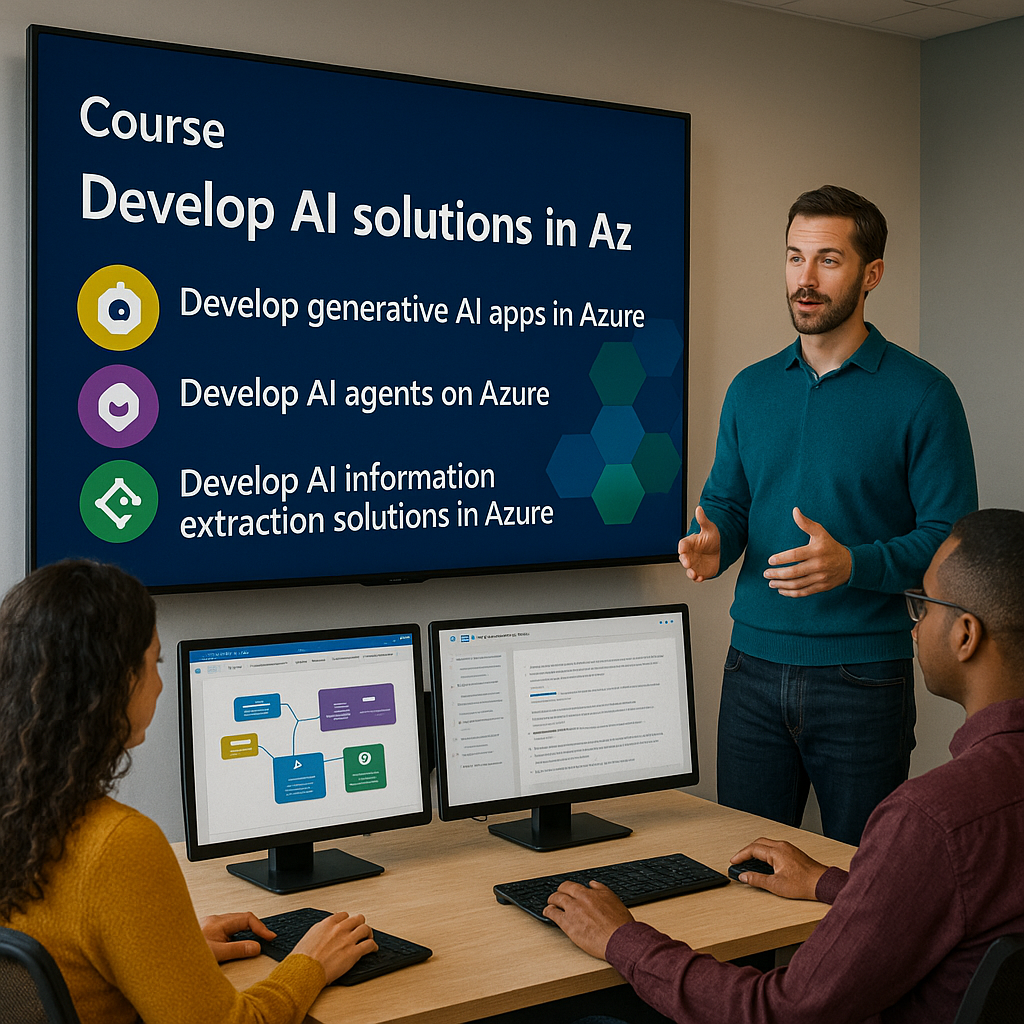
AI-103: Develop AI apps and agents on Azure
Dynamics Edge courses and labs are enhanced Instructor-Led Training (ILT) materials, purpose-built for live, guided instruction, structured learning and practical, work-ready skills development.
Unlike Microsoft Learn paths—which are designed for self-paced study—our ILT content follows a carefully crafted curriculum tailored for real-time engagement, interactive Q&A, The structure and flow of our materials are intentionally different to support deeper learning and immediate application.
Overview
In this course, you will learn AI engineers, solution architects, and technical consultants to build production-ready AI applications and agentic solutions on Microsoft Azure using Microsoft Foundry, Azure AI services, Foundry Tools, Python, APIs, SDKs, retrieval-augmented generation, tools, multimodal AI, and responsible AI practices.
Audience Profile
- Azure AI engineers
- Python developers
- Application developers building AI-enabled business apps
- Power Platform and Dynamics 365 technical consultants moving into Azure AI
- Solution architects designing enterprise AI, agentic AI, and automation solutions
- Developers preparing for the Microsoft Certified: Azure AI Apps and Agents Developer Associate certification
You will Learn:
- How to design and prepare Azure AI solutions using Microsoft Foundry.
- How to select, deploy, test, and evaluate AI models from the Foundry model catalog.
- How to build generative AI chat applications using Foundry projects and SDKs.
- How to build AI agents using Microsoft Foundry Agent Service and Microsoft Agent Framework.
- How to integrate tools, APIs, MCP servers, retrieval, memory, and enterprise knowledge into agents.
- How to build text, speech, vision, document intelligence, and multimodal AI solutions.
- How to secure, monitor, evaluate, govern, and operationalize responsible AI solutions.
Course outline
Module 1: Plan and Prepare Azure AI Solutions with Microsoft Foundry
Students begin by understanding the Azure AI development landscape and how Microsoft Foundry supports enterprise-grade AI application development.
- Identify common AI capabilities used in business applications.
- Describe Microsoft Foundry, Foundry projects, and Foundry Tools.
- Select appropriate Azure AI services for generative AI, agents, speech, vision, language, and information extraction.
- Prepare a developer environment using Azure, Python, SDKs, APIs, and Visual Studio Code.
- Apply responsible AI planning before building AI solutions.
Dynamics Edge business focus:
Students learn how to translate business requirements into AI solution architecture, including how to choose between generative AI apps, copilots, autonomous agents, workflow agents, and multimodal AI services.
Module 2: Select, Deploy, and Evaluate Microsoft Foundry Models
This module teaches students how to evaluate model choices and deploy the right model for a specific business scenario.
- Explore the Microsoft Foundry model catalog.
- Compare large language models, small language models, multimodal models, and task-specific models.
- Select models using benchmarks, cost, latency, accuracy, safety, and business fit.
- Deploy models to endpoints for application integration.
- Evaluate model outputs using manual and automated testing approaches.
Microsoft’s AI-103 study guide includes selecting appropriate Foundry services, models, grounding methods, memory, tools, and knowledge integration services as part of planning and managing Azure AI solutions.
Hands-on lab:
Deploy a model in Microsoft Foundry and test it against business prompts for accuracy, tone, safety, and relevance.
Module 3: Develop Generative AI Chat Applications on Azure
Students build a generative AI application that can interact with users, respond to prompts, and connect to a Microsoft Foundry project.
- Create and configure a Foundry project.
- Use model playgrounds to test prompts and application behavior.
- Build a Python-based generative AI chat application.
- Use the Responses API and SDK-based integration patterns.
- Add system instructions, prompt templates, response controls, and conversation handling.
Microsoft’s course overview lists developing generative AI apps as a core topic of AI-103T00-A.
Dynamics Edge business focus:
Students learn how to build AI assistants for customer service, operations, finance, HR, training, and internal knowledge support.
Module 4: Develop Generative AI Apps That Use Tools
Students extend AI applications beyond basic chat by connecting models to external tools, functions, data, and actions.
- Explain how tools extend generative AI applications.
- Use built-in tools such as file search, code interpretation, and web-style retrieval where applicable.
- Create function-calling patterns for business logic.
- Connect AI apps to APIs, databases, and application services.
- Design tool access patterns that are secure, auditable, and business-governed.
Microsoft’s AI-103 study guide specifically includes designing workflows, tool-augmented flows, multistep reasoning pipelines, SDK connectors, and agent tools.
Hands-on lab:
Build a tool-enabled AI application that can retrieve business information, call a function, and return a structured response.
Module 5: Optimize Generative AI Model Performance
This module focuses on improving reliability, relevance, cost, and user experience.
- Apply prompt engineering techniques for consistent responses.
- Use model parameters to control creativity, accuracy, and output length.
- Implement retrieval-augmented generation for grounded answers.
- Compare prompt engineering, RAG, fine-tuning, and model selection strategies.
- Evaluate outputs for hallucination, relevance, completeness, and safety.
Microsoft identifies prompt tuning, model parameters, tracing, token analytics, latency analysis, model evaluation, and safety signals as key skills for optimizing generative AI systems.
Dynamics Edge business focus:
Students learn how to tune AI applications for enterprise scenarios where answers must be reliable, cited, compliant, and aligned to business process rules.
Module 6: Implement Responsible AI in Microsoft Foundry
Students learn how to build AI solutions that are safe, explainable, governed, and ready for enterprise deployment.
- Configure safety filters and content moderation.
- Apply responsible AI practices across generative AI and agentic systems.
- Evaluate outputs for harmful content, bias, fabrication, and unsafe behavior.
- Add auditability, trace logging, provenance metadata, and approval workflows.
- Govern agent behavior with constraints, tool access controls, and oversight modes.
The AI-103 study guide includes responsible AI instrumentation, safety evaluations, approval workflows, guardrails, risk detection, trace logging, and tool-access controls.
Hands-on lab:
Configure safety controls and evaluate an AI application for risk, grounding quality, and response accuracy.
Module 7: Build AI Agents with Microsoft Foundry
Students move from generative AI applications to agentic AI solutions that can reason, use tools, retrieve knowledge, and complete tasks.
- Explain when to use an AI agent instead of a traditional chat app.
- Build, test, and deploy agents using Microsoft Foundry Agent Service.
- Define agent roles, goals, instructions, memory, and tool schemas.
- Integrate retrieval, conversation memory, custom tools, and function calling.
- Test agent behavior using Azure portal and Visual Studio Code workflows.
Microsoft’s “Develop AI agents on Azure” learning path focuses on building agents with Microsoft Foundry Agent Service and Microsoft Agent Framework.
Dynamics Edge business focus:
Students learn how to build agents for real enterprise use cases such as invoice research, customer support triage, field service scheduling, HR policy lookup, training assistants, and sales proposal generation.
Module 8: Integrate Custom Tools, MCP Tools, and Agent Workflows
This module teaches students how to extend agents with tools and orchestrated workflows.
- Integrate custom tools into an AI agent.
- Connect MCP-hosted tools to Azure AI agents.
- Use Microsoft Foundry workflows to orchestrate agent-driven processes.
- Build semiautonomous workflows with approval steps and safeguards.
- Design agents that interact with APIs, enterprise systems, and business processes.
Microsoft Learn includes modules for custom tools, MCP tools, Foundry workflows, and multi-agent development in the Azure agent learning path.
Hands-on lab:
Create an AI agent that uses a custom tool to retrieve or process business data and return a structured result.
Module 9: Build Knowledge-Enhanced AI Agents with Foundry IQ
Students learn how to connect agents to enterprise knowledge and improve grounding quality.
- Explain the role of retrieval-augmented generation in agentic solutions.
- Connect agents to enterprise knowledge sources.
- Use Foundry IQ to provide shared knowledge across agents.
- Improve retrieval quality through data optimization.
- Configure instructions for consistent, cited, grounded responses.
Microsoft Learn describes Foundry IQ as a way to connect AI agents with enterprise knowledge, improve retrieval quality, and configure agent instructions for consistent, cited responses.
Dynamics Edge business focus:
Students learn how to build knowledge agents for policies, contracts, training materials, helpdesk content, Dynamics 365 process documentation, and SharePoint-based organizational knowledge.
Module 10: Integrate Agents with Microsoft 365 and Copilot Experiences
Students learn how agentic solutions can connect to Microsoft 365 user experiences.
- Publish Microsoft Foundry agents to Microsoft Teams.
- Integrate Foundry agents with Microsoft 365 Copilot experiences.
- Access workplace data using Work IQ where appropriate.
- Test agents in collaboration scenarios.
- Design user adoption patterns for enterprise agent rollout.
Microsoft Learn includes an agent module for publishing Foundry agents to Microsoft Teams and Microsoft 365 Copilot, accessing workplace data with Work IQ, and testing integrated agents.
Dynamics Edge business focus:
Students learn how to bring AI agents into the flow of work for Microsoft 365, Teams, business applications, and knowledge worker productivity.
Module 11: Develop Natural Language AI Solutions
Students build applications that analyze text, extract meaning, translate content, and support speech-based interactions.
- Analyze text using Azure Language in Foundry Tools.
- Extract entities, topics, summaries, sentiment, and structured outputs.
- Build a text analysis agent using the Azure Language MCP server.
- Translate text and speech using Microsoft Foundry Tools.
- Customize language outputs for domain-specific tasks such as compliance, customer service, and document summarization.
Microsoft’s natural language learning path covers text analysis, Azure Language, MCP-based text agents, speech, voice agents, and translation using Microsoft Foundry Tools.
Hands-on lab:
Build a text analysis workflow that extracts entities, summarizes content, and returns structured JSON for downstream use.
Module 12: Build Speech-Capable and Voice AI Applications
Students learn how to add speech and voice capabilities to AI applications and agents.
- Convert speech to text for AI-driven interactions.
- Generate speech from text using Azure Speech.
- Build speech-enabled applications with Microsoft Foundry Tools.
- Develop speech agents using Azure Speech MCP server.
- Explore Voice Live agents for conversational AI experiences.
Microsoft’s AI-103 skills include implementing speech-to-text, text-to-speech, speech as an agent modality, custom speech models, multimodal reasoning from audio, and speech translation.
Dynamics Edge business focus:
Students learn how to build voice-enabled service agents, call-center assistants, training bots, meeting assistants, and multilingual support solutions.
Module 13: Develop Vision and Multimodal AI Applications
Students learn how to build AI solutions that understand and generate visual content.
- Build vision-enabled generative AI chat applications.
- Analyze images using multimodal models.
- Generate image captions, alt text, and detailed visual descriptions.
- Use visual question answering grounded in image evidence.
- Apply responsible AI controls for visual content.
Microsoft’s visual data learning path covers generative AI, computer vision, Content Understanding, image analysis, image and video generation, visual search, classification, and multimodal AI solutions.
Hands-on lab:
Build a vision-enabled AI app that accepts an image, analyzes it, and returns a grounded response.
Module 14: Generate Images and Videos with Microsoft Foundry
Students explore how modern AI applications can generate and modify rich media.
- Generate images from text prompts.
- Use reference media and prompt-driven image editing workflows.
- Generate videos from text prompts using Microsoft Foundry capabilities.
- Apply generation and editing controls.
- Enforce brand, safety, watermarking, and content policy requirements.
The AI-103 study guide includes image generation, video generation, inpainting, mask-based editing, prompt-driven modifications, and responsible AI for multimodal content.
Dynamics Edge business focus:
Students learn how image and video generation can support marketing, training, product visualization, accessibility, and customer experience workflows.
Module 15: Extract Insights from Documents and Complex Content
Students build information extraction and knowledge mining solutions using Azure Content Understanding, Document Intelligence, and Azure AI Search.
- Ingest and index documents, images, audio, and video.
- Use OCR, layout analysis, and structured extraction.
- Extract data using Azure Document Intelligence.
- Build multimodal pipelines with Azure Content Understanding.
- Create searchable knowledge mining solutions with Azure AI Search.
Microsoft’s AI-103 study guide includes semantic search, hybrid search, vector search, OCR, RAG ingestion, enrichment skills, Content Understanding, and Document Intelligence.
Hands-on lab:
Create a document extraction and search pipeline that prepares content for RAG and agent-based use.
Module 16: Secure, Monitor, and Operationalize Azure AI Apps and Agents
The final module focuses on production readiness, monitoring, governance, deployment, and enterprise operations.
- Configure managed identity, private networking, keyless credentials, and role-based policies.
- Monitor model performance, drift, safety events, grounding quality, and search index health.
- Manage quotas, rate limits, scaling, latency, and token costs.
- Integrate AI projects with CI/CD pipelines.
- Prepare AI apps and agents for deployment, support, and lifecycle management.
Microsoft’s AI-103 study guide lists quotas, scaling, rate limits, cost footprints, monitoring, private networking, managed identity, CI/CD, and deployment options as important skills.
Capstone lab:
Design and present a production-ready Azure AI solution that includes a generative AI app, an agent, a grounding pipeline, tool integration, responsible AI controls, monitoring, and deployment considerations.
Question About this Course?
Need help picking the right course?
Call Now