

Microsoft Azure offers a rich portfolio of artificial intelligence (AI) services that enable developers to build intelligent applications.
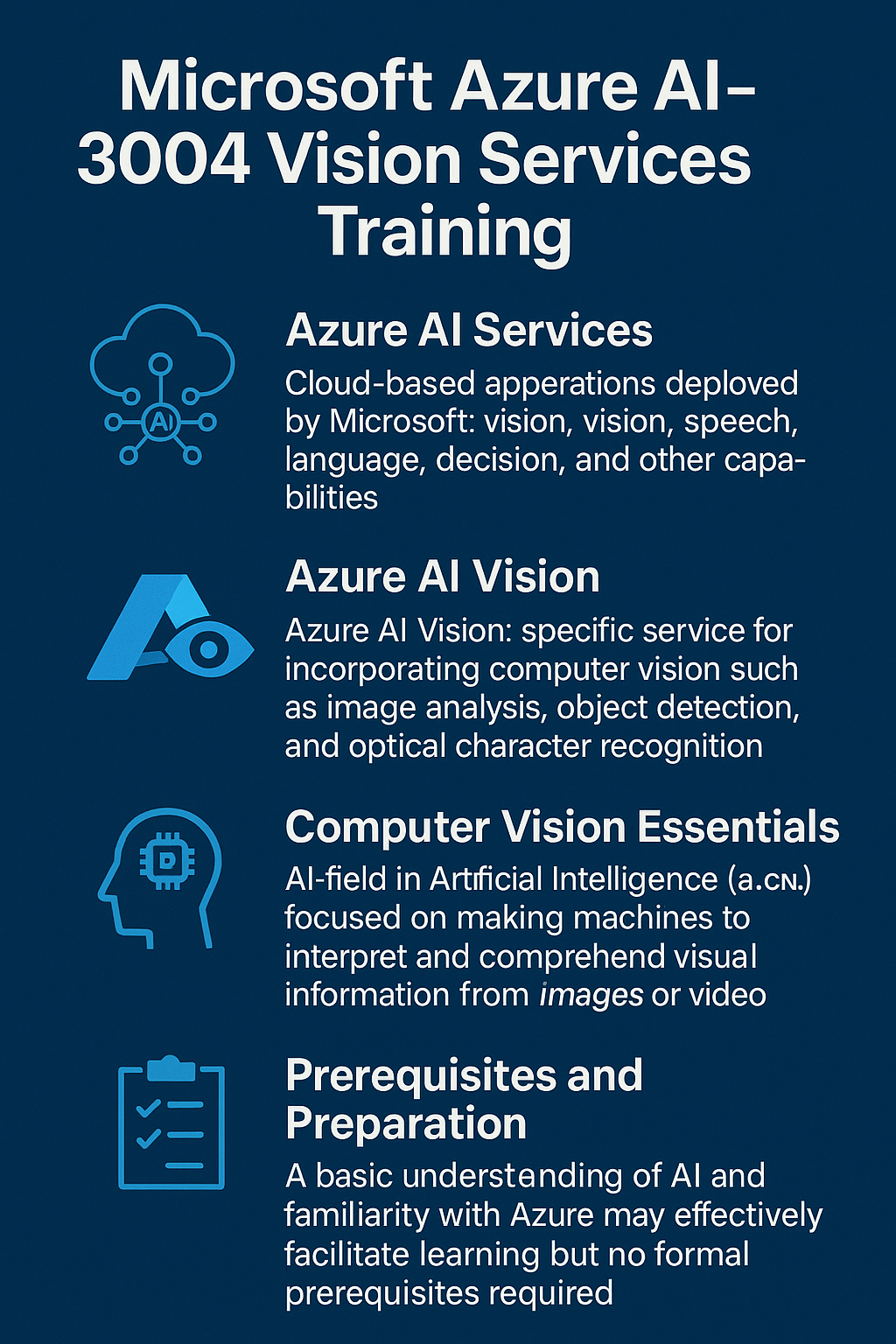
This overview is tailored for beginners looking to enhance their career prospects by learning Azure’s AI capabilities for computer vision, specifically through the Azure AI-3004 training path “Build an Azure AI Vision solution with Azure AI Services.” With Azure AI Services training learn the role of Azure AI Vision in Azure’s AI ecosystem, the scope of AI-3004 (and the skills it specializes in), fundamental concepts of computer vision, prerequisites for learning, and guidance on self-study versus instructor-led training.
Azure AI and Azure AI Services – The Big Picture
Azure AI refers broadly to Microsoft’s cloud platform for artificial intelligence. It encompasses various tools and services for building AI solutions, including Azure AI Services (formerly known as Cognitive Services) and Azure Machine Learning, among others. Azure training on AI Services are a suite of cloud-based AI APIs and models that developers can be educated on to leverage and add intelligence to applications without needing to build and train your own models from scratch. These services cover areas such as computer vision, natural language processing, speech recognition, decision-making, and more. They are available through RESTful APIs and SDKs, allowing you to integrate pre-built AI capabilities (like image recognition or language understanding) into your apps easily. In essence, Azure AI Services provide “out-of-the-box and pre-built tools, APIs, and models” that help create intelligent, market-ready, and responsible applications. This means faster development of AI features, since you can call Azure’s ready-made models (for example, to analyze an image or translate text) rather than developing your own machine learning model from the ground up.
It’s important to note that Azure AI Services have made significant advances in areas like vision, speech, and language by building on years of Microsoft research. For instance, Azure’s AI capabilities include advanced Azure AI vision training algorithms, language models, and speech-to-text services, all of which are continually improved and maintained by Microsoft. By using these services, even beginners in AI can infuse powerful AI features into their applications with minimal effort. Azure AI also includes tools like Azure Machine Learning for those who want to develop custom ML models, but for many common AI tasks, Azure AI Services provide a convenient starting point.
Azure AI Vision – Bringing Computer Vision to Your Apps
Computer vision is an area of AI that deals with enabling machines to interpret and understand visual information from the world (images and videos). In simple terms, it’s about teaching computers to “see” and make sense of what they see, whether that’s identifying objects in a photo, reading text from a scanned document, or recognizing a person’s face. Azure provides these capabilities through Azure AI Vision, which is a unified set of services and APIs for handling common vision tasks.
Azure AI Vision (part of Azure AI Services) offers pre-built, state-of-the-art algorithms for processing images and videos and extracting insights from them. With Azure AI Vision, you can perform tasks such as:
- Image Analysis – Analyze images to identify objects, people, scenery, and other relevant information, or to get descriptive tags and captions for the image. Azure’s pre-trained vision models can examine an image and tell you what’s in it (for example, “a person riding a bike on a city street”) along with confidence scores. This helps in automatically understanding and organizing image content.
- Optical Character Recognition (OCR) – Azure AI Vision can read text from images, such as photographs of documents, street signs, or handwritten notes. This OCR capability extracts printed or handwritten text and can even handle multiple languages. It’s useful for digitizing receipts, processing forms, or assisting accessibility (like reading text from an image aloud).
- Face Detection and Analysis – The service can detect human faces in images and videos, and analyze facial attributes. This includes finding where faces are in an image, and optionally analyzing characteristics like facial expressions (to gauge emotion), age estimation, or identifying unique facial features. Azure’s face capabilities can also do face recognition (verifying if two images are the same person, or identifying a person against a known database, if you have permission and a proper use case). This ability to detect, analyze, and recognize faces is a key AI capability useful in scenarios from security systems to photo organization apps.
- Spatial Analysis – (If relevant to Azure AI Vision) This involves analyzing video feeds (for example from surveillance cameras) to understand movement and presence in physical spaces. Azure’s spatial analysis features can count people in a room, determine distances (for social distancing measures), or detect when a zone is entered, all in real-time video. This is part of Azure’s vision offerings to help with physical safety and operational analytics in venues.
- Customized Vision (Custom Vision) – While Azure AI Vision has powerful general-purpose models, sometimes you need to recognize something very specific (for example, your company’s product in images, or a particular type of defect on an assembly line). For these cases, Azure offers Custom Vision as a service where you can train your own image classification or object detection models. With Azure AI Custom Vision, you provide your own labeled images (telling the model which images contain which objects or categories), and the service will train a custom model tailored to your needs. You don’t need deep machine learning expertise – the service handles the training process – and you can then use your custom model via API just like the prebuilt ones. This is extremely useful for industry-specific applications (like recognizing certain medical conditions in x-ray images, or detecting your brand logo in social media pictures).
- Video Analysis – Azure’s vision capabilities aren’t limited to static images; they extend to video content through Azure Video Indexer (part of the Azure AI Vision family). Video Indexer can take video files or streams and automatically extract insights: it can detect and index when certain people appear (face recognition over time in the video), transcribe speech in the video (so you get a text transcript of spoken dialogue), recognize emotions, identify objects or scenes in the video, and even detect keywords or topics discussed. Essentially, it makes video content searchable and analyzable, which is invaluable for media archives, surveillance analytics, or content moderation.
In summary, Azure AI Vision provides a comprehensive toolkit for computer vision: it “reads text, analyzes images, and detects faces” using cutting-edge optical character recognition and machine learning models. Whether you want to build a smart photo organizer, an app that scans business cards, a safety system that monitors a shop floor, or a social media content analyzer, Azure AI Vision has services that can jump-start those solutions.
What is AI-3004? – Developing Vision Solutions in Azure
AI-3004: “Build an Azure AI Vision solution with Azure AI Services” is your Azure AI training solution focused on teaching you how to implement the kinds of vision tasks described in this article by using your very own instances of Azure AI services. In Microsoft’s catalog, AI-3004 is an intermediate-level program aimed at developers or aspiring AI engineers who want hands-on experience building computer vision applications on Azure. It’s essentially a structured course (available as part of Microsoft’s official learning paths and also through training providers) that walks you through creating AI vision solutions step by step.
The AI-3004 training specializes in practical skills for Azure-powered computer vision. By completing this training, you gain the ability to use both Azure’s pre-built vision APIs and custom model services to solve real-world problems. According to Microsoft’s description, candidates for this training/credential should have a solid understanding of working with Azure AI Vision models (both prebuilt and custom), and experience with Azure’s tools and general programming – this is to ensure you can fully engage with the material. The content of AI-3004 spans a variety of key computer vision techniques:
- Analyzing Images with Pre-trained Models – You learn how to use Azure AI Vision’s Image Analysis features to upload or input an image and get analytical results (like tags, descriptions, and attributes about the image). This includes provisioning an Azure AI Vision resource and calling its API to analyze images for insights.
- Reading Text in Images – The training covers Azure’s OCR capabilities (often referred to as the Read API or Image Analysis for text). You will practice extracting text from images or documents (like reading scanned PDFs or photos of text) using Azure AI Vision services. This is crucial for building applications like digitizing documents or translating signs from a photo.
- Face Detection and Recognition – AI-3004 includes modules on detecting faces in images and analyzing them. You will explore how to use Azure’s face API (now part of Azure AI Vision) to find faces, analyze facial features (like recognizing emotion or age/gender attributes), and even perform face identification (verifying identity by matching faces) in a responsible manner. This portion often also discusses Responsible AI considerations, since face recognition especially has ethical and privacy implications – Azure provides tools to implement these capabilities thoughtfully and within compliance guidelines.
- Image Classification with Custom Vision – One of the highlights of the course is learning to create custom image classification models using Azure AI Custom Vision. Here, you’ll create a custom vision project, upload and label your own set of images into distinct categories, and train a model that can classify new images into those categories. For example, you might train a model to classify images of fruits (apples vs. oranges) or identify different types of machinery from photos. The training will show you how to do this using Azure’s service (either via the Custom Vision portal or using code with the Custom Vision SDK/REST API), and how to test and improve your model.
- Object Detection Models – Beyond classifying an entire image, AI-3004 also covers object detection, where the goal is to locate and identify multiple objects within a single image (e.g., finding all instances of cars and people in a picture). Using Azure AI Custom Vision, you will train a model that can draw bounding boxes around specific objects of interest in images. This skill is useful for scenarios like counting products on a shelf from an image or detecting defects on parts in a manufacturing line.
- Video Analysis with Azure Video Indexer – The training path extends to working with video content. You will learn how to use Azure Video Indexer to analyze videos for insights such as detecting faces over time, extracting spoken words (speech-to-text), identifying visual content (objects, scenes, or even celebrities), and segmenting the video into meaningful parts. By the end, you should be able to build a solution that takes a video and produces rich metadata about its content (which could be used to enable search or generate analytics from videos).
- Vision-Enabled Generative AI Applications – In tune with the latest trends, AI-3004 introduces how vision can be combined with generative AI. One module explores “vision-enabled chat apps,” where an application can accept an image as input and a multimodal AI model can generate a response or interact based on that image. For example, building a chatbot that can see: a user might send an image (say a damaged product) to an AI assistant and ask for help, and the AI can analyze the image and respond accordingly. This section is more exploratory but gives you insight into cutting-edge AI where vision and language models work together.
- Image Generation with AI – Another forward-looking topic in the training is using Azure’s generative AI capabilities for images. Azure offers services (such as Azure AI Foundry and the Azure OpenAI Service with DALL-E models) that can generate new images from text prompts. In AI-3004, you’ll see how to leverage these models to create images based on descriptions you provide. For instance, given a prompt “a sunset over a mountain, in watercolor style,” the model can produce a unique image. This teaches you how generative adversarial networks or diffusion models can be harnessed via Azure services – an exciting area of AI for creativity and design.
As you can see, AI-3004 covers a broad range of computer vision capabilities – from using existing Azure AI Vision features to training custom models and exploring advanced AI. It essentially walks you through building an end-to-end Azure AI Vision solution, touching all the key components needed for real-world projects. By the end of the training, you will have gained comprehensive practical experience in using Azure’s vision services. According to one course description, after completing these modules a learner will be able to collaborate with other professionals (solution architects, data engineers, AI engineers) to develop solutions like object detection systems, face recognition apps, image segmentation tools, and more. In other words, you’ll have the skills to create and deploy custom vision AI applications using Azure’s platform – an ability validated by a Microsoft Applied Skills credential that is globally recognized to show you know how to build computer vision solutions on Azure.
Prerequisites and Helpful Knowledge
While AI-3004 is geared towards beginners to intermediate learners in AI, there are a few prerequisites or prior skills that will help you get the most out of the training:
- Basic Azure Knowledge: You should be familiar with Azure and the Azure Portal interface. This means understanding how to navigate Azure’s web portal, create resources (like setting up an Azure AI service resource), and configure basic settings. If you have taken Azure fundamentals (like AZ-900) or have played around in Azure a bit, you’ll be in a good position. The course assumes you can provision services and understand Azure’s core concepts (subscriptions, resource groups, how Azure organizes services, etc.).
- Programming Experience: Experience with a programming language, especially Python or C#, is recommended. Azure’s AI SDKs and examples in the docs are often provided in Python or C#, so knowing one of these languages will allow you to follow along with coding exercises. You don’t need to be an expert developer; even scripting experience or basic coding knowledge is fine, but you should be comfortable reading and writing simple code, calling APIs, and handling JSON data. If you’ve never coded before, it might be worth learning some Python basics before diving into the AI-3004 labs.
- Understanding of AI Basics (optional but helpful): While not strictly required, having some foundational knowledge of what AI/ML is (e.g. knowing terms like model, training, prediction, algorithm) can help. AI-3004 will introduce concepts in context, but if you have, say, taken an introductory course in machine learning or done a beginner tutorial on cognitive services, you’ll grasp the material more quickly. In particular, familiarity with the concept of REST APIs (how to call a service over HTTP and get results) and JSON data format will be useful since Azure AI Services are often accessed via API calls returning JSON results.
Microsoft’s official prerequisite list for the learning path echoes these points: you should already have “familiarity with Azure and the Azure portal” and some “programming experience.” In the Applied Skills credential description, Microsoft also explicitly mentions having experience programming in either Python or C# and being comfortable provisioning Azure AI resources. If you meet these prerequisites, you’re well-positioned to succeed in AI-3004. If not, you might consider doing a quick refresher (for example, completing an Azure fundamentals learning path and a basic coding tutorial) before or alongside this course.
Helpful resources to prepare: If you’re entirely new, the Azure Fundamentals (AZ-900) learning path or Azure AI-3004 certification is a great starting point to learn Azure basics. Additionally, Microsoft Learn has free modules on Python basics and .NET/C# that you can use to get up to speed with programming concepts. However, don’t be discouraged – even if you’re a beginner, Microsoft AI-3004 content is delivered in a beginner-friendly way, and you can learn these prerequisite skills in parallel as you progress through the vision course.
Learning Paths and Self-Study vs. Instructor-Led Training
One of the advantages for learners today is the abundance of free self-study materials for Azure. Microsoft provides the entire AI-3004 content as an official Learning Path on Microsoft Learn, titled “Develop computer vision solutions in Azure.” This learning path consists of 8 modules (matching the topics we outlined above) and is available online for free. Each module in the learning path includes informative reading, interactive code examples, and hands-on labs or exercises that you can do at your own pace. For example, you’ll find modules like “Analyze images” (using Azure AI Vision’s prebuilt image analysis), “Classify images” (using Custom Vision), “Detect, analyze, and recognize faces”, and so on, each with guided steps and even sandbox environments to practice.
Self-study using Microsoft’s official documentation and learning paths is a highly effective way to learn, especially for motivated beginners. The content is up-to-date and maintained by Microsoft, ensuring you are learning the latest best practices and toolsets. Many who have pursued Azure certifications or skills have successfully used Microsoft Docs, Learn modules, and community forums to gain expertise without any paid courses. If you prefer learning by reading and doing, you can absolutely cover AI-3004’s objectives on your own. The key is to be disciplined: follow the modules in order, do all the lab exercises (hands-on practice is crucial for internalizing skills), and don’t hesitate to explore Microsoft’s sample code and additional documentation referenced in the course. The learning path also includes knowledge checks and quizzes to test your understanding as you go.
That said, some learners may benefit from the quality structure and support of Dynamics Edge instructor-led training (ILT). A quality training provider like Dynamics Edge can enhance the learning experience in a few ways:
- Structured, In-Depth Guidance: Instructor-led courses from Dynamics Edge are typically delivered by experienced trainers (often Microsoft Certified Trainers) who can walk you through complex topics in a structured manner. If you’re looking for a classroom-style experience with a clear schedule, ILT can keep you on track. The instructor often follows a set curriculum (in fact, many use Microsoft’s official courseware corresponding to AI-3004 but Dynamics Edge uses enhanced custom versions) but can adjust the pacing based on the class’s needs.
- Live Interaction and Q&A: One big advantage of having an instructor with Dynamics Edge is the ability to ask questions in real time. If something isn’t clear in the docs, an instructor can clarify it on the spot. Live virtual classes enable discussions with the instructor and fellow students, providing real-time feedback and the chance to delve deeper into topics as needed. This interactive environment can mimic the feel of a workshop, which some people learn best from.
- Hands-On Labs with Expert Support: Good training programs include hands-on labs similar to the Microsoft Learn exercises, but during an instructor-led lab from Dynamics Edge, the trainer can help troubleshoot issues you encounter. If you’re stuck with an environment setup or a piece of code, they’ll assist you.
- Insights and Best Practices: Seasoned instructors (especially those who have real-world experience) from Dynamics Edge may share insights not explicitly written in the docs – such as best practices, tips to avoid common pitfalls, or examples from industry projects. This added context can enrich your learning and give you a deeper understanding of how to apply Azure AI in real scenarios. For instance, a trainer might discuss how to optimize your Custom Vision model with proper image selection, or how to handle data privacy when doing face recognition, drawing from their own projects.
- Motivation and Accountability: Enrolling in a live course can provide a schedule and accountability – you have classes at set times, homework, etc., which can be helpful if self-paced learning is challenging for you. Some people simply learn better when there’s a live person teaching and a group to learn with.
When choosing instructor-led training, quality matters a lot. It’s wise to look for authorized training partners or providers with well-reviewed instructors. Microsoft’s advice is to ensure the course is delivered by a Microsoft Certified Trainer and using official up-to-date course materials. That way, you know the content aligns with Microsoft’s standards and covers everything in AI-3004 thoroughly. Even better, a reputable training provider like Dynamics Edge will often highlight their instructors’ expertise and the fact that they use official curriculum (for example, advertising “top-rated instructors” or “Microsoft authorized content”). These are good signs that the class will add value to your learning.
However, it’s also important to approach third-party training with a bit of research and caution. Not all courses are created equal. Some training providers, (such as some training providers other than Dynamics Edge) may offer only surface-level overviews or outdated material, which would not give you much beyond what you could get through free self-study. In the worst case, a poor-quality course could even provide inaccurate information or skip important hands-on practice, leaving you underprepared (and out of pocket on top of it). Thus, whether an instructor-led course is “very helpful to go beyond the docs” or “no better (or even inferior) to self-study using free resources” really depends on the specific provider and instructor. If you opt for an ILT course, choose one with strong reviews or recommendations, and ideally one that closely follows Microsoft’s official learning objectives for AI-3004. It might be better to choose Dynamics Edge for Instructor Led training on Azure for AI Solutions & Services for example.
So, self-study vs. instructor-led training is more of a personal choice: you can absolutely succeed through self-study with Microsoft’s free learning paths and documentation, which offer comprehensive content. If you feel you’d benefit from a classroom environment or want to accelerate your learning with guided mentorship, a high-quality instructor-led course can be worth it, just make sure it’s with a trusted provider. Many learners actually combine both: they might first go through the Microsoft Learn modules on their own, and then take an instructor-led workshop to reinforce and apply the knowledge (or vice versa). This blended approach can solidify your understanding and confidence.
Career Prospects with Azure AI Vision Skills
Investing time in learning Azure AI Services and computer vision can significantly boost your career opportunities. AI skills are in high demand across the tech industry, and Azure is one of the leading cloud platforms used by enterprises worldwide. By mastering Azure AI Vision (through AI-3004 or otherwise), you position yourself for roles such as AI Engineer, Azure Developer, or Computer Vision Specialist. In fact, Microsoft’s materials list typical roles for which this training is relevant: developers, AI engineers, and app makers who build intelligent applications. These roles can be in a variety of organizations, from startups to large corporations, since AI is transforming products and services everywhere.
Industry Applications: Computer vision has use-cases in virtually every industry. For example:
- In manufacturing, AI vision can automate quality inspection by detecting defects on production lines.
- In healthcare, it can assist in analyzing medical images or streamlining patient document processing.
- In retail, vision AI is used for shelf inventory analysis, cashier-less checkout systems, and personalized advertising displays that respond to who is looking.
- In transportation, it powers things like traffic monitoring, autonomous vehicle vision, and toll booth automation.
- In security, vision is used for surveillance analytics and identity verification.
Azure AI Vision’s flexibility means you can build solutions for any of these domains. The AI-3004 training explicitly notes that the skills you gain are applicable to “manufacturing, health, retail, and various other industries”, underlining how broad the opportunity landscape is. For a beginner looking to enhance career prospects, this means you won’t be tied to a single niche – you’ll have a toolkit that can be applied in many contexts, which is valuable to employers.
Certification and Validation: After completing AI-3004, you have the option to take a Microsoft Applied Skills assessment to earn a certification (a digital credential) in “Building an Azure AI Vision Solution.” This credential is a tangible validation of your skills. It’s “globally recognized” and demonstrates to employers or clients that you have proven ability to create AI vision solutions using Azure. Certifications can help your resume stand out and often come up in job descriptions for cloud and AI-related positions. Azure’s AI-102 certification (Designing and Implementing a Microsoft Azure AI Solution) is another related certification for AI engineers – the skills from AI-3004 would contribute greatly toward preparing for that exam, should you choose to pursue it.
Career Growth: Learning Azure AI Vision not only opens up immediate job opportunities (like junior AI developer roles), but also sets you up for continuous growth. As you become proficient, you might take on projects that integrate multiple Azure AI services (e.g., combining vision with language understanding or with IoT sensor data). You could evolve into an AI solutions architect, a machine learning engineer, or a specialist in responsible AI implementation. The key is that Azure is continually expanding its AI offerings, and by getting on board now, you will ride the wave of new features (like the latest Vision models or Azure OpenAI services) with a strong foundation.
From a career perspective, having hands-on experience with cloud AI services is a marketable skill. Many companies are specifically adopting Azure for their AI needs (especially those already in the Microsoft ecosystem), so they need professionals who know how to deploy and manage Azure AI resources. Being able to say you can “build and deploy a computer vision solution on Azure” is powerful. It signals that you not only understand the theory of AI, but you can apply it using a leading cloud platform to solve real problems – which is exactly what employers are looking for.
Finally, remember that learning is a journey. AI-3004 is a fantastic step for beginners to gain practical skills in AI vision. As you complete it, try to supplement the learning with real projects – even small personal projects or contributing to open-source – to solidify your knowledge. Showcasing a portfolio of what you’ve built (maybe a simple app that uses Azure Vision to caption images, or a custom model you trained to recognize plant diseases, etc.) alongside your certification will greatly impress potential employers. Azure AI Services make it relatively easy to build such projects since you can use them without needing a whole data science team – so take advantage of that.
In conclusion, Azure AI Vision (and the AI-3004 training path) provides an accessible gateway into the world of AI-powered image and video analysis. By learning these tools, you’ll gain experience with real-world AI scenarios, from analyzing images and reading text to deploying custom-trained models and exploring the frontier of AI with generative models. For beginners aiming to boost their careers, these skills are not only exciting to learn but also highly valued in today’s AI-driven job market. Whether you choose the self-study route, seek mentorship through instructor-led courses, or a mix of both, mastering Azure’s AI services for vision will set you on a path toward becoming a proficient AI developer or engineer. Embrace the learning process, leverage the rich resources provided by Microsoft (and the community), and you’ll be well on your way to building intelligent vision solutions and advancing your career in tech.
Have a Question ?
Fill out this short form, one of our Experts will contact you soon.
Talk to an Expert Today
Call Now