

Becoming a Dynamics 365 Finance and Operations developer is a journey that blends technical prowess with a clear understanding of business processes.
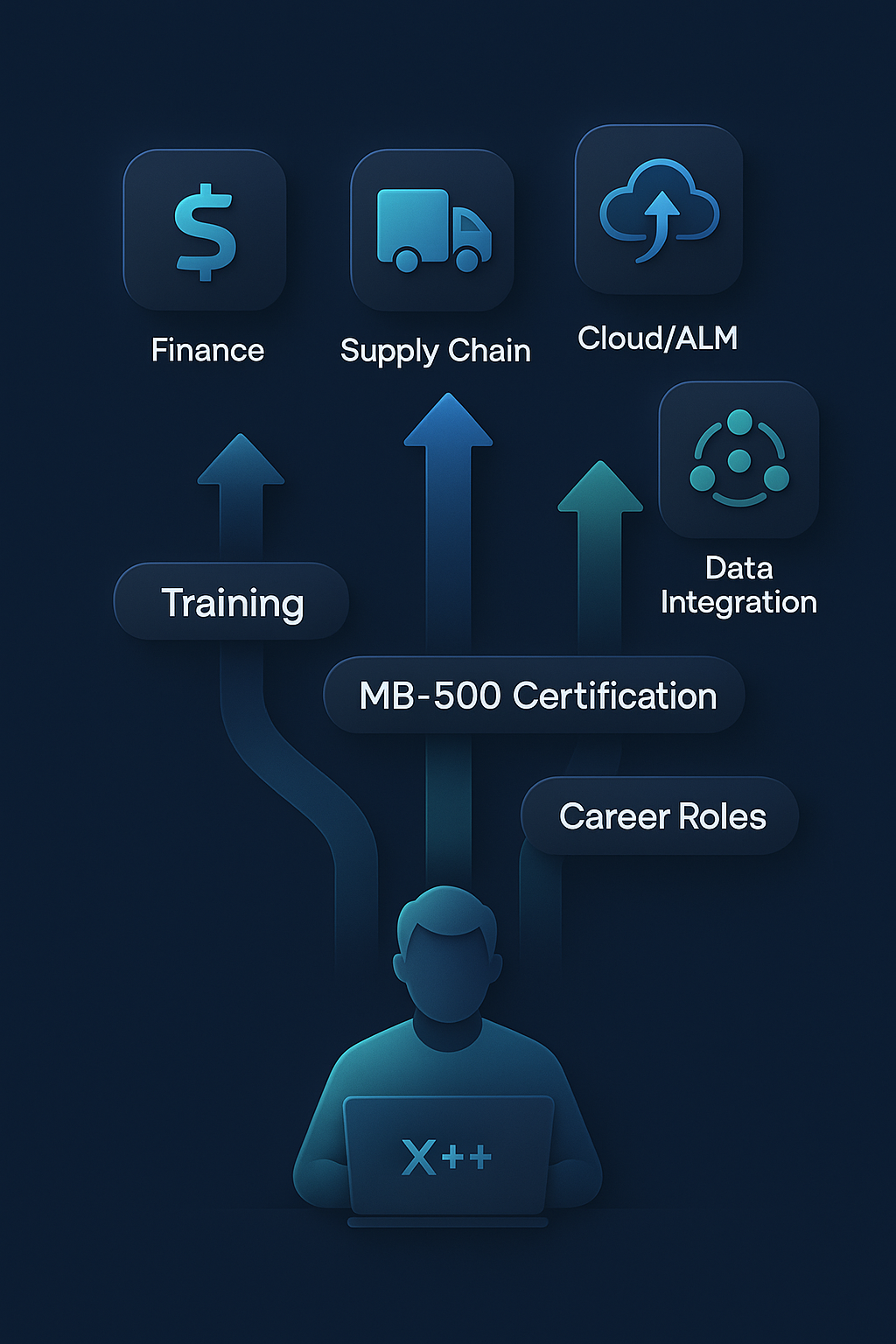
This role centers on customizing Microsoft’s enterprise resource planning (ERP) applications to fit organizational needs. At its core, development work in Finance and Operations (often called “FinOps”) revolves around X++, the proprietary language that powers all custom logic in the system. A Dynamics 365 developer working on the Finance application writes X++ code to extend the standard capabilities of modules like Finance or Supply Chain, ensuring the software meets specific requirements without breaking Microsoft’s continuous update flow. This report will guide you through the essential training paths, skills, and certifications for a career in this field – from mastering X++ fundamentals to understanding upgrade-safe extensibility patterns and preparing for real-world interviews. It also demystifies various training terminologies (Finance vs. FinOps, functional vs. developer) and connects the dots between formal certification (like MB-500) and day-to-day job expectations.
X++ – The Core Development Language
For anyone aspiring to develop in Dynamics 365 Finance and Operations, learning X++ is non-negotiable. X++ is the primary programming language used to customize and extend the Finance and Operations apps. It’s an object-oriented language (akin to C# or Java in syntax) with built-in SQL-like database capabilities, tailored specifically for the ERP’s needs. In practice, X++ code is authored in Visual Studio and runs on the Dynamics 365 server as .NET assemblies, meaning that a Finance and Operations developer operates within Microsoft’s modern development ecosystem. Through x++ training courses and self-study on Microsoft Learn, developers gain familiarity with the Application Object Tree (AOT), data types, classes, forms, and other elements that make up the application’s architecture. This strong foundation is crucial: when customizing a business process (say, adding a new validation in an invoice posting routine), an X++ developer must understand not only the syntax of the language but also the underlying frameworks of D365 Finance and Supply Chain Management. Microsoft’s official guidance emphasizes that certified Finance and Operations developers should have “deep knowledge and experience using the underlying framework, data structures, and objects” of the solution – in other words, it’s not just about writing code, but writing code that fits the ERP’s design.
Beyond language syntax, developers learn how X++ handles important application constructs. For example, X++ supports classes, inheritance, and interfaces just like other modern languages, but it also introduces ERP-specific keywords (such as display and edit methods on forms) that tie directly into how the user interface and database interact. In earlier versions of Dynamics AX (the predecessor to Dynamics 365 F&O), one might even control execution tier via keywords like client or server – concepts that evolved as the product moved fully to the cloud. As a new developer, immersing yourself in X++ means understanding these nuances. Fortunately, there are ample resources: the official Microsoft documentation on X++ provides language reference and examples, and community blogs break down common patterns. Engaging in structured mb-500 training (more on MB-500 shortly) also reinforces X++ skills through practical labs aligned with exam objectives. In short, mastering X++ is the gateway to all Dynamics 365 Finance and Operations development – it empowers you to write the business logic, perform data manipulations, and craft custom functionality that deliver value on top of the standard product.
Upgrade-Safe Extensibility: Chain of Command and Event Handlers
In the Dynamics 365 Finance and Operations world, a key mantra for developers is “extensions over customizations.” This reflects Microsoft’s shift to an upgrade-safe model of development. In older Dynamics AX versions, developers frequently modified base application code (a practice known as overlayering or direct customization). While powerful, overlayering posed huge upgrade challenges – any changes from Microsoft would clash with the modified code. Today, Dynamics 365 enforces an extension model: we no longer alter the base code directly. Instead, we extend it using approved hooks like the Chain of Command pattern and event handlers. These techniques let us add or change functionality without touching Microsoft’s original code, which keeps our work compatible with ongoing platform updates.
Chain of Command (CoC) is now the preferred method for overriding or augmenting logic in X++ classes and methods. With CoC, a developer creates an extension class that “wraps” a base class method, allowing custom code to execute before and/or after calling the original logic via a next statement. Conceptually, next() in CoC works similarly to calling a superclass method in object-oriented programming, except here you might have multiple extensions forming a chain of execution. The CoC pattern supports loose coupling – your extension runs without needing to alter the base method, and multiple extensions can coexist, each calling next to hand off execution to the next in line. Microsoft introduced CoC around Platform Update 9 of Dynamics 365, precisely to replace many scenarios that previously required events or overlayering. By 2025, Chain of Command is a mature feature covering almost all extensibility needs, from classes and table methods to forms and data sources. It has become “the preferred approach for customizing logic because it keeps code modifications isolated and upgrade-safe (compared to overlayering)”. In practice, this means if you need to change how a standard process works (for instance, injecting logic when a sales order invoice posts), you would write a CoC extension for the appropriate method rather than copy-pasting and editing Microsoft’s code. The result: when Microsoft issues a new release, your extension is simply re-applied without conflict, as opposed to a customization that might need merging.
Event handlers are the other critical tool in the extensibility toolbox. The event-driven model was introduced even before CoC and remains vital, particularly for reacting to framework events or for scenarios where a CoC hook isn’t available. In Dynamics 365 Finance and Operations, many processes expose delegates or built-in event points (pre- and post-method events) that developers can subscribe to. An event handler is essentially a method in a separate class that is triggered when a certain event occurs (for example, “after record inserted to table X” or “when form Y is initialized”). Using event handlers, developers “extend standard functionality without overlying customization” – exactly the upgrade-safe philosophy we discussed. In fact, a Microsoft community author neatly summarizes the shift: “Gone are the days when overlayering was the norm. Today, we work with event handlers – a cleaner, upgrade-safe way to extend standard logic without touching Microsoft’s base code.”. Event handlers allow you to write logic that runs before or after an existing process, without modifying that process’s code. For example, you might use a OnValidated event handler on a form field to enforce an extra rule after the field’s value passes standard validation. Or you might subscribe to a table’s OnInserted event to automatically transform data right after a record is created. This approach ensures no conflicts during updates, as your handler is loosely hooked in.
Understanding when to use Chain of Command vs. event handlers is an important design decision that every Dynamics 365 developer faces. In general, if you need to change or extend the logic of a public or protected method (especially in application classes), Chain of Command is ideal – it gives you structured override-like behavior and even lets you access protected members of the base class, something event handlers (being outside the class) cannot do. Conversely, if you’re dealing with a scenario that is inherently event-driven (like reacting to a user action or a data change) or if the base logic is not easily wrapped by CoC (perhaps it’s a kernel-level operation or explicitly sealed), an event handler is appropriate. In fact, some best practices recommend using pre/post event handlers for simple “before/after” logic and reserve CoC for more complex overrides where inserting logic mid-stream is necessary. Both patterns can coexist; even in a CoC-heavy project, you’ll still use event handlers for certain events (like form control events or system delegates). The unifying theme is that both methods keep your code external to the base application – ensuring upgradeability and compliance with Microsoft’s One Version policy. As you train to become a proficient Finance and Operations developer, much emphasis will be on these extensibility techniques. Official documentation and courses cover the syntax and rules (for example, CoC methods must call next() exactly once unless the base is marked Replaceable, and event handlers should avoid assumptions about execution order). Mastering these approaches is key to delivering custom solutions that are robust and future-proof.
Common X++ Interview Topics and Questions
Landing a Dynamics 365 Finance and Operations developer role often involves demonstrating both conceptual understanding and hands-on proficiency in X++ and the platform. Interviewers will frequently probe your knowledge of core technical concepts, best practices, and your approach to typical customization scenarios. It’s not uncommon for conversations to resemble a deep dive into your X++ toolkit. For instance, you might be asked to explain the difference between display methods and edit methods on forms (a classic Finance & Operations UI concept), or to describe what the AOT (Application Object Tree) and AOS (Application Object Server) are in the system architecture. Such fundamental questions verify that you have a solid grounding in the environment you’ll be working in. Similarly, expect queries on data fundamentals like “What is an index in D365 and why do we use it?” or “How do table relations and foreign keys work in Dynamics 365?” – these assess your understanding of the underlying data model and performance considerations.
Interviewers also often focus on the very extensibility features we discussed earlier, because working upgrade-safe is critical in modern Dynamics 365 projects. Be prepared for questions such as: “When would you use a pre-event versus a post-event handler?”, “What is the purpose of Chain of Command and how is it different from an event handler?”, or “Describe how you would extend the logic of a standard method without modifying the base code.” These are common x++ interview questions, reflecting real scenarios a developer encounters. In fact, community-curated lists of interview questions for D365FO developers often include points like “What is the use of the chain of commands?” and “What is the difference between pre/post event handlers and Chain of Command?”. Another typical scenario might be: “How do you add a new field to a standard form or table using extension?” – here the interviewer wants to see that you know the correct approach (e.g. creating a table extension and form extension, rather than hacking the base object). They might also venture into lifecycle and tooling questions, such as asking about the purpose of a model vs. a package in F&O development (for managing customization components), or which source control and build tools you have used (Azure DevOps is common for D365 projects).
Beyond pure theory, you may be given a scenario or problem to solve, aiming to test your practical skills. For example, “How would you optimize a long-running batch job in X++?” or “What steps would you take if an extension class method isn’t being called at runtime?” (hint: check event handler subscriptions or CoC signatures, ensure the model is built and deployed, etc.). Some interviews include live coding or whiteboarding of a simple algorithm in X++ (which, syntactically, will resemble doing it in C#). It’s also wise to review the specifics of the Dynamics 365 development environment – an interviewer might casually ask “What IDE do we use for D365 development?” (answer: Visual Studio with the appropriate SDK) or “How do you deploy customizations to an environment?” (pointing to Lifecycle Services asset deployment or pipelines). In summary, the interview will likely span from basics to advanced topics: object-oriented programming concepts as applied in X++ (classes, inheritance, etc.), Finance and Operations specifics (like the role of Chain of Command and delegates), and scenario-based problem solving. Studying a broad set of x++ training materials and practicing with real examples is the best preparation. If you can discuss examples from your experience – perhaps how you used an event handler to solve a client’s requirement or how you tuned a query for performance – you’ll not only answer the question but also demonstrate practical competence. The overarching goal in interviews is to show that you can build solutions that are technically sound, maintainable, and aligned with Dynamics 365’s guidelines (e.g. using extensions appropriately). So when preparing, focus on those themes and be ready to share concrete “stories” of your work, not just theoretical answers.
MB-500 Certification: From Training to Real-World Skills
One milestone that many Dynamics 365 Finance/Operations developers pursue is the MB-500 certification. Officially titled “Microsoft Dynamics 365: Finance and Operations Apps Developer”, this certification is earned by passing the MB-500 exam (in conjunction with the MB-300 core exam) and is designed to validate a developer’s expertise in the platform. Preparing for and achieving this certification is more than a resume booster – it structures your learning around the key skills needed on the job, ensuring you’ve covered all important aspects of F&O development. Let’s unpack what MB-500 entails and why it matters.
The MB-500 exam covers a wide range of technical domains, reflecting the multifaceted role of a Finance and Operations developer. According to Microsoft’s official outline, candidates are tested on their ability to “plan architecture and solution design, apply developer tools, design and develop AOT elements, develop and test code, implement reporting, integrate and manage data solutions, and implement security and optimize performance.”. In other words, passing MB-500 means you have proven knowledge in everything from designing a data model and writing X++ business logic, to building SSRS reports and configuring data integrations. A developer who is MB-500 certified is expected to be comfortable with the end-to-end process of customizing Dynamics 365: you can create new tables or extend existing ones, write logic in X++ (and ideally follow best practices like using events or CoC), build UI components like forms and controls, develop integrations (perhaps using REST APIs or the Data Management Framework), and attend to cross-cutting concerns like security (e.g. setting up privileges for new features) and performance tuning. Microsoft summarizes that an MB-500 candidate “provides fully realized solutions by using standardized application coding patterns, extensible features, and external integrations”. Additionally, you’re expected to know how to use the key tools: Visual Studio (with the D365 dev tools extension), Azure DevOps for source control/ALM, Lifecycle Services (LCS) for environment management, and even some Power Platform components that might integrate (like triggering Power Automate flows or exposing data to Dataverse).
MB-500 training typically involves a mix of self-paced learning on Microsoft Learn, instructor-led courses, and a lot of hands-on practice. Microsoft Learn offers a learning path aligned to MB-500, where modules walk you through things like creating a new module, working with forms and form patterns, writing X++ classes, using the entity framework for integrations, etc. There is also an official MB-500 T00 instructor-led course which many developers attend; it condenses the exam objectives into a week or so of intensive training with labs. These structured learning avenues are immensely helpful – they ensure you don’t skip topics that might be less common in your day-to-day work but still important (for example, maybe you haven’t done much with the SysOperation batch framework or unit testing in X++, but MB-500 will expect you to know these). Through MB-500 training and study, you will formalize your knowledge of things like the extension mechanics, the proper patterns for custom services, how to implement Business Events or integrate with Power Apps, and so forth. This aligns well with real job roles: employers often desire developers who not only can code but understand how to design solutions the “Microsoft way”. The MB-500 certification signals that you’ve been vetted against that standard. In fact, many Microsoft partners and customers look for MB-500 (and MB-300) certified individuals to ensure project teams have a baseline of competency. It shows that you can “provide fully realized solutions” following Microsoft’s recommended patterns.
From a career perspective, going through the MB-500 certification process has additional benefits. The rigor of the exam means you’ll likely deep-dive into product areas that make you a more well-rounded developer. For instance, while preparing, you might build sample projects that use Chain of Command extensively, or create a mini data entity and consume it, or write a basic automated test – all experiences that translate into stronger skills on the job. Developers often report that studying for MB-500 helped them fill gaps in their knowledge and gave them more confidence in solutioning. It can also spark interest in complementary learning; for example, in studying MB-500’s integration objectives, you might end up learning more about Azure Logic Apps or Power BI reporting for F&O, which can broaden your capabilities.
It’s worth noting that MB-500 is an Associate-level certification. For those new to the Dynamics 365 field, it usually comes after first learning the product and perhaps even working for a while. Typically, you’d ensure you understand the basics via the MB-300 (Finance and Ops core) exam, and then tackle MB-500. Some aspiring developers undertake MB-500 preparation even before landing a job, which can be challenging but demonstrates initiative. Others do it after a year or two of experience, which allows them to relate the exam content to real projects. There isn’t a single right path, but definitely MB-500 is a milestone that can accelerate a career. It formally connects the training you’ve done with a recognized credential, and it reassures managers that you’re up-to-date. The certification must be periodically renewed (Microsoft requires passing free renewal assessments each year to keep it current), which further ensures MB-500 holders stay aware of new features or changes in the platform. In summary, pursuing MB-500 certification matters because it validates exactly the skill set that a Dynamics 365 Finance/Operations developer needs: X++ proficiency, understanding of the platform’s extensibility model, data integration know-how, and the ability to design solutions end-to-end. It’s an investment in professional development that pays off in both tangible knowledge and career opportunities, aligning closely with real job roles where you are expected to implement and extend Dynamics 365 Finance and Operations apps to meet business requirements.
Navigating the Dynamics 365 Training Landscape (Finance vs. FinOps, Developer vs. Functional)
The Dynamics 365 ecosystem is broad, and the terminology around training can sometimes be confusing. As you explore options to upskill yourself or your team, you’ll encounter various phrases that, at first glance, sound similar – for example, dynamics 365 finance training, dynamics 365 finance and operations training, or simply dynamics 365 training. Understanding the differences and overlaps among these terms will help you choose the right learning path. In this context, “Finance and Operations” (FinOps) generally refers to the ERP side of Dynamics 365 (covering finance, supply chain, commerce, etc.), whereas just “Finance” might refer to the Finance module/application specifically. Microsoft has evolved the product naming: what used to be one application called Finance & Operations is now split into Dynamics 365 Finance and Dynamics 365 Supply Chain Management, among others. However, many learning resources still use the umbrella term “Finance and Operations” or the shorthand FinOps when talking about the platform as a whole. So, dynamics 365 finance and operations training and dynamics 365 finops training usually mean the same thing – comprehensive training on the ERP suite, often covering both the financial and operational aspects of the system. These could be functional trainings (teaching users or consultants how to use the Finance and SCM apps out-of-the-box), or could be technical, but the phrasing doesn’t always make it clear. For example, a course titled Dynamics 365 Finance and Operations training might introduce the overall ERP capabilities and navigation, which is suitable for power users or functional consultants. On the other hand, something labeled FinOps technical training would dive into development or advanced setup. Always look at the description: does it cover using the finance features (general ledger, accounts payable, etc.) or does it cover customizing and extending the system? The former is functional dynamics 365 finance training, while the latter leans towards developer education on FinOps.
When we append “developer” to these phrases, as in dynamics 365 finance developer training or dynamics 365 finance and operations developer training, it explicitly focuses on the technical side for software developers. These training programs assume you want to learn how to build or modify features in D365 Finance/Operations, not just use them. In practice, a dynamics 365 finops developer training course will cover topics like environment setup (Visual Studio, Azure DevOps), X++ basics, writing and debugging code, and the extension paradigm (like the Chain of Command and event handler techniques we covered). It often overlaps significantly with MB-500 exam preparation, since that exam is essentially the developer curriculum. The difference between calling something “Finance developer training” versus “Finance and Operations developer training” is mostly historical or semantic – after all, if you’re writing code, you are touching the whole platform (which includes Finance, but also potentially Supply Chain). Some providers or documentation might use the term dynamics 365 finance developer training to mean focusing on the Finance module’s unique customizations (for example, integrating with the General Ledger or budgeting functionalities), but generally, any dynamics 365 finance and operations developer training should cover the full breadth of development for the ERP. The term dynamics 365 finops developer training simply uses the popular nickname “FinOps” – you’ll see community forums and blogs use “FinOps” as shorthand for the Finance & Operations apps. So don’t let that confuse you: a FinOps developer is the same as a Finance and Operations developer. They both write X++ and work with the ERP side of Dynamics 365.
Now, contrast this with dynamics 365 developer training in a more general sense. Dynamics 365 is a family of business applications, not just the ERP. It includes the customer relationship management (CRM) apps like Sales, Customer Service, Field Service, as well as the Power Platform components. A generic Dynamics 365 developer could be someone working on those CRM apps – customizing model-driven apps, writing C# plugins, JavaScript for form events, etc. That skill set is quite different from an F&O (FinOps) developer’s skill set. Therefore, broad dynamics 365 developer training might refer to learning how to extend Dynamics 365 Customer Engagement (CRM) or building Power Apps, which is outside the scope of Finance and Operations. It’s important to ensure when you pick a training path that it aligns with the product you’re interested in. Sometimes people new to Dynamics 365 don’t realize that “Dynamics 365” as a whole is an umbrella covering multiple products – training must be specific. For instance, if you see a course on Dynamics 365 development with Power Platform, it will not cover X++ at all, because it’s about a different side of the ecosystem (it might cover Power Apps component framework, etc.). On the flip side, a bootcamp advertised as Dynamics 365 Finance and Operations developer training will strictly be about the ERP technical topics (likely with X++ and Azure DevOps in focus).
Lastly, consider dynamics 365 training as the broadest term. This could mean anything from end-user training (teaching basic navigation and usage of Dynamics screens) to high-level overviews for executives, or even technical training for either ERP or CRM. In a corporate setting, when planning team skilling, it’s crucial to use precise terms. Managers might think, “I need Dynamics 365 training for my team,” but they should specify if they mean functional training for Finance users vs. technical training for developers. In summary, when navigating training options: use “Finance and Operations” or “FinOps” to denote the ERP side; include “developer” if the focus is on programming and customization; use “Finance” vs “Supply Chain” if the training is module-specific on functional topics. Many learning providers bundle Finance and SCM topics together for functional training because the user roles often overlap. The good news is that Microsoft’s official Learn platform has separate learning paths for different roles – e.g., “Dynamics 365 Finance functional consultant” vs. “Dynamics 365 F&O developer”. Thus, whether you seek a comprehensive dynamics 365 finops training program for your analysts, or advanced dynamics 365 finops developer training for your technical team, the content can be tailored to match. Clarity in these terms helps ensure that learners get relevant skills: a finance user might need to learn financial report configuration and periodic processes (not X++ code), whereas a developer needs to dive into code and system architecture. Both paths fall under the umbrella of Dynamics 365 Finance and Operations, but they serve very different career trajectories.
Conclusion and Recommendations
Training and career development for a Dynamics 365 Finance and Operations developer require a balanced approach: individuals must cultivate deep technical skills in X++, extensibility, and system architecture, while organizations should foster an environment that supports continuous learning and adherence to best practices. Here we summarize some actionable recommendations:
For individual learners (junior or mid-level developers): Focus first on building a strong foundation in the platform’s fundamentals. This means not only learning X++ syntax but also understanding how Dynamics 365 FO is structured – spend time exploring the standard application objects (tables, forms, classes) to see real examples of good design. Leverage Microsoft Learn and community tutorials for guided practice; for instance, follow along with a tutorial to create a simple module or to extend a standard form. Make a habit of using the extension approach in all practice projects – even if overlayering is easier in the short term, pushing yourself to use event handlers and Chain of Command will ingrain the right patterns. As you gain confidence, consider pursuing the MB-500 certification. The process of studying for MB-500 will naturally guide you through all the major areas a developer should know. Even if you don’t take the exam immediately, use the exam objectives as a learning checklist. Additionally, try to get exposure to real-world scenarios: if you’re already working at a company running Dynamics 365, volunteer for small tasks or customization requests; nothing solidifies knowledge like applying it to solve a business problem. Another tip is to review community-driven x++ interview questions (even if you’re not job-hunting yet) as a self-test of your knowledge – can you confidently answer those questions? If not, research and experiment until you can. This will prepare you not just for interviews, but for on-the-job challenges. Finally, don’t underestimate the value of soft skills and business understanding: a great Dynamics 365 developer knows the why behind the requirements. So, learn about the Finance and SCM processes you’re coding for. This will help you write more effective code and also communicate better with functional team members.
For decision makers (managers or architects planning team training): Invest in your team’s expertise strategically. If you have a team of .NET or other ERP developers transitioning to Dynamics 365 FO, arrange a structured dynamics 365 finance and operations developer training program to accelerate their learning curve. This could involve official courses for MB-500 or hiring a consultant to run custom workshops focusing on your industry’s use cases. Encourage and sponsor certifications – having your developers certified demonstrates to stakeholders (and Microsoft partners or clients) that your team meets a certain bar of excellence. Beyond formal training, establish a culture of knowledge sharing: for example, have the team conduct brownbag sessions on topics they’ve recently mastered (one developer could present on “Using Chain of Command for Inventory Posting enhancements,” another on “Best practices for data entity integrations”). This not only reinforces their learning but also cross-pollinates skills within the team. It’s also crucial to keep up with Microsoft’s continuous release cadence. Allocate time for your developers to regularly review release notes and new features – Microsoft often introduces new extension points or tools that can simplify development (for instance, the platform might add a new event or make more methods wrappable). An upgrade-safe customization strategy requires staying current, so perhaps designate a “champion” on the team to monitor and disseminate this information.
From a planning perspective, if you’re implementing or expanding Dynamics 365 Finance and Operations, consider the mix of dynamics 365 training needed across the board. Functional users (accountants, supply chain planners, etc.) will benefit from role-based training on using the system, while your technical team focuses on developer skills. Synchronize these efforts – a well-trained functional team can provide clearer requirements and collaborate more effectively with developers. For managers overseeing development projects, enforce code quality and best practices: use code reviews to ensure no one is attempting unsupported overlayering, and that extensions follow good patterns. Encouraging developers to document their extensions and algorithms is also helpful; it creates a repository of knowledge for future hires and reduces dependency on single individuals.
In conclusion, a career path as a Dynamics 365 Finance and Operations developer is rewarding, with a blend of technical challenge and business impact. By systematically building expertise – through formal x++ training, hands-on experience, and certifications like MB-500 – developers can position themselves as key contributors to digital transformation projects. Likewise, organizations that invest in proper training and uphold best practices will reap the benefits through smoother upgrades, more innovative custom solutions, and a team capable of adapting to new demands. Keep learning, stay engaged with the Dynamics community, and foster collaboration between technical and functional teams. This synergy between continuous individual improvement and supportive organizational strategy is the formula for long-term success in the Dynamics 365 Finance/Operations space. Whether you’re an aspiring developer writing your first X++ class or a manager strategizing your team’s skill growth, the journey is ongoing – and that’s a good thing. The technology will evolve, but with a solid foundation and commitment to learning, you’ll be ready to evolve with it and drive real value using Dynamics 365.
Have a Question ?
Fill out this short form, one of our Experts will contact you soon.
Talk to an Expert Today
Call Now