

Microsoft Purview Training is Dynamics Edge SC-401 Instructor Led Training on Microsoft’s unified data governance, compliance, and risk management platform, designed to help organizations classify, protect, retain, and monitor sensitive information across Microsoft 365, on-premises systems, and cloud environments. It offers tools for data classification, data loss prevention, insider risk management, and auditing, all integrated into a single framework.
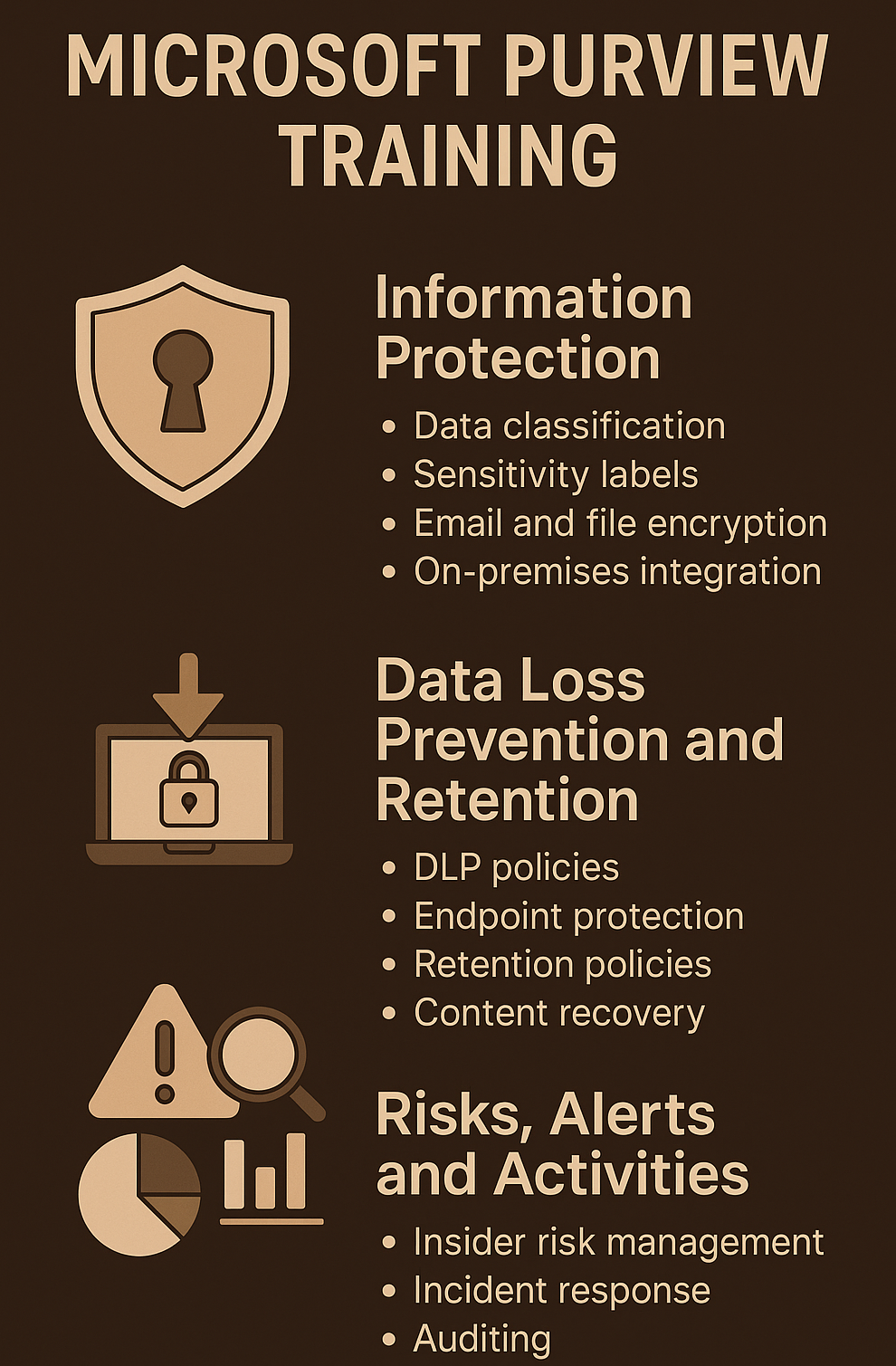
Microsoft SC-401 Training: Administering Information Security in Microsoft 365 is a Microsoft certification exam that validates your ability to configure and manage these Purview capabilities. Passing it earns the Microsoft Certified: Information Security Administrator Associate credential, which signals strong proficiency in protecting sensitive data, managing compliance, and responding to risks in Microsoft 365.
The course begins by introducing the importance of protecting sensitive data in a modern, Zero Trust environment. You’ll explore data classification concepts, insider threat prevention, and the handling of AI-generated or AI-processed content. These early topics establish a foundation for how Microsoft Purview operates and why data governance is critical in today’s hybrid workspaces.
You then move into data classification in detail, learning how to apply built-in sensitive information types, trainable classifiers, and custom classifiers. This includes creating exact data match types, using document fingerprinting, and developing keyword dictionaries to match your organization’s unique needs. These classification capabilities are the basis for more advanced protection measures later in the course.
Following classification, you’ll focus on reviewing and analyzing classification insights. Modules here cover the Data and Content Explorer, monitoring activity on labeled data, and understanding patterns of use or potential misuse. This stage trains you to not only configure protections but also interpret the analytics that guide future policy improvements.
A major portion of the training is devoted to sensitivity labels—their creation, configuration, and deployment. You’ll learn to apply labels to documents, emails, Microsoft Teams, SharePoint sites, and Microsoft 365 Groups, as well as integrate labels with Microsoft 365 Copilot for secure collaboration. Encryption, auto-labeling policies, and usage tracking also come into play here.
The course also addresses protecting on-premises data with the Purview Information Protection scanner. You’ll prepare environments for scanning, configure the scanner, run scans, and apply DLP policies to files stored locally. This bridges the gap between cloud and on-premises compliance.
Encryption in Microsoft 365 is covered in its own section, with a focus on data at rest, data in transit, service encryption, and Customer Key management. A related module explains Microsoft Purview Message Encryption for email, including branding, advanced controls, and integration with mail flow rules.
The data loss prevention (DLP) modules walk through policy planning, creation, and deployment—covering simulation mode, analytics, and alerts. You’ll explore endpoint DLP, onboarding devices, setting configurations, and creating just-in-time protection rules. These topics extend into Defender for Cloud Apps and the Power Platform for broader coverage.
Risk management is another critical theme, with modules dedicated to Insider Risk Management. You’ll learn to plan, configure, and manage policies, investigate alerts, analyze risk factors, and take action on cases. Adaptive Protection is introduced as a way to dynamically adjust protections based on user risk level.
In the later part of the course, you’ll cover AI-related risks and governance. This includes Microsoft Purview Data Security Posture Management for AI, protecting Copilot content with sensitivity labels, preventing generative AI data exposure, applying retention policies to AI outputs, and investigating AI interactions through eDiscovery.
The training closes with retention and recovery, audit capabilities, and eDiscovery. You’ll create retention labels and policies, set adaptive scopes, recover content, configure Purview Audit (Standard and Premium), and perform eDiscovery searches and exports. By the end, you have a complete view of how Purview supports the entire information lifecycle—from classification and protection through to retention, monitoring, and investigation.
Have a Question ?
Fill out this short form, one of our Experts will contact you soon.
Talk to an Expert Today
Call Now